Recuperación de pagos fallidos en Shopify Subscriptions: El manual de dunning
Todo comerciante de suscripciones pierde ingresos por pagos fallidos: tarjetas rechazadas, caducadas o bloqueadas por los bancos. Pero la mayoría de esos ingresos son recuperables. Esta guía cubre el manual completo de dunning: cómo reintentar pagos de forma inteligente, cuándo enviar correos electrónicos, cómo prevenir fallos antes de que ocurran y cómo medir lo que se recupera.
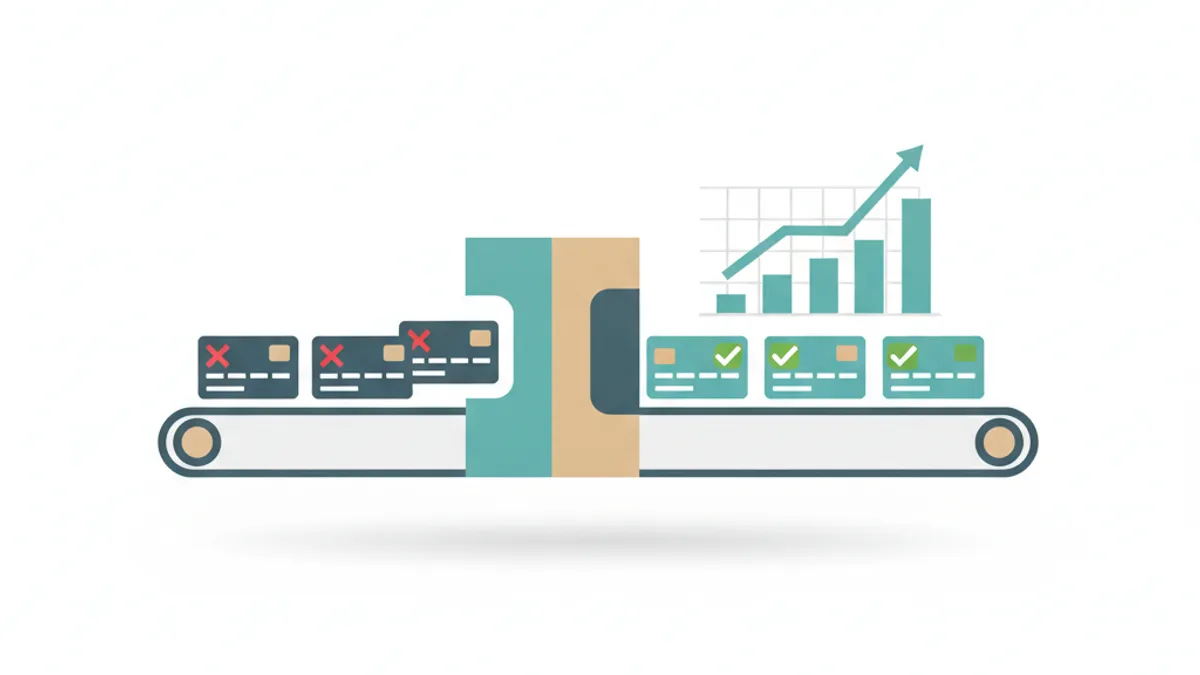
Los pagos fallidos causan una gran parte de la cancelación de suscripciones, pero la mayoría son recuperables. El manual: (1) distinguir los rechazos suaves de los rechazos duros para reintentar solo lo que se puede recuperar, (2) espaciar los reintentos de forma inteligente con intervalos de uno a siete días, (3) combinar cada reintento con un correo electrónico dirigido, (4) ejecutar el pre-dunning para detectar tarjetas que caducan antes de que fallen, y (5) usar servicios de actualización de cuentas para refrescar automáticamente los números de tarjeta almacenados. Mida la tasa de recuperación y el MRR recuperado para saber si funciona.
El asesino silencioso de ingresos en su negocio de suscripciones
Cuando un suscriptor se va voluntariamente, usted lo sabe. Cuando un pago falla y nadie le da seguimiento, usted pierde los mismos ingresos pero nunca tiene la oportunidad de actuar. Los pagos fallidos —también llamados abandono involuntario— suelen ser responsables de una parte significativa de todas las pérdidas de suscriptores en un negocio de suscripciones, y la mayoría es recuperable porque el suscriptor todavía quiere su producto.
La brecha entre los comerciantes que recuperan una pequeña fracción de los pagos fallidos y aquellos que recuperan la mayoría se explica casi en su totalidad por el proceso: la inteligencia con la que reintentan, cómo se comunican y si previenen los fallos en primer lugar. El dunning es ese proceso.
Rechazos suaves vs. rechazos duros: la decisión de reintentar
No todos los pagos fallidos deben ser reintentados. Comprender el tipo de rechazo le indica qué hacer a continuación.
Un rechazo suave es un fallo temporal: fondos insuficientes, una tarjeta marcada como actividad inusual, un motor de riesgo bancario que bloquea a un comerciante desconocido o un problema temporal del procesador. La tarjeta es válida y reintentar después de una breve espera a menudo tiene éxito.
Un rechazo duro es un fallo permanente: el número de tarjeta no es válido, la cuenta está cerrada o la tarjeta ha sido reportada como perdida o robada. Reintentar un rechazo duro desperdicia intentos y, lo que es más importante, corre el riesgo de activar alertas de fraude o de violar las reglas de reintento de la red de tarjetas. La respuesta correcta a un rechazo duro es dejar de reintentar inmediatamente y enviar un correo electrónico para actualizar la tarjeta.
| Tipo de rechazo | Causa común | Acción correcta |
|---|---|---|
| Rechazo suave | Fondos insuficientes, marca bancaria temporal, problema del procesador | Reintentar después de un retraso; combinar con correo electrónico |
| Rechazo duro | Número de tarjeta inválido, cuenta cerrada, reportada como robada | Dejar de reintentar; solicitar actualización de tarjeta inmediatamente |
| No honrar | Banco rechazó sin una razón específica | Tratar como suave; reintentar una o dos veces, luego enviar correo electrónico |
Creando un calendario de reintentos inteligente
El error de dunning más común es reintentar demasiado rápido. Los reintentos rápidos el mismo día agotan el plazo permitido, activan los sistemas de fraude y rara vez tienen éxito; la razón subyacente del rechazo no ha cambiado en unas pocas horas.
Un calendario de reintentos bien diseñado espacia los intentos para que coincidan con las razones más comunes de recuperación natural: el suscriptor recargó su saldo de la noche a la mañana, el banco restableció un límite de gasto diario o llegó una nueva tarjeta de reemplazo. Las brechas de uno a tres días entre reintentos tienden a superar a los intentos diarios para los rechazos suaves.
| Intento | Tiempo después del fallo | Notas |
|---|---|---|
| 1.er reintento | 1-2 días después del fallo | Detecta recargas de saldo de la noche a la mañana y restablecimientos bancarios |
| 2.º reintento | 3-4 días después del fallo | Detecta llegadas de nuevas tarjetas y ciclos de facturación semanales |
| 3.er reintento | 7 días después del fallo | Último intento automatizado antes de la escalada manual |
| Puntos de contacto por correo electrónico | Durante todo el período | Cada reintento combinado con un mensaje dirigido |
Secuencias de correo electrónico de dunning que recuperan suscriptores
El correo electrónico es la otra mitad del dunning. Un reintento sin correo electrónico es una moneda al aire; un correo electrónico combinado con un reintento convierte al suscriptor en un participante activo en su propia recuperación. El objetivo no es alarmar ni avergonzar, sino hacer que la actualización de una tarjeta sea completamente sencilla.
Una secuencia de tres correos electrónicos cubre la mayoría de los escenarios de recuperación. El primer correo electrónico, enviado el día del fallo, es informativo: algo salió mal con su pago y aquí tiene un enlace de un solo clic para actualizar su tarjeta. Sin urgencia, sin culpa. El segundo correo electrónico, enviado unos días después, añade una suave urgencia: su próximo envío está en riesgo. El tercer correo electrónico, cerca del final del plazo de reintento, es un aviso final con una fecha límite clara y un enlace directo al portal del cliente.
Mantenga los correos electrónicos de dunning cortos. Un objetivo, un enlace, una llamada a la acción. Los suscriptores que quieran quedarse actuarán con el primer correo electrónico; la secuencia existe para todos aquellos que estuvieron ocupados o se perdieron el primer mensaje. La personalización —usando el nombre del suscriptor y mencionando su producto de suscripción específico— mejora significativamente las tasas de clics.
Pre-dunning: evite los fallos antes de que ocurran
El mejor dunning es el dunning que nunca necesita ejecutar. El pre-dunning significa identificar las tarjetas que están a punto de caducar —normalmente entre 30 y 60 días antes— y pedir al suscriptor que las actualice antes de que el intento de cobro falle. Un correo electrónico cortés de advertencia de caducidad no tiene urgencia ni una connotación negativa, por lo que las tasas de apertura y clics son consistentemente más altas que las de los correos electrónicos de recuperación enviados después de un fallo.
El pre-dunning también llega a los suscriptores antes de que tengan cualquier experiencia negativa con su marca. Una vez que un pago falla y un envío se retrasa, el suscriptor ya tiene una razón para reconsiderar su compromiso. Detectar la caducidad a tiempo mantiene la relación intacta y evita por completo la secuencia de recuperación.
Servicios de actualización de cuentas
El actualizador de cuentas es un servicio ofrecido por Visa (Visa Account Updater) y Mastercard (Automatic Billing Updater) que actualiza automáticamente los números de tarjeta y las fechas de caducidad almacenados cuando un banco reemite una tarjeta. Cuando un suscriptor obtiene una nueva tarjeta porque la anterior caducó, se vio comprometida en una filtración de datos o se actualizó a un nuevo producto, el método de pago almacenado se actualiza silenciosamente en segundo plano, sin necesidad de ninguna acción por parte del suscriptor.
Para los comerciantes de suscripciones, el actualizador de cuentas gestiona una parte significativa de los fallos que, de otro modo, requerirían que el suscriptor proporcionara manualmente los nuevos datos de la tarjeta. Las tarjetas reemitidas después de una brecha bancaria son un caso particularmente común. La mayoría de los procesadores de pagos de suscripción de primer nivel participan en estas redes. Habilitar el actualizador de cuentas, donde sea compatible, es uno de los cambios pasivos de mayor retorno de la inversión que un comerciante de suscripciones puede realizar para reducir la rotación involuntaria.
Cómo medir el rendimiento del dunning
Rastree dos métricas principales: la tasa de recuperación de pagos (el porcentaje de pagos fallidos que finalmente se cobran) y el MRR recuperado (los ingresos por suscripciones recuperados de estados fallidos en un mes determinado). Juntas le indican el impacto comercial absoluto del dunning.
Desglose la tasa de recuperación por tipo de rechazo. Si la recuperación de rechazos suaves es baja, el momento del reintento o el texto del correo electrónico pueden ser el problema. Si los rechazos duros se reintentan repetidamente sin resultados, la lógica de clasificación de rechazos necesita ser corregida. Rastree el pre-dunning por separado: el número de caducidades detectadas antes del fallo es una métrica que vale la pena medir por sí misma porque representa la rotación que nunca entró en el embudo de dunning.
| Métrica | Cómo calcular | Qué mejorar cuando es baja |
|---|---|---|
| Tasa de recuperación de pagos | Pagos recuperados ÷ pagos fallidos totales | Programación de reintentos, secuencia de correo electrónico o lógica de tipo de rechazo |
| MRR recuperado | Ingresos de pagos recuperados en el período | Tasa de recuperación y valor medio de la suscripción |
| Tasa de abandono involuntario | Suscriptores perdidos por fallo de pago ÷ suscriptores activos | Todas las palancas de dunning: reintentos, correos electrónicos, pre-dunning, actualizador |
| Tasa de salvamento de pre-dunning | Caducidades actualizadas antes del fallo ÷ total de advertencias de caducidad enviadas | Tiempo del correo electrónico, texto y UX de actualización de tarjeta |
Configuración del dunning en Shopify
La API de suscripción nativa de Shopify proporciona una lógica básica de reintento de pagos, pero la pila completa de dunning —calendarios de reintento conscientes de los rechazos, secuencias de correo electrónico automatizadas, advertencias de caducidad de pre-dunning y acceso al actualizador de cuentas— requiere una aplicación de suscripción. RecurX se encarga de todo automáticamente: cada cargo fallido entra en la secuencia de recuperación sin ningún trabajo manual por parte del comerciante, y el portal del cliente hace que las actualizaciones de tarjetas sean un solo toque.
Para sacar el máximo partido al dunning, combine el calendario de reintentos con un portal de cara al cliente que sea fácil de encontrar y rápido de usar. Cuanto más rápido y sencillo sea actualizar una tarjeta, más correos electrónicos de recuperación se convertirán en suscripciones guardadas. Los enlaces internos a su portal de gestión de suscripciones en cada correo electrónico de dunning reducen la fricción entre la intención de pagar y la finalización del pago.
Preguntas frecuentes
¿Qué porcentaje de pagos de suscripción fallidos se puede recuperar con dunning?
Las tasas de recuperación varían según el negocio, el producto y la eficacia del proceso de dunning. Los comerciantes sin dunning recuperan solo una pequeña fracción de forma pasiva; aquellos con lógica de reintento inteligente, secuencias de correo electrónico dirigidas, pre-dunning y el actualizador de cuentas habilitado recuperan sustancialmente más. El límite inferior lo establecen los rechazos duros, que no se pueden recuperar reintentando, solo si el suscriptor proporciona nuevos detalles de pago.
¿Cuántas veces debería reintentar un pago de suscripción fallido?
Para los rechazos suaves, dos o tres reintentos espaciados entre uno y siete días es un patrón común y efectivo. Reintentar con mayor frecuencia rara vez aumenta la recuperación y corre el riesgo de activar alertas de fraude o violar las reglas de reintento de la red de tarjetas. Los rechazos duros no deben reintentarse en absoluto; en su lugar, envíe un correo electrónico inmediato para actualizar la tarjeta y detenga los reintentos automáticos de ese cargo.
¿Cuál es la diferencia entre un rechazo suave y un rechazo duro?
Un rechazo suave es un fallo de pago temporal —fondos insuficientes, una señal del banco o un problema del procesador— en el que la tarjeta subyacente es válida y un reintento después de una breve espera puede tener éxito. Un rechazo duro es un fallo permanente —la tarjeta está cerrada, es inválida o ha sido reportada como robada— en el que reintentar no recuperará el pago y puede activar alertas de fraude. Tratar ambos tipos de la misma manera desperdicia intentos de reintento y puede dañar su reputación ante el procesador.
Mo Boumzoud — Founder, RecurX. Mo is the founder of RecurX and writes about subscription commerce, retention, and growth for Shopify merchants. RecurX powers subscriptions for direct-to-consumer brands.
Sigue leyendo
- 15 estrategias de retención de clientes para ecommerce (2026)15 estrategias de retención probadas y prácticas para marcas de ecommerce y suscripción — ordenadas por retorno sobre esfuerzo, con las tácticas que de verdad mueven el churn.
- Métricas de suscripción: los 7 KPI que todo comerciante de Shopify debe seguirMRR, churn, LTV, NRR, ARPU — qué métricas de suscripción importan de verdad, qué aspecto tiene un buen dato y cómo usarlas para gestionar un negocio de suscripciones más sano en Shopify.
Empieza a hacer crecer tus ingresos recurrentes en Shopify
RecurX tiene un plan gratuito para siempre y cero comisiones por transacción en todos los niveles. Instálala en minutos.
Instala RecurX gratis →