Failed Payment Recovery: Stop Churn with Smart Retries
Recover lost revenue with automated retries, smart dunning, and better timing. See how failed payment recovery cuts churn and wins back subscribers on Shopify.
Recover lost revenue with automated retries, smart dunning, and better timing. See how failed payment recovery cuts churn and wins back subscribers on Shopify.
90% of recovered transactions happen within the first 10 days after failure. That makes timing the single most important lever in failed payment recovery, not message volume.
Most subscription churn is not a sign that customers are leaving on purpose. It's a billing event that went wrong, and the merchants who separate that from true cancellation usually recover more of the revenue they've already earned.
Table of Contents
- Why Timing Beats Volume in Failed Payment Recovery
- Building a Decline-Aware Retry State Machine
- One-Click Card Update Flows That Actually Convert
- Fixed Schedules Versus Decline-Aware Segmentation
- Designing the Complete Recovery Workflow
- Measuring Recovery Performance Correctly
- Real-World Recovery in Action
Why Timing Beats Volume in Failed Payment Recovery
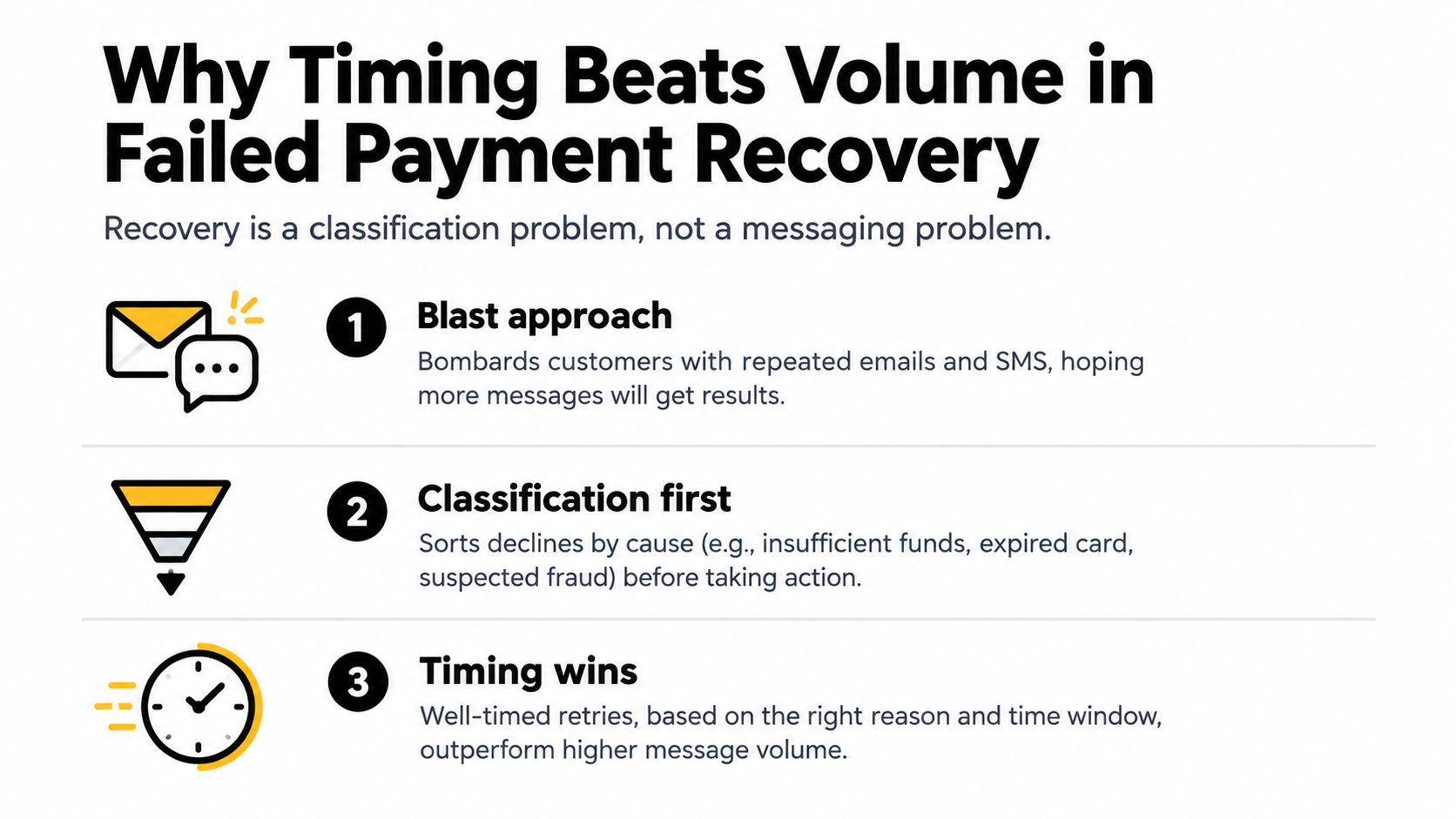
Failed payment recovery works best when you treat it like a clock, not a campaign. Recurly's analysis shows that 90% of recovered transactions occur within the first 10 days after the original decline, so the first response window matters far more than how many reminders you send later on. A daily blast of generic emails can look active while missing the critical recovery window entirely.
Involuntary churn deserves its own line in reporting. Orb's benchmark summary places it at roughly 20% to 40% of total subscription churn, which means a meaningful share of what looks like lost revenue is really payment friction. For Shopify merchants selling supplements, coffee, skincare, or pet products, that distinction changes the decision-making fast. A failed renewal is not the same as a customer choosing to leave.
Classify churn before you try to fix it
If you lump voluntary cancellations and payment-related lapses together, retention work gets blurry quickly. Teams end up spending time on acquisition while recoverable recurring revenue sits buried in the churn report.
Practical rule: separate voluntary churn from payment-related lapse before you tune retries, because the fix is different for each.
That split also changes how you judge your tools. If a customer's card expired, more reminders will not solve the problem. If the payment failed because funds were temporarily unavailable, timing and retry logic matter more than message copy.
The merchant mistake I see most often is treating failed payments as a messaging problem. Treat failed payments as a classification problem first, a timing problem second, and a communication problem last. The faster you route each decline into the right path, the less revenue stays stranded in avoidable churn.
RecurX's guide to involuntary churn is useful if you want a merchant-side definition before you rework your reporting.
Building a Decline-Aware Retry State Machine
A recovery flow should start with the decline code, not the apology email. Stripe's retry guidance says timing should reflect transaction history, payment method, customer behavior, time of day, and day of week, instead of one fixed cadence for every account Stripe's retry guidance.
Sort soft declines from hard declines on first failure
Soft declines have recovery potential. That includes insufficient funds, temporary issuer unavailability, and short-lived authorization holds. Hard declines, such as closed, stolen, or fraud-flagged cards, need a different path because retries will not fix the underlying problem.
The state machine matters because the first failure should be classified before any dunning sequence runs. Capture the processor's decline code and merchant-advice signal, then route the event as retryable, update-required, or do-not-retry. That keeps your team from sending the wrong action down the wrong branch.
Retry soft declines with purpose. Stop on hard declines, because repeated attempts burn network trust and create noise for your team.
For an analytics angle, the payment recovery insights from Querio are useful because they frame failures as categories you can act on, not as one blended bucket.
Use reason-specific windows, not a universal loop
For soft declines, industry guidance commonly points to three to five retry attempts over 10 to 14 days, with insufficient-funds retries aligned to likely payday timing and temporary issuer failures retried sooner. The goal is to retry when the bank is most likely to approve, not to contact the customer more often.
The operational guardrails matter just as much as the schedule. Do not retry when the processor says do not retry. Do not let a job create duplicate charges because it is not idempotent. Do not suspend service before the relevant retry window has fully ended.
A decline-aware workflow is calmer than a blanket retry loop, and it usually recovers more revenue because the action matches the failure. That is the difference between automation and noise.
One-Click Card Update Flows That Actually Convert
Expired or replaced cards do not need another retry. They need a fast path for the customer to update credentials without digging through account menus or restarting checkout.
Remove the login friction
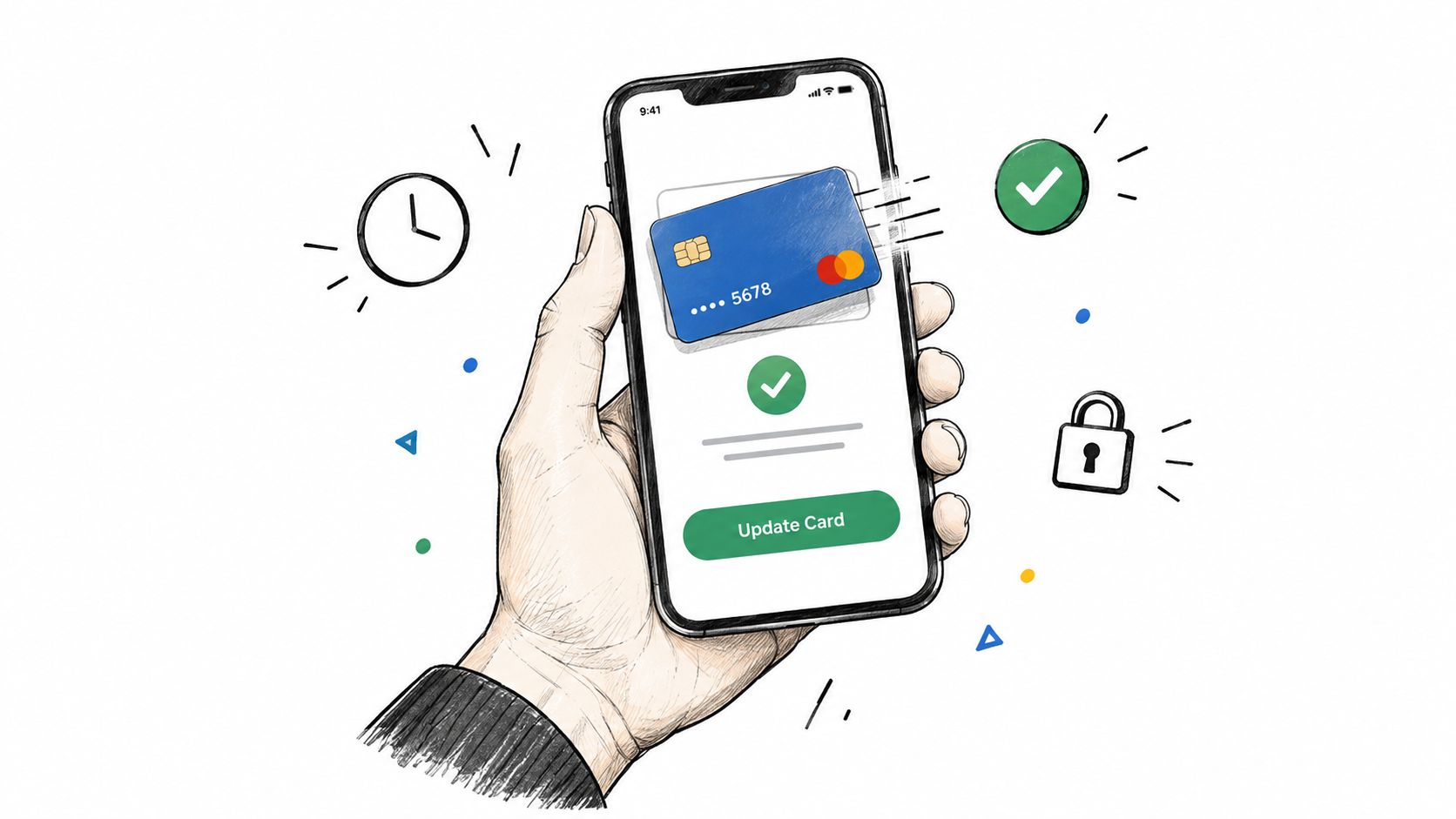
The recovery path should be direct. A one-click card-update link sends the customer to a pre-filled payment update flow, usually from email or SMS, so they can fix the credential without sorting through billing settings.
That matters most for card expiry, replacement, and other stale credential failures. Retrying the same token just repeats the same decline. A clean update path respects the customer's intent to stay subscribed and removes the friction that causes abandonment.
A useful merchant pattern is simple:
- Detect the credential failure immediately and stop wasted retries on the old card.
- Send the update link within 24 hours through email or SMS.
- Follow up once if the payment method still has not been updated.
- Escalate only after that, instead of burying the customer under repeated reminders.
Match the recovery action to the failure cause
One-click update flows work because they solve the actual issue instead of asking the customer to interpret a billing error. For a Shopify merchant, the update step often works best inside the customer portal or on a branded storefront page, where the experience stays familiar and the customer can finish the fix without a support ticket.
Portal-hosted update flows matter because they keep the customer in the same subscription context where the failure happened. That reduces confusion, shortens the path to a valid card, and usually performs better than pushing people to a generic billing screen.
If you are building this inside a native Shopify stack, one option is RecurX, which includes one-click card-update links and decline-aware payment recovery for subscription merchants. Used properly, that kind of flow reduces the number of customers who need to contact support just to get a card updated.
The shortest recovery path is usually the best one for replacement-card failures.
Fixed Schedules Versus Decline-Aware Segmentation
Fixed retry schedules are easy to launch and hard to defend. They recover some payments, but they leave revenue behind because every decline gets the same treatment, even when the cause is different.
Smarter retries beat identical retries
Benchmark material shows that fixed retry schedules commonly recover about 40% to 60% of initially declined transactions, while layered programs can do better when they classify the decline and time the retry properly Payway's benchmark summary. Recurly's analysis points to the same operational gap, showing recovery moving from about 53% to 71%, an 18 percentage point gain, without changing the billing infrastructure itself.
That is the trade-off in practice. A decline-aware model recovers more per attempt because each retry matches a specific failure cause.
Test the logic, not just the email copy
A useful experiment for a Shopify merchant is to compare the current retry policy against a treatment cohort that excludes hard declines, applies reason-specific retry windows for soft declines, sends an update link after the first or second failure, and pauses service at a defined threshold. Then compare incremental recovered gross margin, not just authorization rate.
That measurement needs discipline. If you count every successful retry as a win, recovery looks stronger than it is. If you compare cohorts with different failure mixes, the result points in the wrong direction. The goal is to isolate the effect of the recovery workflow itself.
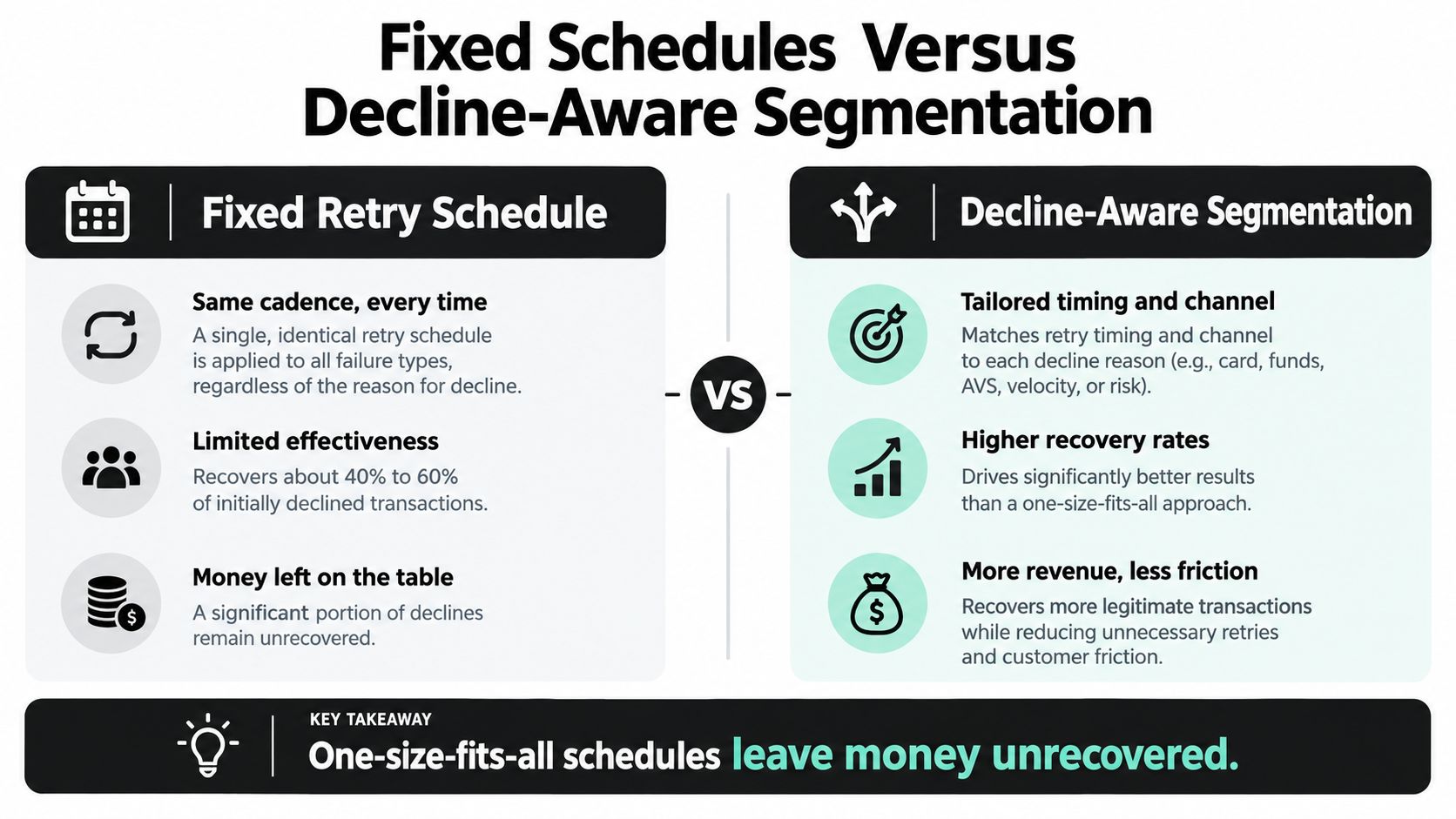
The practical lesson is easy to miss if you only look at topline recovery. A flat retry loop is convenient. A decline-aware segmentation model usually makes each attempt count more.
Designing the Complete Recovery Workflow
A recovery workflow works only when the handoff between steps is clean. The system detects the decline, classifies it, routes the right retry or customer action, and closes the loop once the payment is captured or the account details change.
Build the handoffs before you build the messages
Duplication is the main operational risk. If webhook handling is not deduplicated, the same recovery can be counted twice or the same customer can be contacted twice. If suppression rules are loose, a hard decline can keep cycling through retries that will never convert.
A practical flow looks like this:
- Detect the decline immediately and store the reason code.
- Classify the failure as soft, hard, or credential-related.
- Trigger the right response, retry, update link, or no-retry escalation.
- Stop or suspend service only after the retry window is exhausted.
Keep market and payment rail differences visible
Global brands need more than a card-only setup. Account updater services help when stored credentials change, but they do not fix every failure mode, especially local authentication issues, bank-account logic, or rail-specific restrictions. Market-level segmentation keeps those differences visible.
For a merchant on Shopify, the workflow also has to respect fulfillment timing and customer communication. A billing email, a fulfillment hold, and a support ticket should not send three different messages about the same failed charge.
The cleanest recovery flow is the one support never has to explain twice.
On Shopify, a guide to Shopify subscription plans is useful context because the recovery logic has to match the subscription setup, not work against it. Shopify Flow automation and webhook deduplication tooling also save time here, because they prevent repeated actions when the same decline event arrives more than once.
The best systems route each failure into the right lane, keep subscription context intact, and feed the result back into the next decision.
Measuring Recovery Performance Correctly
Many teams say they want recovery data, then measure the wrong thing. The clean metric is recovered failed charges divided by initially failed eligible charges, segmented by decline reason, payment method, market, attempt number, and days to recovery.
Measure margin, not vanity output
Recovered revenue looks strong until you subtract the cost of getting it back. Gateway fees, message costs, refunds, chargebacks, and support time all matter. A workflow that improves authorization rate but drives avoidable churn through over-contact can still be a poor trade.
That is why incremental recovered gross margin is the metric I trust most. It keeps the focus on what the merchant keeps, not just what the processor approves.
Watch the traps that distort recovery data
A few mistakes show up again and again:
- Counting natural retries as wins: a payment that would have succeeded anyway is not proof the workflow helped.
- Mixing first-payment failures with renewals: those are different customer moments and should be tracked separately.
- Ignoring webhook duplicates: duplicate events can inflate recovery counts quickly.
- Comparing mismatched cohorts: if one group has more hard declines, the result is not a fair comparison.
For a broader churn view, the ELECTE churn analytics tool helps frame how recovery changes your churn reporting.
The failed payment recovery calculator from RecurX is useful for a cleaner view of subscription performance because it frames recovery as revenue at risk, not just a payment success rate.
Monthly reporting should break recovery down by decline reason and attempt number, then compare it with your control baseline. That is how you see whether the workflow is protecting margin or just moving numbers around.
Real-World Recovery in Action
A mid-size supplement brand on Shopify Plus had a problem that looked like normal churn at first. Once the team split the numbers, it turned out a large share of involuntary churn was payment-related, with expired cards and insufficient funds driving most of the decline.
What changed in the workflow
Before the fix, every failure got the same daily email reminder. That kept the support inbox busy and didn't do much for recovery. After the team moved to a decline-aware flow, they classified failures on first attempt, routed insufficient-funds cases into timed retries, sent update links quickly for expired cards, and stopped treating every decline like it needed the same message.
The operational difference was just as important as the revenue result. The team also tightened webhook deduplication and made sure service changes only happened once the retry window had ended. That cut down the confusing edge cases that usually generate tickets.
What the merchant learned
The biggest lesson wasn't that messaging matters less. It's that messaging only works after classification and timing are right. Once the recovery path matched the failure type, the customer experience got cleaner and the billing process stopped feeling chaotic.
RecurX's payment recovery solutions line up with that approach because they combine decline-aware retries, customer notifications, and card-update flows in one subscription workflow.
If you're running Shopify subscriptions and your decline data is still buried inside one blended churn number, start by separating the failures by reason and timing. Then rebuild the recovery path around what specifically failed. If you want a Shopify-native way to do that, visit RecurX and review how its failed payment recovery tools fit into subscription billing, customer portals, and retention workflows.
failed payment recovery · Shopify subscriptions · payment dunning · involuntary churn · retry strategy
Keep reading
- Recurring Revenue Billing PlaybookMaster recurring revenue billing for Shopify DTC. Explore pricing models, retention metrics, payment recovery, and global compliance strategies.
- Shopify Subscription API: A Complete Integration Guide 2026Learn how to use the Shopify Subscription API with GraphQL examples, secure authentication, and webhook handling in this 2026 guide.
- Subscription vs One Time Purchase for ShopifyCompare subscription vs one time purchase models for Shopify. Analyze LTV, churn, and MRR impacts, plus how to implement recurring billing with RecurX.
Start growing recurring revenue on Shopify
RecurX has a 14-day free trial and zero transaction fees on every plan. Install in minutes.
Start your free trial →