Shopify App Charges Explained: Billing Types and Costs
Learn how Shopify app charges work: subscription, usage and one-time fees, billing cycles, pricing models and how to check your bill.
Learn how Shopify app charges work: subscription, usage and one-time fees, billing cycles, pricing models and how to check your bill.
Comparing monthly plan prices isn't enough to compare Shopify app charges. The advertised fee tells you what access costs, but it doesn't necessarily tell you what you'll owe once usage, separate purchases, credits, and billing timing enter the calculation.
A better approach is to treat every app as a small account to reconcile. Record what you approved, identify what activity creates a charge, and match each invoice line to its billing period. That turns an unexpected total into a set of amounts you can verify.
Table of Contents
- The Four Shopify App Charge Types
- When Each App Charge Reaches Your Bill
- Pricing Models Behind Recurring and Usage Fees
- Forecasting Worst-Case Monthly App Spend
- How to Reconcile App Charges on Your Shopify Bill
- Where RecurX Fits in Your App Charge Budget
- Check Every Charge Before You Approve an App
The Four Shopify App Charge Types
Subscription charges are the familiar starting point: you pay for continued access to an app. But Shopify's billing-charges guide identifies four principal app-related charge types, including usage charges, one-time purchases, and application credits, and describes app subscription billing as an independent 30-day cycle.
That distinction matters because an advertised subscription price isn't necessarily an all-inclusive price. A store might pay for access, consume a metered feature, purchase a migration service, and receive a downgrade credit during the same accounting period.
Shopify app charge types at a glance
| Charge type | What it covers | How it is billed | Example |
|---|---|---|---|
| Subscription charge | Continued access to the app | Recurs on the Shopify bill each billing cycle | Monthly plan fee for a subscription app |
| Usage charge | Activity that varies with consumption | Calculated over the app's usage period and added to the bill | Fee per customer interaction or processed event |
| One-time purchase | A discrete service | Billed separately from the regular Shopify subscription bill | Bulk data transfer during migration |
| Application credit | Downgrades or other credit conditions | Offsets future app-related charges | Credit after a mid-cycle plan downgrade |
A credit isn't another purchase, and it shouldn't be treated as cash returned to your bank account unless the provider explicitly confirms a refund. For reconciliation, record it as an adjustment against eligible app charges.
The visual below also distinguishes external billing, which is a collection route rather than a replacement for the application-credit category.
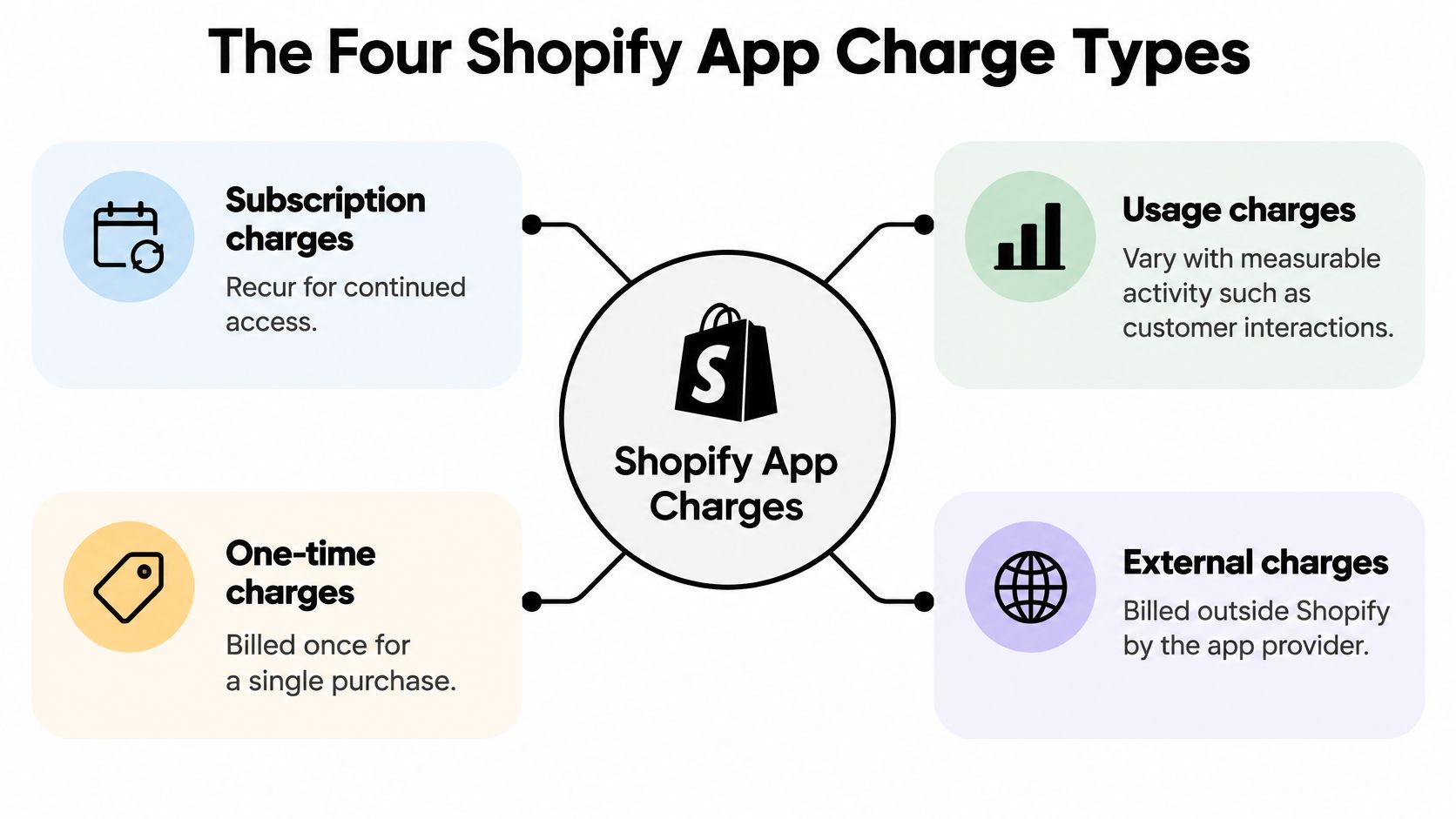
Identify the charge and its status separately
Pending means a charge has been generated but hasn't yet been invoiced. Paid means it appeared on a past bill and was collected. These are statuses, not pricing models: a subscription charge can be pending or paid.
When reviewing a line, look for the plan name, service description, usage quantity, or credit notation before comparing amounts. Don't assume every line bearing the same app name represents another subscription payment. Charges collected directly by an app provider sit outside the Shopify bill, so your Shopify invoice alone isn't a complete app-spend record.
When Each App Charge Reaches Your Bill
Approval, accrual, invoicing, and payment aren't the same event. According to Shopify's recurring-application-charge documentation, approved subscription and usage charges generally become due on the next 30-day Shopify billing cycle or when the merchant reaches the billing threshold, whichever comes first; usage is calculated from consumption during a 30-day period.
The app's service period and your store's Shopify billing date can be different. Consequently, the date you see on the invoice isn't enough to establish which period of app access or consumption you're paying for.
Use this timeline to distinguish the stages.
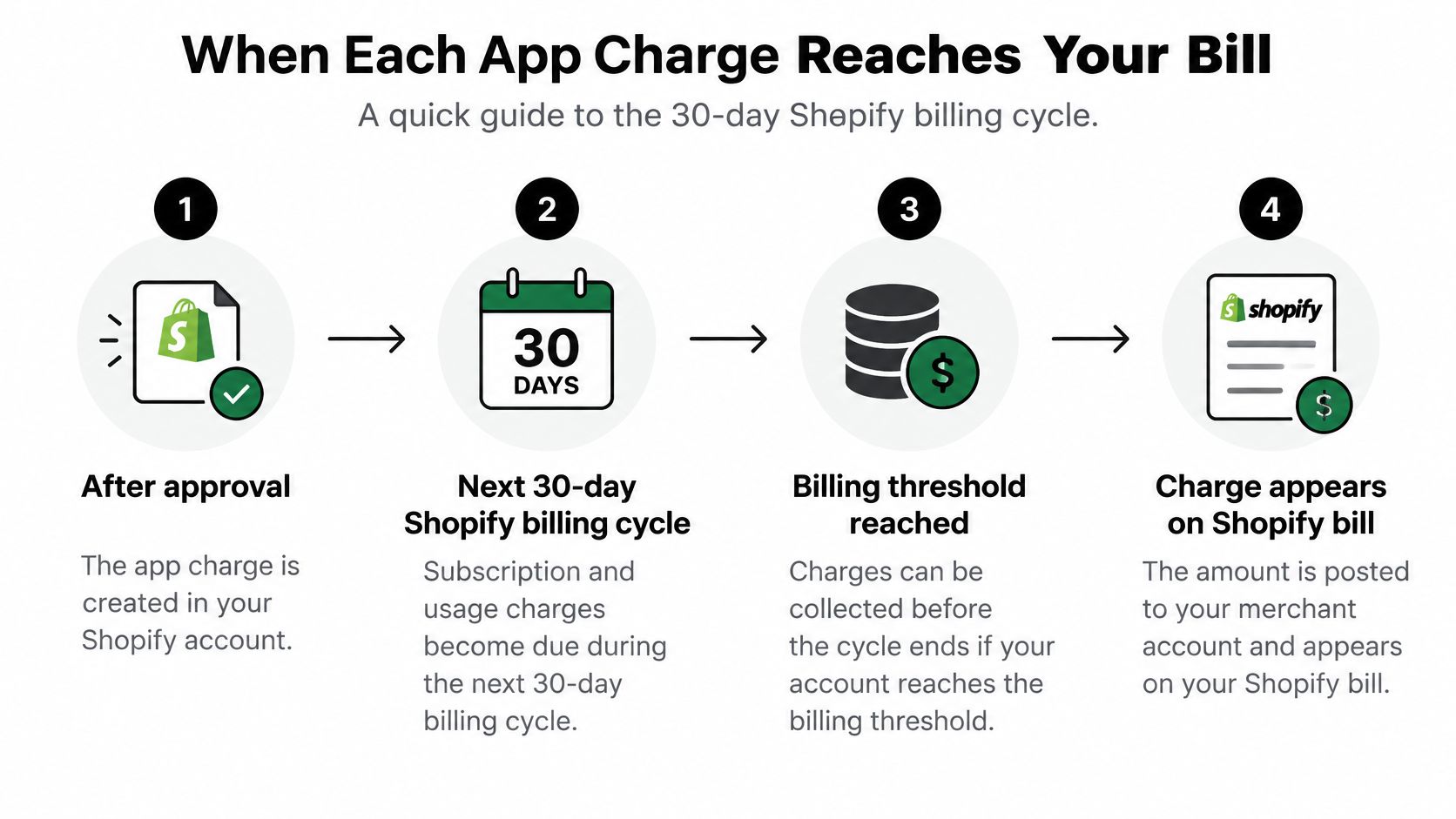
Follow the charge from approval to collection
- Approve the terms. Save the accepted plan, billing interval, and any usage authorization. Approval establishes the charging arrangement; it doesn't necessarily mean money leaves your account immediately.
- Track consumption. Metered activity accumulates against the app's applicable usage period. Keep the period's start and end dates alongside the activity report.
- Review pending amounts. Compare generated charges with the approved terms before they're included in an invoice.
- Match invoicing and payment. When Shopify issues the bill, identify which app periods it contains, then reconcile the collected amount against that invoice.
Legacy recurring-charge implementations redirect merchants to Shopify's confirmation URL before activation. The newer Shopify App Pricing approach uses Shopify-hosted plan-selection screens instead, so the approval interface can differ between apps.
For RecurX, all charges run through Shopify Managed Pricing. You can approve, decline, upgrade, and downgrade plans without leaving the Shopify admin, and no charge is made until the 14-day free trial ends.
Before approving: Check the effective service period, renewal behavior, and any usage cap. An invoice date tells you when Shopify bills you, not necessarily when the underlying activity occurred.
For a disputed usage line, request the event period and charge identifier. Those details are more useful than a screenshot showing only the total.
Pricing Models Behind Recurring and Usage Fees
A flat recurring plan provides the simplest baseline: an agreed access fee for the billing interval. Your cost stays fixed within that plan's terms, rather than increasing with every billable event.
Shopify's app-billing documentation supports free, monthly, and yearly recurring structures, along with fixed, graduated, and volume usage pricing. It also supports combining a base fee with usage charges, so the label “monthly plan” doesn't by itself establish that the total is fixed.
App pricing models and how cost changes with volume
| Pricing model | How the fee is set | Cost as volume grows | Best fit |
|---|---|---|---|
| Monthly recurring | Fixed fee for each monthly billing interval | Stays flat within the agreed plan | Stores that want predictable costs |
| Yearly recurring | Fee for an annual term | Stays flat within the term; check the actual discount | Stable stores committed to one app |
| Fixed usage | One rate per event | Rises in direct proportion | Low or steady event counts |
| Graduated usage | Successive usage bands have their own rates | Rises more slowly where later bands have lower rates | Stores with rising volume |
| Volume usage | One tier price applies to all units at the qualifying volume | Can change sharply at tier boundaries | Stores with clear volume bands |
| Base fee plus usage | Recurring base fee plus metered activity | Base stays fixed while usage grows | Apps whose costs scale with merchant volume |
An annual plan isn't automatically discounted. Compare the actual annual commitment with the monthly alternative, and consider whether you'll still need the app throughout the term.
With graduated pricing, each band retains its own rate. With volume pricing, the qualifying tier determines the rate applied across the eligible units. That difference changes the calculation, especially near a tier boundary; don't estimate either model by multiplying all events by the lowest advertised rate.
Separate core access from variable services
Say a subscription-management app charges a predictable access fee for its core infrastructure but meters high-volume messaging or payment-recovery events. That architecture can make sense, provided the merchant can identify exactly what counts as a billable event.
A small store with limited activity might prefer a low base fee. A growing store should examine graduated rates, while a high-volume store with stable consumption should compare the full volume schedule against a fixed plan. These are comparison criteria, not guarantees that a particular model wins.
For a percentage-free alternative, review our Shopify subscription app with no transaction fees alongside each competitor's complete charging rules.
The useful question isn't just what an app charges. It's which activity the provider counts, and whether you can independently verify that count.
For metered implementations, event handles must match configured meters. Developers should also use idempotent event identifiers and reconcile delivery against charge history so a retry doesn't become duplicate billable activity.
Forecasting Worst-Case Monthly App Spend
The advertised plan price is only the opening line of a worst-case forecast. The bill can add usage charges, one-time purchases, credits, prorated plan changes, pending amounts that settle later, and fees billed outside Shopify.
Break-even events = (flat fee − base fee) ÷ per-event rate. Use it only when the competing plans cover comparable functionality and the metered option charges a constant rate per event.
Take a worked example: a $49 per month flat fee against a $19 base fee plus $0.02 per event. The calculation is ($49 − $19) ÷ $0.02 = 1,500 events. Below that level the metered plan costs less in this example; above it the flat plan contains the growth.
Illustrative monthly cost at different event volumes
| Monthly events | Flat fee at $49 | Base $19 plus $0.02 per event | Cheaper option |
|---|---|---|---|
| 500 | $49 | $29 | Usage-based |
| 1,500 | $49 | $49 | Equal at break-even |
| 3,000 | $49 | $79 | Flat fee |
| 5,000 | $49 | $119 | Flat fee |
All amounts in this table are calculations using the hypothetical inputs above.
The pattern is the point: entry price alone does not predict the worst month. Model the upper bound of billable activity, then test whether a cap applies to usage only or to the whole app total.
Shopify App Pricing documentation describes support for recurring and usage structures, trials, proration, and price changes. A sound forecast therefore includes start dates, renewal timing, transitions and credits, not just steady-state consumption.
Budget for the peak, not the average
Estimate your highest plausible billable activity for the relevant service period. Multiply that activity by the approved rate, add the base fee and any separately approved services, then subtract only credits you can tie to a record.
- Test the cap. Establish whether it limits usage charges alone or the complete app total, and what happens operationally when you reach it.
- Check plan transitions. A mid-cycle upgrade or downgrade can create prorated adjustments. Use the displayed terms rather than assuming a full charge or full refund.
- Record trial expiry. Distinguish the end of free access from the later date on which an invoice is collected.
- Carry pending and external amounts separately. A pending charge can still become a collection, while an externally billed fee may never appear on the Shopify invoice; both belong in the cash forecast.
If you're evaluating several tools simultaneously, Compass+'s guide to cancel trials before billing starts can support your reminder process. Record the cancellation confirmation rather than relying on a calendar alert alone.
Build the comparison in a spreadsheet from each provider's approved rate schedule, and use any subscription app fee calculator only as a cross-check before validating assumptions against published terms.
A flat fee isn't automatically safer for every store. It can still be poor value if you're paying for unused capabilities, while a metered plan can remain economical when activity is limited. Choose on peak-period cost and required functionality together.
How to Reconcile App Charges on Your Shopify Bill
Start with the invoice, not the pricing page. Shopify's guide to app charges distinguishes subscription fees, usage charges, purchases, credits, and externally billed fees, with external charges excluded from the Shopify bill.
Your task is to connect each amount to an authorization, an activity period, and a payment record. Keep a spreadsheet or accounting ledger with columns for app name, charge type, status, service dates, approved rate, usage quantity, credit, and invoice reference.
The opening checks establish what you're reconciling.
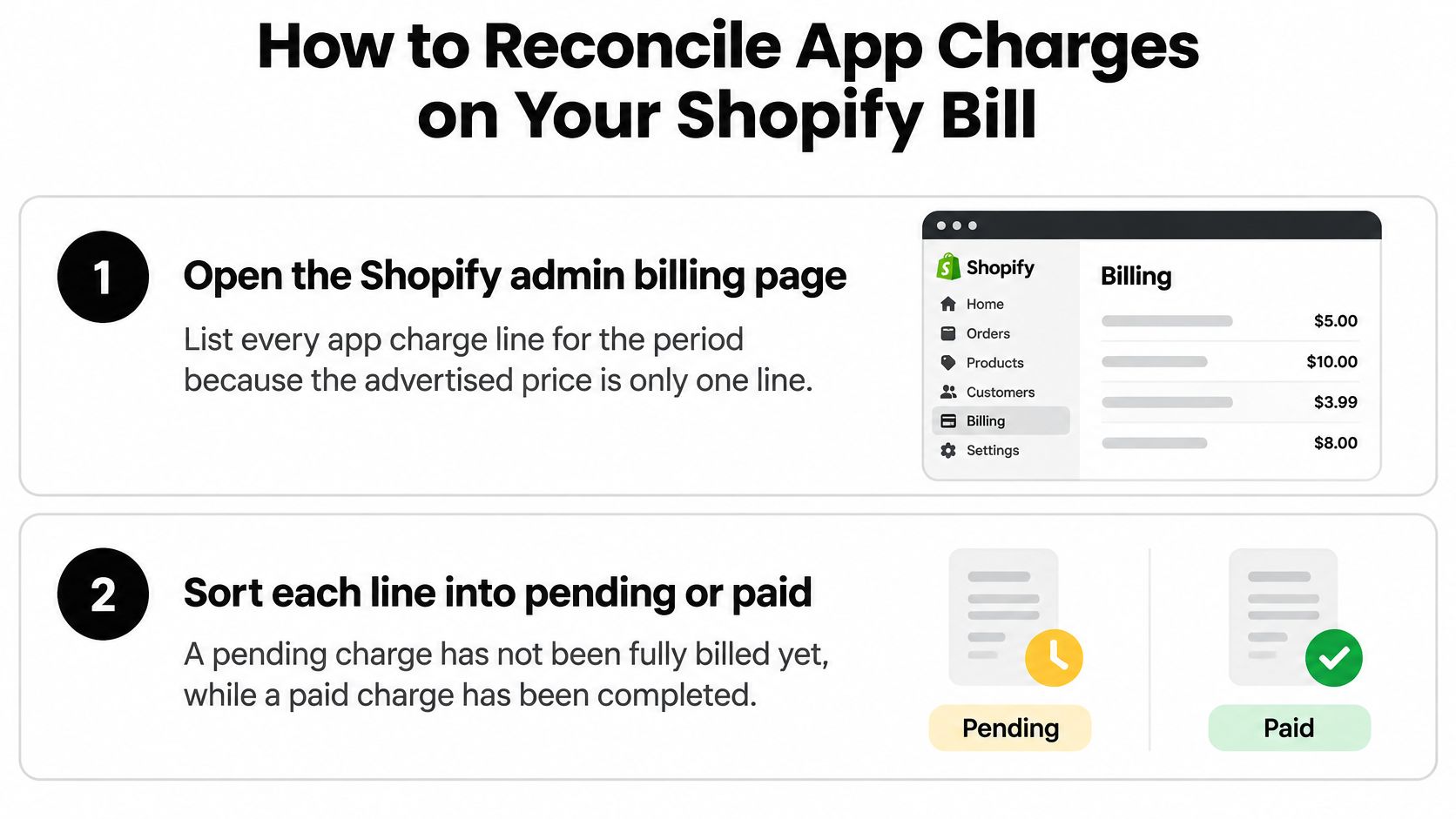
Work through the invoice line by line
Open Shopify admin billing and list every app line. Copy the description and reference rather than recording only the invoice total. This prevents a separate service purchase from being mistaken for an increase in the recurring plan.
Separate pending records from paid invoices. Keep them in distinct ledger columns or views. Otherwise, you can accidentally count the same obligation when it's pending and again after it's collected.
Recalculate each usage amount. Match the provider's activity report to the exact service dates and apply the approved pricing schedule. If the billed count differs from your operational report, check what the provider defines as an event before concluding that the arithmetic is wrong.
Apply credits to the correct account. Look for downgrade adjustments and confirm where the credit was used. Don't subtract an expected credit until you can identify the actual adjustment or obtain confirmation of how it will be applied.
Inspect external payments separately. Compare provider invoices with your bank or card statement, including direct debits. Missing this step can make your Shopify app budget look lower than the amount the business pays.
Compare against the approval record. Verify the plan, authorized cap, service period, and renewal terms. If someone on your team changed the plan, retain the new approval alongside the original so the adjustment has an explanation.
Flag mismatches while they're still pending when possible. Send the provider the charge identifier, relevant dates, approved terms, and your calculation. For an already-paid discrepancy, keep the invoice and payment reference attached to the same query.
Close the account without mixing cost categories
A useful reconciliation ends with explained differences, not merely matching totals. If the advertised price and invoice differ, your ledger should show whether the reason was usage, a service purchase, a timing difference, or an adjustment.
Accounting check: Keep Shopify platform costs, payment-processing costs, and app fees in separate categories. Otherwise, an app comparison can end up including costs the app doesn't control.
Likewise, zero transaction fees don't mean zero app charges. Verify the access fee independently, then keep evidence that the provider hasn't added a revenue-linked or per-order app charge.
Where RecurX Fits in Your App Charge Budget
RecurX charges a flat subscription price with zero transaction fees on every plan, so subscription growth never adds a percentage-based app fee to your bill. The budget line stays fixed even as subscriber revenue climbs.
Every charge runs through Shopify Managed Pricing, which means approval, upgrade and downgrade all happen inside the Shopify admin and the fee lands in the same pending-charge queue as your other apps. There is no separate provider invoice or external billing route to reconcile. No charge is made until the 14-day free trial ends, so the approval date and the first paid charge can sit nearly two weeks apart on your invoice history.
RecurX plans and what each includes
| Plan | Price | Key inclusions | Best for |
|---|---|---|---|
| Basic | Listed on the pricing page | Unlimited subscription plans, all 16 widget templates, customer portal, payment recovery, loyalty program, cohort and retention analytics, email campaigns | Stores starting or running subscriptions |
| Pro | $49 per month or $490 per year | Unlimited subscribers, email campaigns, integrations, portal magic links, plus payment recovery and a loyalty program | High-volume stores connecting other tools |
The current Basic price is shown on the RecurX pricing page. Don't build an ongoing budget from an old comparison article, and don't assume an unquoted price means a free plan.
Compare the charging basis as well as the features
A percentage-based subscription app produces a charge that scales with your revenue:
Monthly subscription revenue × app-fee percentage = revenue-linked app charge.
Add any recurring base fee the competitor also charges, then compare that complete figure with the flat plan price over the same service period. A percentage model can look cheap in a low-revenue month, so run the calculation at your expected volume before approving anything.
Bundling changes the math too. Basic includes payment recovery, loyalty, customer self-service, analytics and email campaigns, so check whether your workflow needs separate tools for those jobs before adding their subscriptions to your app budget. A bundled feature only saves money if it replaces something you would otherwise pay for.
Pro is intended for high-volume stores connecting other tools. Choose it for its subscriber capacity, integrations and portal magic links rather than treating a higher plan as automatically better.
RecurX offers a free migration call for stores moving from another subscription app, and both plans include a free revenue audit showing what the store is losing. These answer two separate questions: what the software costs, and where the subscription operation leaks revenue. Record each figure on its own line so a retention opportunity doesn't obscure the actual billing commitment.
Check Every Charge Before You Approve an App
An approval screen is a financial authorization, not just an installation step. Save its terms where the person reconciling invoices can find them.
Use a written checklist while reviewing the authorization.
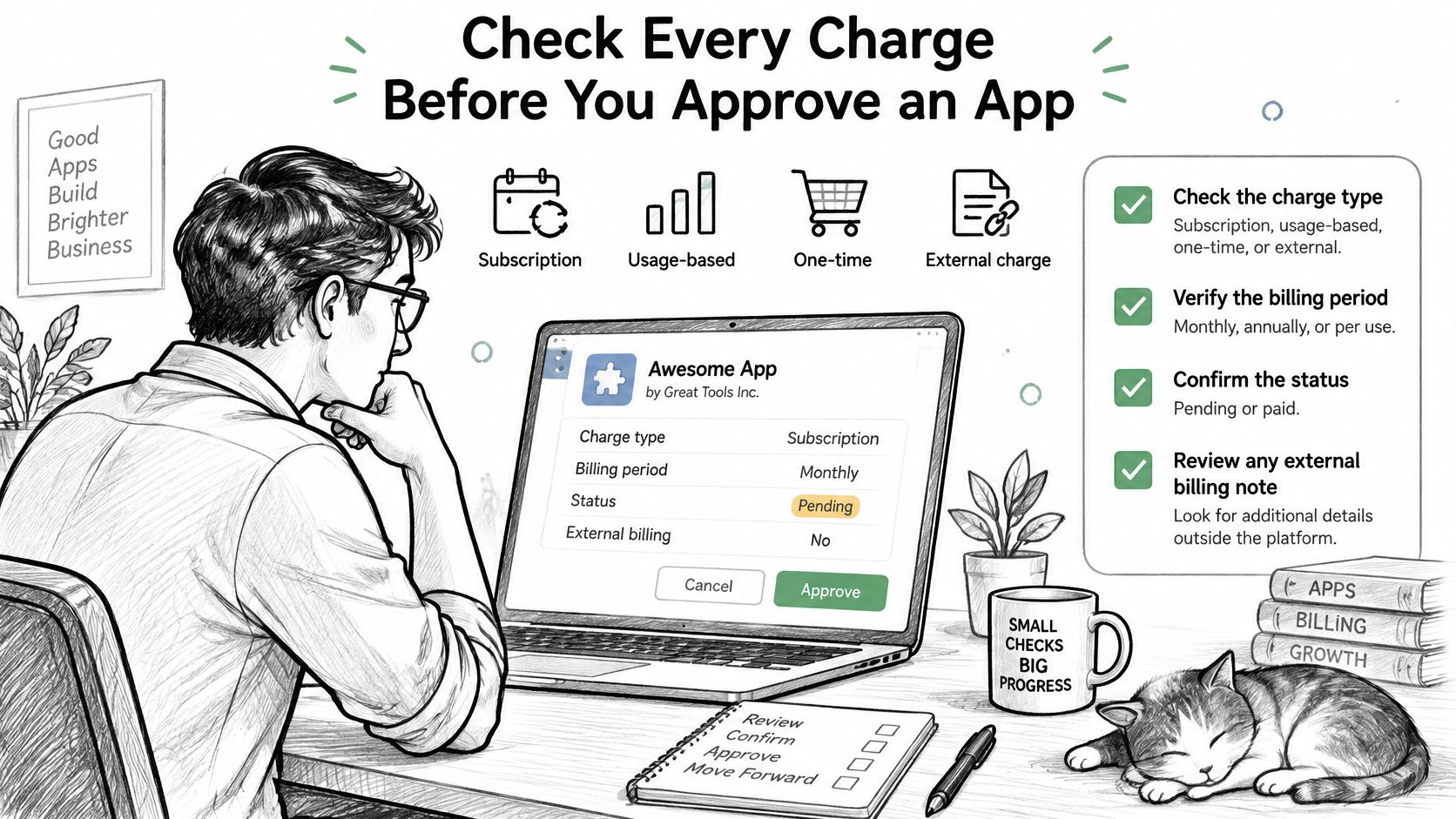
Make the approval decision explicit
- Identify every charging route. Record recurring access, usage, separate purchases, and any external billing arrangement. Note how application credits are handled.
- Confirm the effective period. Save the service start date, renewal interval, and conditions that make the initial charge due.
- Document metered exposure. Retain the event definition, rate schedule, and approved usage cap, not just the headline base fee.
- Stress-test the budget. Calculate the highest expected seasonal bill with the features you'll use. Include separately approved services.
- Schedule the trial decision. Record the expiry date and cancellation procedure, then assign someone to decide whether to continue.
- Read exit and downgrade terms. Establish whether changes produce a credit, refund, or future adjustment. Don't assume cancellation automatically reverses an existing charge.
For our service, subscribers can cancel anytime, and the merchant's data stays with the merchant. Keep customer subscription controls distinct from the merchant's app-billing authorization when documenting responsibilities.
For an additional walkthrough, use the video alongside your saved approval record.
Keep the decision auditable
Maintain a simple ledger containing the approved plan, cap, billing dates, and the person who authorized changes. Reconcile that record against each invoice cycle, and retain provider explanations for adjustments.
Approve when the worst-case month fits the budget and every charging condition is clear. If it doesn't, negotiate a lower exposure, restrict optional metered activity, or choose a suitable flat-fee plan. A low advertised price isn't a substitute for a bill you can explain.
RecurX offers Shopify-native subscription management with flat subscription pricing and zero transaction fees. Review the plans against your app-charge ledger, or book a free migration call to assess the billing and operational implications of switching.
shopify app charges · shopify billing · app pricing · usage charges · subscription fees
Keep reading
- 8 Shopify Flow Examples Subscription Merchants Can Copy8 practical Shopify Flow examples for subscription stores, with triggers, conditions, and actions for tagging, dunning, churn rescue, and loyalty.
- How Do Loyalty Points Work? Rates and RedemptionsHow do loyalty points work? See earn rates, 100 points = $1 redemptions, expiry, stacking with subscription discounts, and the LTV effect.
- Customer Winback Strategies: 8 Proven Tactics for 2026Discover 8 customer winback strategies to recover lapsed subscribers, from dunning and card-update links to save flows, loyalty rewards, and SMS sequences.
Start growing recurring revenue on Shopify
RecurX has a 14-day free trial and zero transaction fees on every plan. Install in minutes.
Start your free trial →