8 Shopify Flow Examples Subscription Merchants Can Copy
8 practical Shopify Flow examples for subscription stores, with triggers, conditions, and actions for tagging, dunning, churn rescue, and loyalty.
8 practical Shopify Flow examples for subscription stores, with triggers, conditions, and actions for tagging, dunning, churn rescue, and loyalty.
Most Shopify Flow advice starts with a shortcut: pick a template, tag an order, and automate the next task. That's useful for a one-off purchase. For subscriptions, it can send a welcome email to a long-standing customer, treat a pause as a cancellation, or chase a payment that your dunning system has already recovered.
Subscription automation needs customer state, not just order activity. A paid order doesn't tell you whether someone just subscribed, renewed, resumed, or bought something outside their subscription. Shopify's Flow app listing provides an automation starting point, but merchants still need to map subscription-app events and data to the right retention decisions.
The practical fix is to define the event, check the subscriber's current state, and make the smallest useful change. Keep payment retries in your subscription app, customer messaging in your lifecycle platform, and operational decisions in Flow where those responsibilities make sense.
These Shopify Flow examples cover subscriber tagging, payment escalation, skip-and-pause risk, inventory alerts, onboarding, loyalty milestones, cancellation routing, and fulfillment. Each includes a trigger-condition-action blueprint and the tuning decisions that keep it useful.
Treat the blueprints as logic to reproduce, not universal trigger names. Your subscription app must expose the relevant events, fields, or actions. Select the actual variables available in your Flow editor before activating anything that contacts customers or changes subscriptions.
Table of Contents
- 1. Auto-Tag Subscribers by Plan Tier and Status
- 2. Failed Payment Escalation to Support and Retention Teams
- 3. Churn-Risk Flagging from Skip and Pause Behavior
- 4. Low-Inventory Alert for Subscription Products
- 5. First-Renewal Onboarding and Welcome Sequence Trigger
- 6. Milestone Reward Trigger for Loyal Subscribers
- 7. Cancellation Reason Routing for Win-Back Campaigns
- 8. Subscription Order Routing and Fulfillment Tagging
- Shopify Flow Examples at a Glance
- Build Your First Flow, Then Stack the Rest
1. Auto-Tag Subscribers by Plan Tier and Status
Start with tags that describe what's true now. A coffee subscriber who pauses should stop appearing in active-subscriber campaigns without losing their purchase history or loyalty eligibility.
Keep subscription status separate from plan tier. Tags such as sub-active, sub-paused, and plan-gold answer different questions, so don't combine them into an unwieldy label.
Copyable Workflow Pattern
- Trigger: Your subscription app reports a status or plan change. Where it exposes separate events, create separate workflows that follow the same tagging convention.
- Condition: The event includes a valid customer and subscription reference, and the latest subscription state matches the intended branch.
- Action: Remove conflicting status or tier tags, then add the current tags. Let your connected marketing platform update its segments from those changes.
Shopify's workflow creation guide describes Flow's trigger, condition, and action structure, including customer tagging and connections to external services. Use that structure to make the subscription app authoritative and the customer tags a readable summary.
For a supplement store, plan-gold could qualify customers for exclusive bundle campaigns in Klaviyo. A separate sub-paused condition should suppress active-renewal messaging without automatically suppressing every relevant communication.
Practical rule: Tags are outputs of subscription state, not a substitute for the subscription record.
Document each tag's meaning, owner, and removal rule in a shared sheet. Restrict cleanup to tags your workflow owns, rather than removing unrelated customer labels.
Handle multiple subscriptions explicitly. If someone pauses their coffee subscription but keeps a tea subscription active, a customer-level paused tag can mislead support and marketing. Define whether customer tags summarize any active subscription, all subscriptions, or a specific product line.
2. Failed Payment Escalation to Support and Retention Teams
A failed-payment workflow shouldn't become another dunning engine. Let your subscription app manage retries and routine card-update messages; use Flow to identify cases where a person can add value.
Say a pet food merchant wants support to help established subscribers whose payments remain unresolved. The useful escalation includes the affected subscription, recovery status, and next scheduled retry, not just a customer name.
- Trigger: The subscription app reports a failed renewal payment.
- Condition: The customer meets your tenure or renewal-value threshold, the payment remains unresolved after the chosen escalation window, and no escalation already exists for that billing attempt.
- Action: Add
sub-payment-risk, notify the retention queue, and record an escalation marker tied to the affected attempt.
Tune Around the Dunning Window
Before creating a delay, map your app's retry schedule and customer messages. Place human outreach where it adds help rather than arriving alongside an automated payment reminder.
Recheck payment status after the wait. A condition evaluated when the payment failed is no longer sufficient when support outreach becomes due. If you can't retrieve current recovery status, use a scheduled review or an internal task instead of sending an automatic customer message.
For a skincare brand, support might offer help updating a card through the customer portal. Don't send unsolicited payment-related SMS just because a phone number exists; apply the channel's consent and messaging rules.
Use a recovery event to clear risk tags and close outstanding tasks where your connectors support it. Keep the broader involuntary churn reduction strategy focused on successful renewals, not the number of reminders sent.
Measure recovered renewals and unresolved cases by escalation cohort. A busy support queue isn't evidence that the workflow is helping.
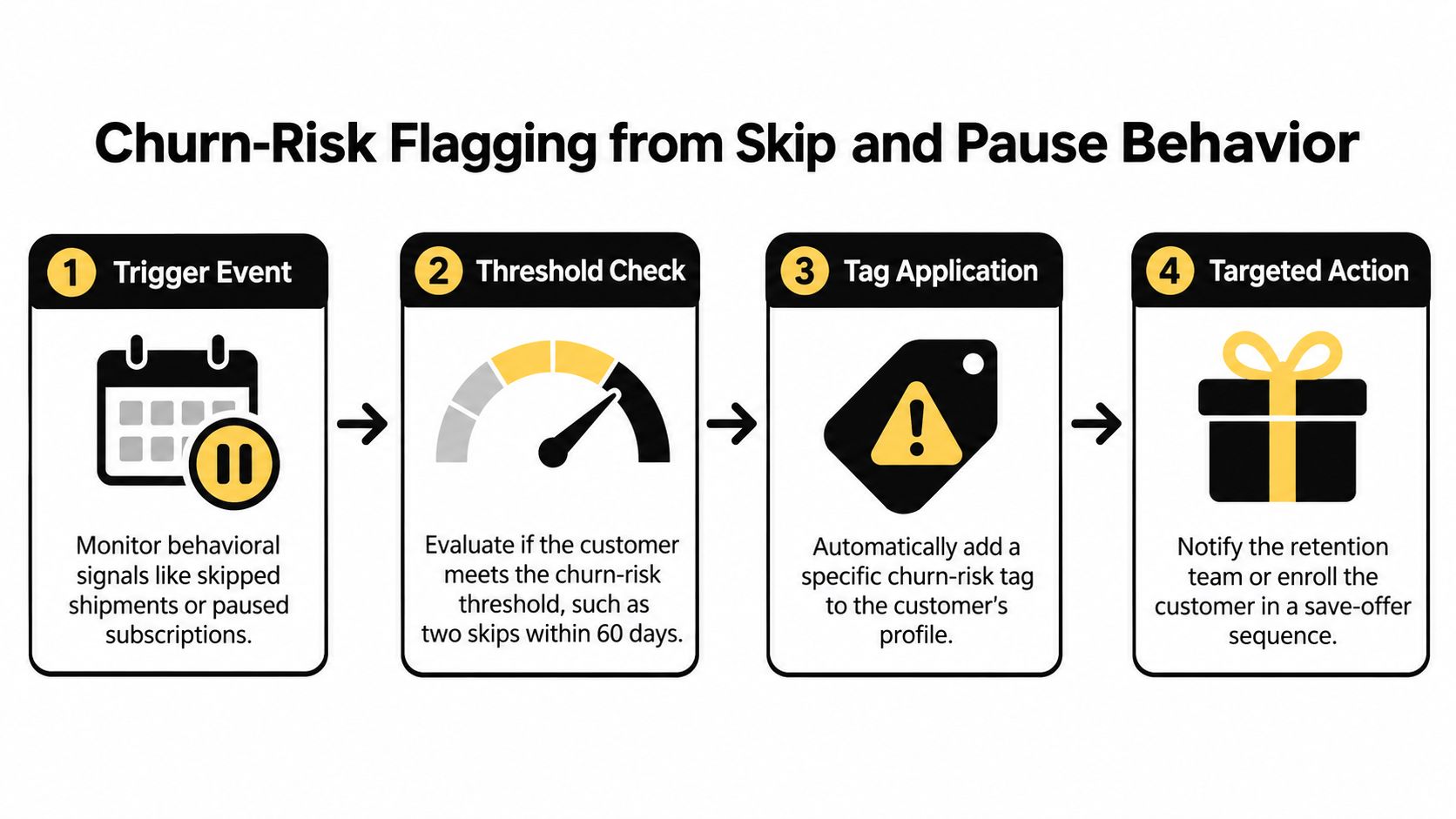
3. Churn-Risk Flagging from Skip and Pause Behavior
A skip can mean surplus product, travel, or a delivery schedule that no longer fits. It isn't automatically a cancellation signal, and treating every skip as a crisis produces unnecessary discounts.
Use repeated behavior as a reason to offer a relevant adjustment. For a coffee brand, a smaller bag or slower delivery cadence may fit better than a generic save offer.
Copyable Workflow Pattern
- Trigger: The subscription app reports an order skipped or a subscription paused.
- Condition: Recent behavior crosses your chosen risk threshold, the subscription remains eligible for retention outreach, and the customer hasn't already entered the same intervention.
- Action: Add
sub-risk-cadence, suppress unsuitable upsells, and route the customer toward a frequency-change or product-size message.
You need a reliable behavior history to evaluate repeated skips. Shopify's Flow reference documents scheduled workflows, data retrieval, counting, and loops, but subscription-specific history must still be available through your app or stored fields.
Start with a clear signal and record the evaluation period explicitly. If the app exposes only the latest skip, don't pretend Flow knows the customer's full history.
A useful risk flag names the next action. A tag that nobody owns is just another admin filter.
Make the intervention easy to complete through self-service. These customer portal examples can help you plan how customers change frequency, swap products, or resume without opening a ticket.
Review flagged customers against later cancellations and successful renewals. Clear the risk state when behavior normalizes, and distinguish a customer-requested pause from a pause your team applied because of stock problems.
4. Low-Inventory Alert for Subscription Products
A generic low-stock threshold ignores committed renewal demand. Subscription inventory planning should account for upcoming quantities, replenishment lead time, available stock at the fulfillment location, and a safety allowance.
For a pet food merchant, the important question isn't whether a SKU looks low. It's whether available stock can cover expected deliveries before replenishment arrives.
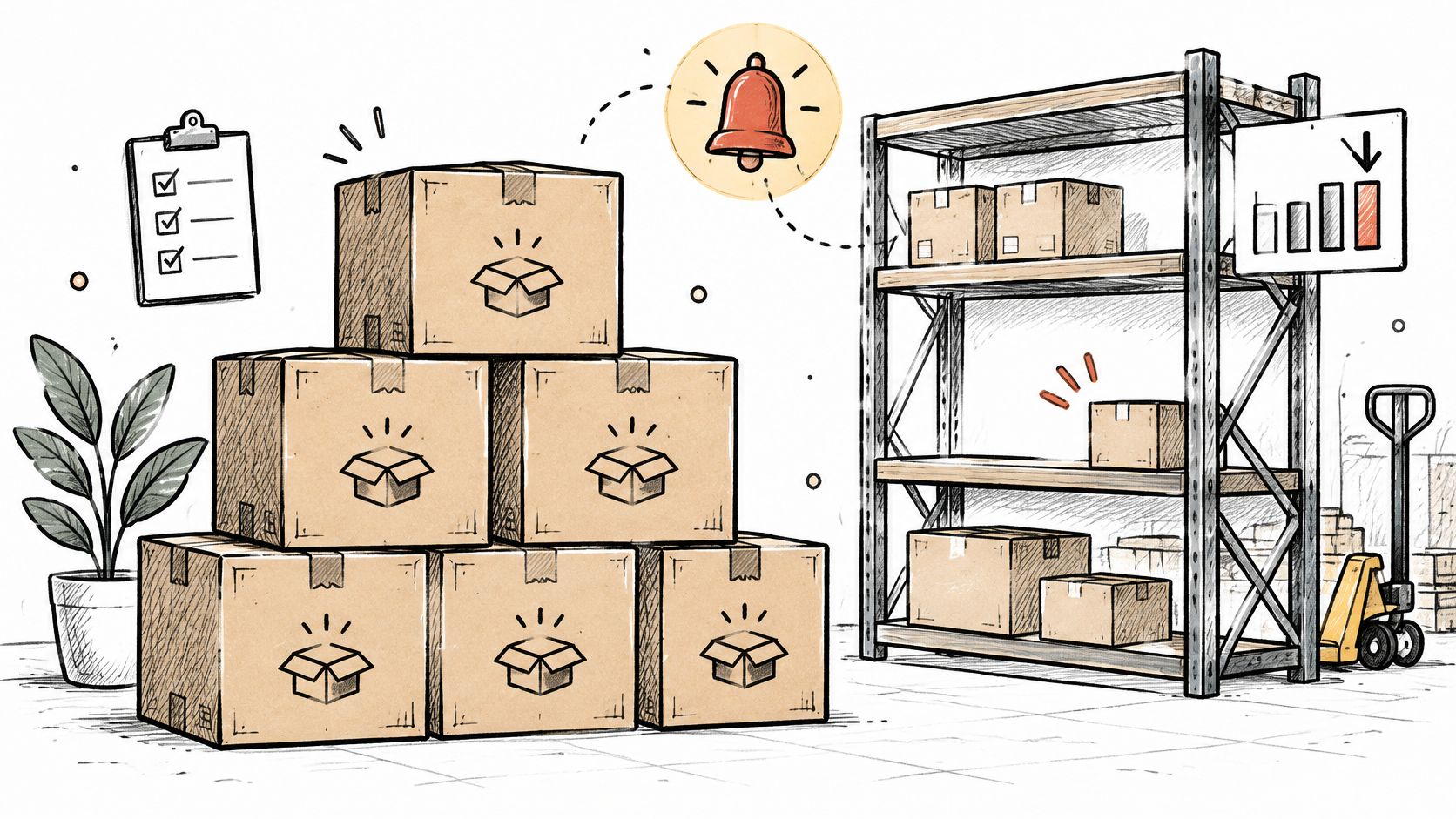
- Trigger: Inventory changes for a subscription-eligible variant.
- Condition: Available inventory at the relevant location falls below the SKU's replenishment threshold, and an unresolved alert doesn't already exist.
- Action: Notify operations with the SKU, location, stock position, expected renewal demand, and replenishment owner. Add an inventory-risk marker for follow-up.
P&Co used Flow to notify its team when inventory fell below minimum levels, according to Shopify's P&Co case study. The transferable lesson is the threshold-and-notification pattern, not an assumption that automation alone produces business growth.
Escalate Before Changing Customer Plans
Separate internal inventory warnings from customer-facing subscription changes. An alert can run automatically; pausing subscriptions should require a defined policy and a supported app action.
A skincare merchant could first stop promoting the affected product, then have operations review replenishment and approved substitutions. If existing renewals need to move, explain the revised timing and available choices before customers have to chase support.
Calculate demand from scheduled quantities where possible. Active subscriber count alone misses different delivery intervals, bundle quantities, skips, and prepaid shipments.
Prevent alert fatigue with an unresolved-alert marker and a replenishment reset rule. Include shared Build-a-Box components in demand calculations, since a shortage can affect several different subscription configurations.
5. First-Renewal Onboarding and Welcome Sequence Trigger
Onboarding that begins after the first renewal can't help customers manage the delivery they've already been billed for. Start subscription onboarding after the initial paid subscription order, then use a separate renewal event to recognize that the relationship has continued.
A coffee subscriber needs to know how to change grind size and delivery frequency before the next billing date. Another brand welcome email won't answer those questions.
Copyable Workflow Pattern
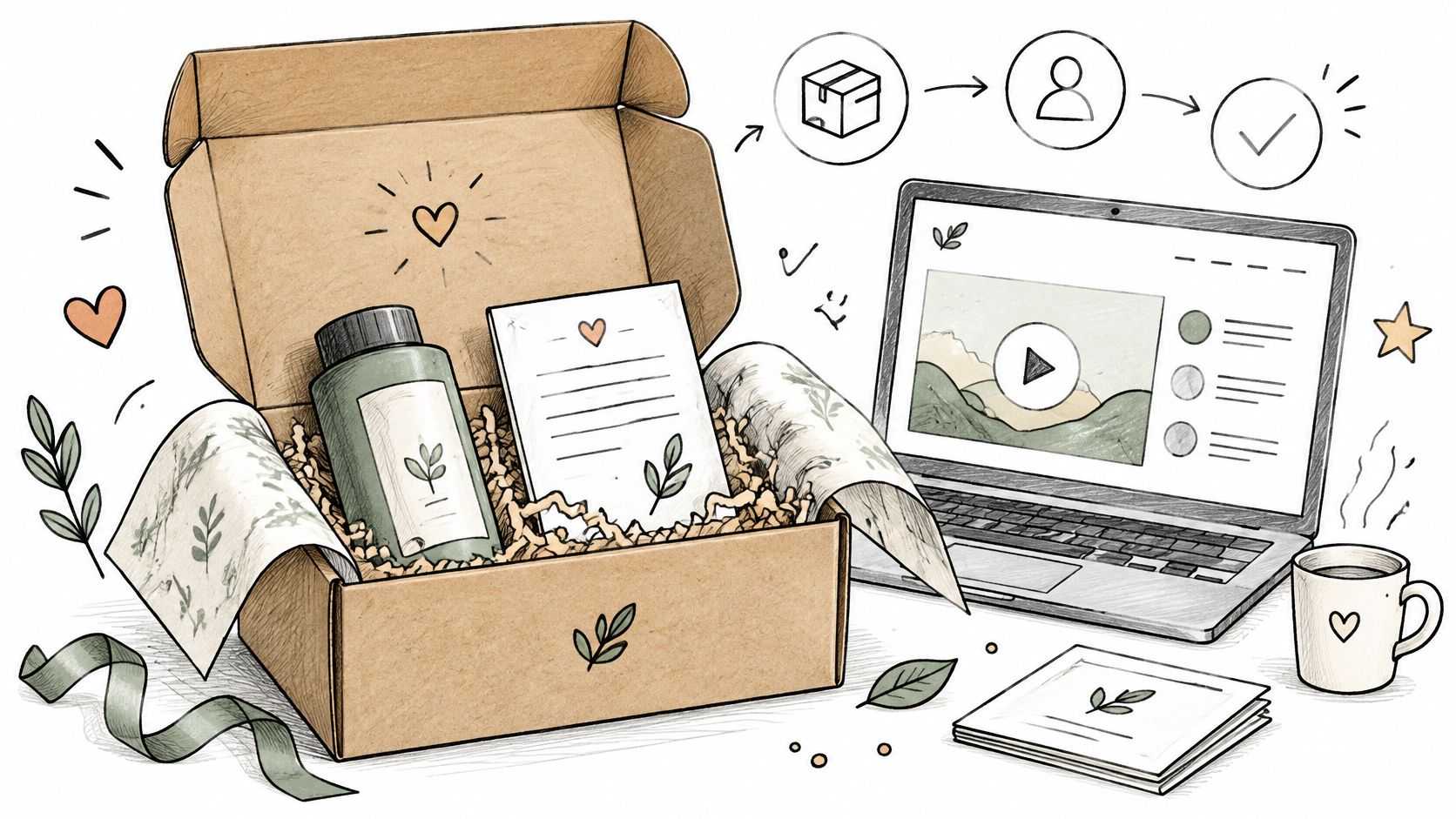
- Trigger: An order is paid.
- Condition: The order is positively identified as the initial subscription purchase, the relevant subscription is active, and onboarding hasn't already started for that subscription.
- Action: Add an onboarding-entry marker and pass the customer into the subscription-specific sequence in Klaviyo, Mailchimp, or your connected messaging platform.
Don't use the customer's total Shopify order count to identify their first subscription purchase. An existing customer might subscribe after buying individual products, and an established subscriber might place an unrelated order.
Use the subscription app's initial-order indicator or a validated subscription reference. If neither is exposed, resolve that data gap before enabling automatic enrollment.
Timing check: Teach customers how to change the next delivery while they still have time to change it.
For supplements, onboarding might explain product swaps, delivery cadence, and where to find the next billing date. Include the customer portal in each relevant message, and avoid promising health outcomes.
Suppress or adapt the sequence when customers pause, cancel, or encounter payment problems. Compare subsequent renewal behavior across eligible cohorts, but don't mistake differences in acquisition source or plan mix for an onboarding effect.
6. Milestone Reward Trigger for Loyal Subscribers
Reward successful subscription renewals, not every order a subscriber happens to place. Otherwise, a one-off accessory purchase can trigger a subscription milestone before the customer has earned it.
A pet food brand might offer a loyalty bonus at a defined renewal milestone. A skincare merchant might add a travel-size gift, provided the fulfillment process can reliably include it.

Copyable Workflow Pattern
- Trigger: A confirmed subscription renewal payment succeeds, or a paid order is verified as a renewal.
- Condition: The subscription's qualifying renewal count reaches the configured milestone, the reward hasn't already been issued, and the subscription meets the program's eligibility rules.
- Action: Request the reward through a supported loyalty or subscription action, record successful issuance, and notify the customer.
Keep qualification, issuance, and notification distinct. A customer tag can signal eligibility, but it doesn't prove that points, credit, or a physical gift were delivered.
If the reward action fails, route the exception for review instead of recording it as complete. Before retrying, check the loyalty system for an existing transaction so a delayed response doesn't create a duplicate reward.
For physical gifts, confirm whether the supported action changes the current order or a future order. Don't promise a gift in the next box until the warehouse can include it.
Choose rewards against margin and customer usefulness, not just visibility. Store credit may encourage another purchase, while a product gift introduces stock and packing requirements.
Preserve milestone history even when you update the customer's current VIP tier. Track successful issuance, redemption, and later renewal behavior separately so you can distinguish an attractive reward from a costly giveaway.
7. Cancellation Reason Routing for Win-Back Campaigns
A price objection and a product-fit problem don't deserve the same email. Offering a discount to someone with too much product ignores the reason they left.
Capture a structured cancellation reason, then use it to select the response. Keep free-text feedback for context, but don't make uncontrolled text matching the foundation of routing.
- Trigger: The subscription app reports a cancellation with its reason.
- Condition: The cancellation is current, the reason maps to an approved category, the customer is eligible for marketing, and another win-back journey isn't already active.
- Action: Record the reason against the subscription, apply the appropriate routing tag, and enroll the customer in the matching campaign.
Match the Offer to the Objection
For a coffee subscription, a cost-related cancellation could lead to a smaller pack or a less frequent delivery option. Someone who disliked the flavor needs a different product recommendation, not a cheaper repeat of the same product.
A supplement merchant could route routine-fit cancellations toward format or cadence options. Avoid treating every cancellation as permission for persistent promotional messaging.
Build the routing categories into your customer win-back strategy, with an explicit fallback for missing or unrecognized reasons. Send ambiguous cases to review or a neutral campaign rather than guessing.
Keep cancellation history separate from current customer status. Someone can cancel a subscription while keeping another active. A global sub-cancelled tag shouldn't automatically remove them from active-subscriber service communications.
Clear pending win-back messaging when the customer resumes or subscribes again. Review reasons alongside support feedback and product complaints, then assign an owner to recurring issues.
Judge each reason-based campaign on reactivation and subsequent paid renewal. A discount redemption alone doesn't establish that the original cancellation problem has been solved.
8. Subscription Order Routing and Fulfillment Tagging
The warehouse needs instructions it can act on: product handling, dispatch batch, shipping zone, and exceptions. A customer-level subscriber tag doesn't provide enough detail to pack an order.
Use order-specific subscription data as the source for routing. That keeps a mixed basket or a one-off purchase from inheriting the wrong fulfillment treatment.
Copyable Workflow Pattern
- Trigger: An order is created, or it reaches the paid state required by your fulfillment policy.
- Condition: Subscription line items are identified, required routing fields exist, and the order hasn't already been released through the same route.
- Action: Add order tags for the dispatch batch and handling rules, notify operations of exceptions, and use supported fulfillment actions where appropriate.
Shelfies used Flow to identify custom orders and send production details to its designer, reducing custom-design turnaround from six hours to two hours, according to Shopify's Shelfies case study. For subscriptions, the relevant pattern is turning validated order data into clear production or packing instructions.
For a coffee brand, roast type and shipping zone could determine packing queues. For pet food, dispatch batches might need to account for product handling and the promised delivery schedule.
An order tag communicates a decision. It doesn't move stock, change a fulfillment location, or hold an order unless another supported process acts on it.
Document which system consumes each tag and what it does next. If your logistics provider doesn't read a tag, it's not an integration.
Set a clear cutoff for customer-managed changes before warehouse dispatch. After release, swaps, address changes, and cancellations need an exception process rather than silent edits.
Audit tagged orders during renewal peaks, including mixed carts and missing routing fields. Missing data should create a review task, not an arbitrary default route.
Shopify Flow Examples at a Glance
Treat each row as a workflow blueprint: confirm the event, set conditions that distinguish the right customers or orders, then take one clear action. Trigger choice matters. A paid order alone does not confirm a subscription state or renewal.
| Workflow | Primary Trigger | Core Action | Best For | Setup Effort |
|---|---|---|---|---|
| Auto-Tag Subscribers by Plan Tier and Status | Subscription status or plan change reported by the subscription app | Add or remove tags to reflect subscription status and plan tier | Consistent customer segmentation across marketing and support tools | Low; requires a clear tag naming convention |
| Failed Payment Escalation to Support and Retention Teams | Failed payment or scheduled recovery check | Tag at-risk customers and notify support or retention teams | Reducing involuntary churn with targeted human outreach | Moderate; coordinate timing with payment retries |
| Churn-Risk Flagging from Skip and Pause Behavior | Skip, pause, frequency change, or scheduled check | Apply a churn-risk tag and trigger targeted retention action | Identifying and engaging customers before cancellation | Moderate; thresholds need calibration |
| Low-Inventory Alert for Subscription Products | Inventory quantity change or scheduled check | Alert the team when subscription product stock is low | Preventing renewal delays and stockouts | Low to moderate; scope products and set thresholds |
| First-Renewal Onboarding and Welcome Sequence Trigger | First subscription order paid | Add an onboarding tag to start a welcome sequence | Improving early retention and reducing customer confusion | Low; requires accurate first-order detection |
| Milestone Reward Trigger for Loyal Subscribers | Confirmed subscription renewal payment | Tag renewal milestones and trigger a subscriber reward | Encouraging loyalty and repeat renewals | Moderate; renewal counting and reward coordination may be needed |
| Cancellation Reason Routing for Win-Back Campaigns | Cancellation event or customer tag added | Apply reason-specific tags and route customers to matching win-back campaigns | Personalized win-back offers and cancellation insights | Moderate; requires reason data and marketing coordination |
| Subscription Order Routing and Fulfillment Tagging | Subscription order created or paid | Tag orders by product, shipping zone, or batch for fulfillment | Streamlining recurring order fulfillment and delivery | Low to moderate; routing logic must match operations workflows |
For each flow, tune the condition as carefully as the trigger. A renewal milestone should count confirmed subscription renewals, while inventory alerts need a defined product scope and stock threshold. For tagging, set removal rules as well as add rules so labels continue to reflect current status.
Build Your First Flow, Then Stack the Rest
Start with subscriber status and plan tagging. Until those labels reflect the underlying subscriptions correctly, downstream retention workflows can make the wrong decision with complete consistency.
Build the tagging workflow, test its removal rules, and verify customers with multiple subscriptions. Then add skip-and-pause risk detection, failed-payment escalation, and milestone rewards as separate workflows with clear ownership.
Keep each workflow responsible for a specific outcome. Your payment app should own retry scheduling, your messaging platform should own campaign delivery, and operations should own fulfillment exceptions. Flow connects those responsibilities; it shouldn't create competing versions of them.
Test Failure Paths Before Customer Contact
Shopify's Flow troubleshooting guidance highlights workflow limits and data-shape mismatches, including the problem of passing a product list into an action that expects an individual product. Treat variable types, empty results, and multi-item responses as design requirements.
Before launch, test:
- State changes: Active, paused, resumed, cancelled, and payment-recovered customers should follow the intended branches.
- Repeated events: Reprocessing the same event shouldn't issue another reward or send duplicate outreach.
- Missing data: Empty customer references, unknown cancellation reasons, and absent subscription history should stop safely or create an internal review task.
- Timing conflicts: A recovery, cancellation, or resumption during a wait should change what happens afterward.
- Partial failure: A successful external action followed by a failed tagging step should be reconciled before retrying.
Name workflows by purpose and version, assign an alert owner, and record which fields and tags each workflow changes. Start with harmless internal notifications before enabling customer messages, discounts, or subscription changes.
Disabling a workflow won't reverse actions it already completed. Prepare a recovery procedure for incorrect tags, issued rewards, and scheduled messages before you need it.
Our subscription app, RecurX, exposes status, plan-tier, and behavior data for automation, with working Shopify Flow, Klaviyo, Twilio, WhatsApp, and Gorgias connections. Subscriptions run through Shopify's native checkout without redirects; select and validate the specific trigger payload and action your workflow needs rather than assuming every connector shares every field.
Use this launch checklist:
- Document your tag convention: Define each tag, its owner, source, and removal rule.
- Coordinate dunning windows: Schedule escalation around retries and recheck recovery before contacting customers.
- Review thresholds monthly: Compare risk flags, inventory alerts, and escalation rules with the outcomes they were meant to improve.
RecurX brings subscription management, payment recovery, loyalty, and Shopify Flow connections into your Shopify workflow. Visit RecurX to build your subscriber-tagging foundation, then connect the payment and retention workflows your team needs next.
Shopify Flow examples · Shopify Flow automation · subscription automation · Shopify subscription retention · payment recovery workflow
Keep reading
- How Do Loyalty Points Work? Rates and RedemptionsHow do loyalty points work? See earn rates, 100 points = $1 redemptions, expiry, stacking with subscription discounts, and the LTV effect.
- Customer Winback Strategies: 8 Proven Tactics for 2026Discover 8 customer winback strategies to recover lapsed subscribers, from dunning and card-update links to save flows, loyalty rewards, and SMS sequences.
- Shopify App Charges Explained: Billing Types and CostsLearn how Shopify app charges work: subscription, usage and one-time fees, billing cycles, pricing models and how to check your bill.
Start growing recurring revenue on Shopify
RecurX has a 14-day free trial and zero transaction fees on every plan. Install in minutes.
Start your free trial →