Shopify Build a Box App: Setup, Rules and Pricing Guide
Step-by-step guide to choosing, installing and configuring a Shopify Build a Box App, with bundle rules, discount tiers and migration tips.
Step-by-step guide to choosing, installing and configuring a Shopify Build a Box App, with bundle rules, discount tiers and migration tips.
You built the box picker, the shopper filled it, and the first order shipped. A month later one flavor is gone, the renewal fails, and the subscriber writes support instead of opening a portal. That is the usual break point for a Shopify Build a Box App on supplements, coffee, pet food, or skincare.
A polished builder is not the same thing as a working subscription. Two tests decide whether the app works in practice. Can the self-picked box be bought on a recurring selling plan? Can one sold-out component be handled at renewal without rebuilding the whole contract? I would answer both before comparing widget galleries.
Table of Contents
- Choose the Build-a-Box Architecture Before Installing
- Bundle Rules That Keep Every Box Buildable
- How to Install and Configure the App Step by Step
- Pricing and Discount Tiers That Protect Margin
- Storefront Widgets and Customer Portal Behavior
- Migrating From Recharge, Bold, Skio or Loop
- Run These Checks Before You Launch Your Box
Choose the Build-a-Box Architecture Before Installing
Say a customer wants six coffees this month and a different six next month. The renewal only works if the object behind the builder can carry a selling plan and still name each component. Most comparison pages stop at box size, discounts, and average order value. Shopify's developer documentation on bundles states that Shopify Bundles cannot be sold with selling plans such as subscriptions, pre-orders, or try-before-you-buy. A standard bundle can merchandise the box and still fail at recurring checkout.
Shopify's first-party Shopify Bundles app launched on July 11, 2023. It is free on Shopify plans and updates component availability in real time, which cuts overselling when items share stock. That native fixed bundle is the right object for a pre-set Starter Box. It is the wrong object for "pick any six, renew every month."
Three objects, three outcomes
Native fixed bundle. Components decrement per SKU in real time. Recurring billing is off the table, and a later change means rebuilding the bundle.
Cart-transform bundle. A Cart Transform Function groups the selected cart lines and adjusts the price, so the shopper still chooses. Recurring billing works only when each cart line carries its own selling plan. Swaps work only when the portal can edit those lines.
Subscription line-item model. A subscription-compatible parent holds the selling plan, and each component stays on the contract. Inventory decrements per component when the app is set to do that. This is the model a monthly pick-your-own box needs, including clubs where members change bottles between shipments the way a McLaren Vale Cellars subscription guide describes for wine.
| Architecture | Inventory decrement | Recurring billing | Component swaps |
|---|---|---|---|
| Native fixed bundle (Shopify Bundles) | Per component SKU, real time | No, bundles cannot be sold with selling plans | Rebuild the bundle |
| Cart-transform bundle | Per component SKU when the app decrements | Only if each cart line has its own selling plan | Only when the portal edits those lines |
| Subscription line-item model | Per component when the app decrements | Yes, the parent carries a selling plan | Yes, when the portal edits components |
Practical rule: If the box cannot be bought on a recurring plan, or one component cannot change later without a full rebuild, the builder's interface does not matter.
If you are still choosing how products sit together before any subscription logic, the walkthrough on how to bundle products on Shopify is the merchandising step. Architecture comes before the app install.
Bundle Rules That Keep Every Box Buildable
A shopper selects six items, checkout succeeds, and the warehouse receives one parent line. The packer ships four units because the other two components are missing from the pick list. The result is a short box, even though the storefront appeared to work. For a component-merged box, inventory needs to decrement from each underlying SKU. Before launch, test how the app handles sellouts, packing slips, and partial refunds, as explained in this guidance on Shopify build-a-box apps.
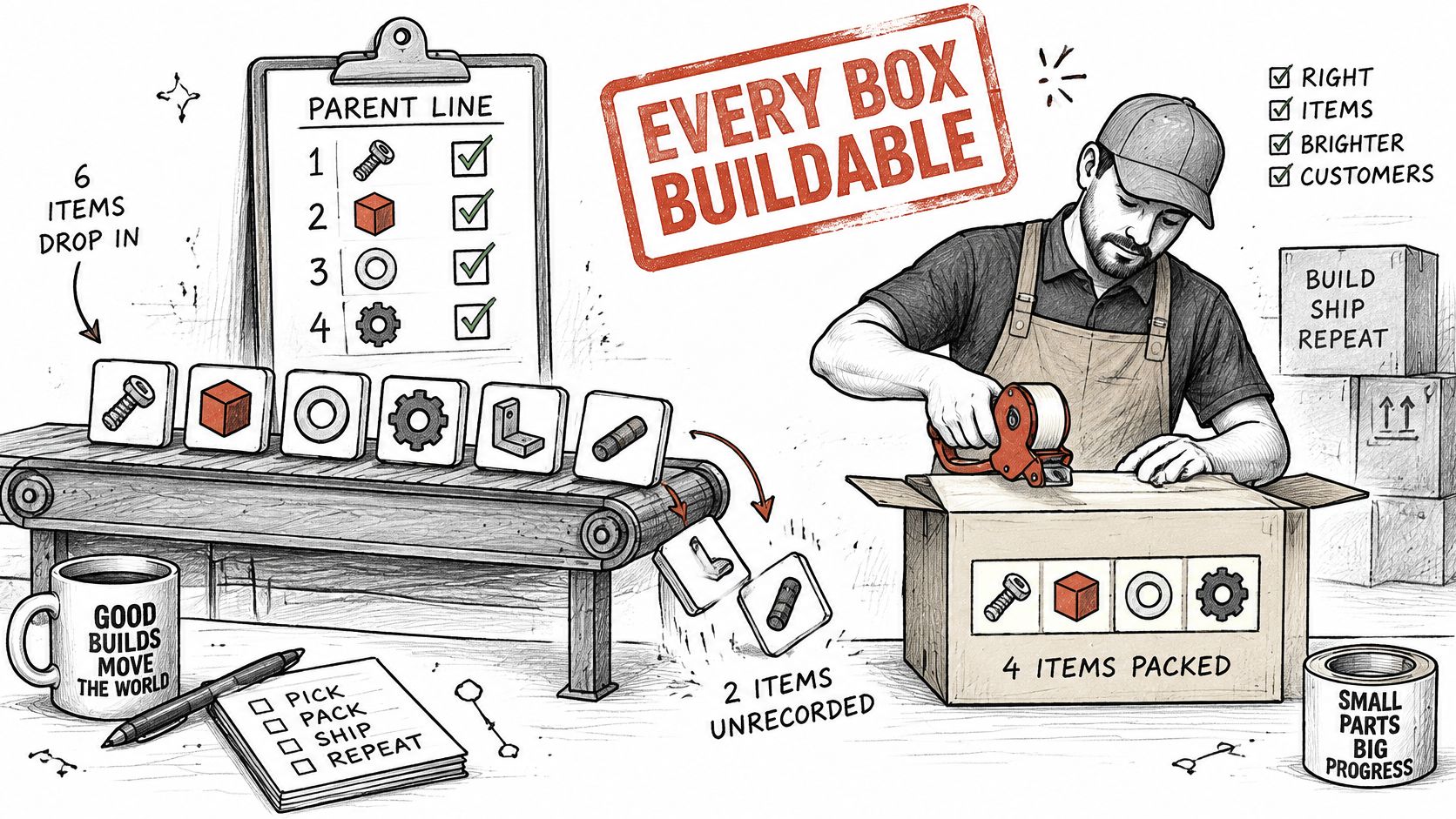
Write the box rules before publishing its widget. Subscription bundles may be widely adopted, but adoption does not solve a fulfillment problem: every selected component still needs to be available, identifiable, and ready to ship.
Rules that stop a short box
Component pool. Limit the pool to SKUs with stock and the same ship window. If components have different shipping schedules, the order may not be ready to leave in one shipment.
Item count. Set a minimum and maximum, such as 3 to 6 items, and check that the range works with the box price and shipping weight. A one-item box can give away the bundle discount without delivering the intended value. An oversized box can cross a shipping weight tier the shopper did not expect.
Variants and quantity. Let shoppers choose a size or flavor for each slot, and cap each slot at one unit or a defined multipack. Open-ended quantities make it possible to build combinations the stock pool cannot fulfill.
Sellouts and renewals. If a component sells out during selection, remove it from the available choices and offer a substitute from the same pool. At renewal, check every component before charging. If a selected item is unavailable, make the replacement visible to the subscriber rather than changing the box without notice or leaving it short.
Paper and money. Put each component on the packing slip as a separate pickable line. When a customer receives a partial refund, calculate it from the refunded component's value, not an unclear share of the parent price. Keep taxes, discounts, and fulfillment records aligned with the component lines so the order can be picked and reconciled accurately.
| Rule | Typical setting | What breaks without it |
|---|---|---|
| Component pool | Only SKUs with stock and the same ship window | Warehouse receives mismatched boxes |
| Min and max items | 3 to 6 items per box | Single-item boxes cut margin; oversized boxes break shipping tiers |
| Variant options | Size or flavor per slot | Too many choices create unbuildable combinations |
| Quantity per item | One unit per slot, or a defined multipack | Open quantities create stock the pool cannot fill |
| Sold out during selection | Remove the item and offer a substitute from the pool | Customer hits a checkout error or gets a short box |
| Renewal stock check | Validate every component before each renewal | Renewal can fail or ship with a missing component |
| Packing slip | List each component as its own line | Warehouse picks a single parent line |
| Partial refund | Refund at component level | Refund value is unclear for the box |
A subscription box also needs the same component checks at renewal as at initial checkout. A polished builder can collect the shopper's choices, but the subscription only works in practice if unavailable components can be handled before the next charge and the warehouse receives a usable pick list. Fewer choices and a clear substitute rule are safer than unrestricted selection followed by a single parent line.
How to Install and Configure the App Step by Step
Install only after the architecture and the box rules are written. Classify the experience as a customized mix-and-match bundle, then pick the Shopify path that matches it. Shopify's bundle eligibility guidance says to use the Bundles APIs for supported composition, or a Cart Transform Function to group selected cart lines and adjust pricing. The current bundle model supports up to 150 components and three options, does not support nested bundles, and quantity options cannot be combined.
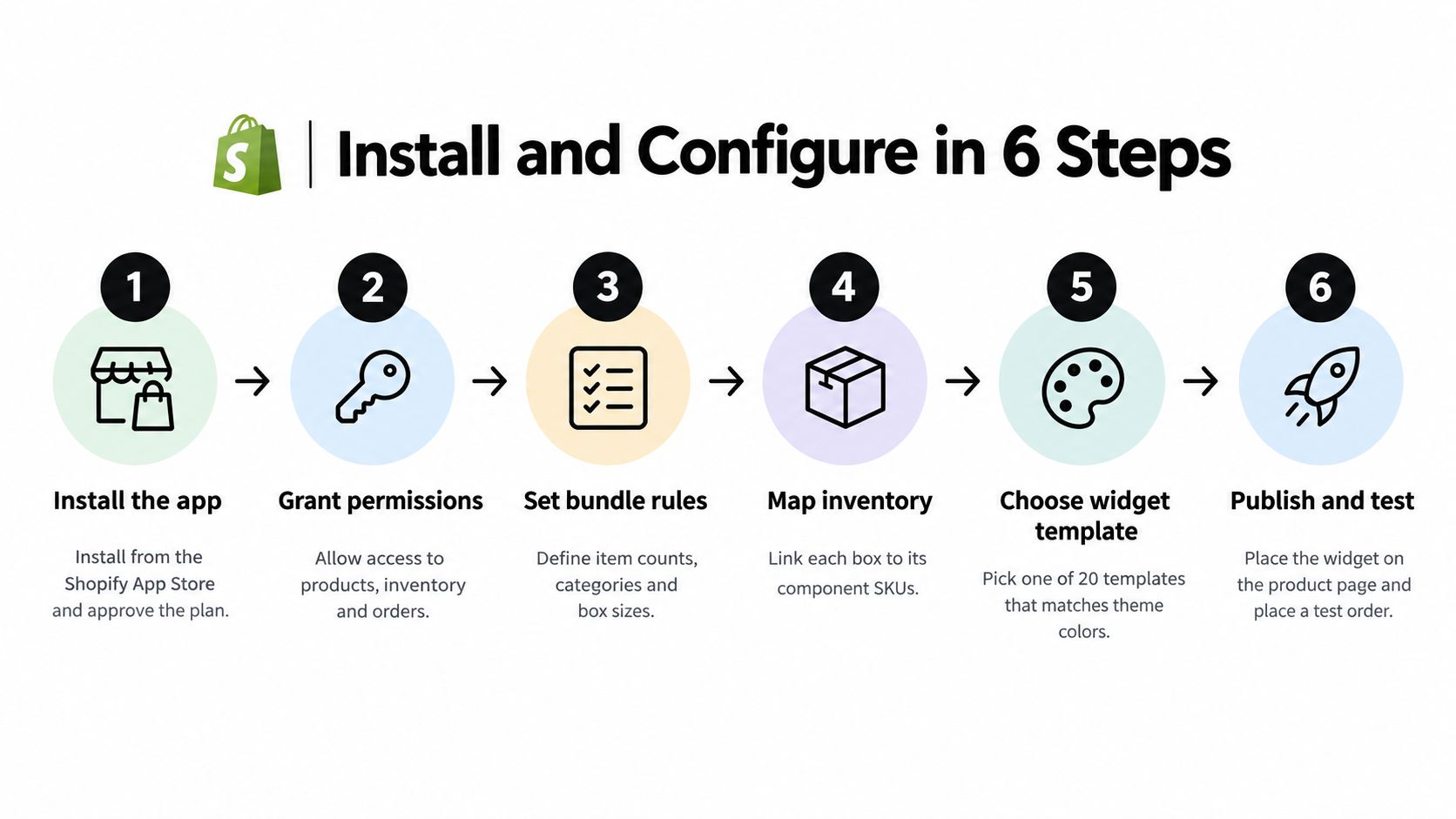
- Install from the Shopify App Store and approve the plan through Shopify Billing so upgrades stay in the admin. The usual slip is installing while the rules are still in a doc nobody opened.
- Create the box as a parent product and attach selling plans on weekly, monthly, or yearly intervals with an anchor date. A missing anchor date pushes the first delivery into a week your warehouse cannot ship.
- Build the component pool by selecting allowed SKUs and mapping size or flavor variants. Leave anything with a different ship window out.
- Enter the minimum and maximum from your rules, then confirm each component decrements its own inventory. A parent-only decrement is how you oversell a shared SKU.
- Model choices in product data and merchant metafields, and mark the parent as requiring components when it cannot be bought alone. The slip here is a parent that still sells as an empty product.
- Pick a storefront widget template that matches the theme and keeps the subscribe control readable. Publish it on the product template your store uses, not a draft theme.
- Turn on the customer portal for pause, skip, swap, and frequency changes. Without it, every sold-out renewal becomes a ticket.
- Place one Online Store test order and run one renewal. Confirm the charge, the contract lines, and the pick list before you invite real subscribers.
The same guidance says to validate inventory and selling-channel eligibility before checkout. For a subscription box, treat the configuration and the selling plan as coordinated objects. Do not assume a native bundle object and a selling plan can live on the same parent.
QA is not a single happy-path order. Test variant combinations, inventory reservations, cart refreshes, discounts, renewal behavior, fulfillment decomposition, and theme or cart compatibility across Online Store, Shop, and POS.
A short setup walkthrough helps if your team is installing this for the first time.
Pricing and Discount Tiers That Protect Margin
In 2024, 86% of merchants offering product bundles reported that bundles increased their average order value, according to Shopify. That lift matters, but it is not enough to judge a recurring box. A large first-order discount can raise checkout conversion while weakening lifetime value if subscribers do not renew.
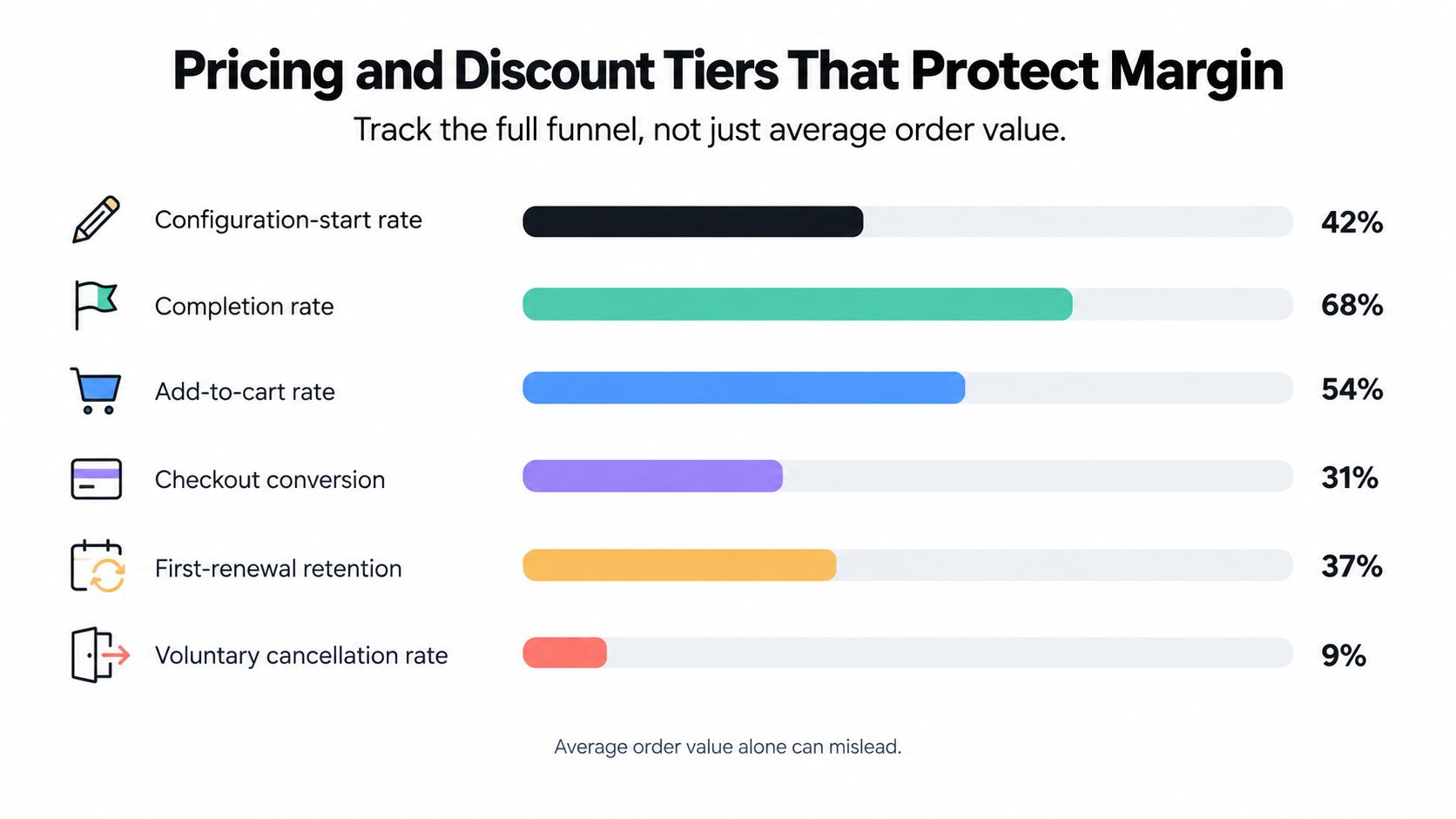
Track the funnel from configuration-start rate, completion rate, add-to-cart rate, and checkout conversion through first-renewal retention, voluntary cancellation, and payment-failure recovery. The figures help pinpoint whether shoppers drop during box assembly, purchase, or renewal. Tribe Studio's retention work on subscription ecommerce gives a clear example of how churn affects modeled subscriber lifetime: reducing monthly churn from 8% to 6% increases modeled average subscriber lifetime from 12.5 to 16.7 months.
Published churn varies widely by category and subscription model. Use your own cohort baseline to judge whether a pricing change helps, and split results by acquisition source, box size, category, and billing interval. Count pauses separately from cancellations so the two behaviors do not blur together.
Tiers worth testing
| Tier | Trigger | Starting discount | What to check |
|---|---|---|---|
| First box | First order | 15% off the box | Gross margin after shipping and fulfillment |
| Ramp tier | Third renewal | 10% off, stacked with loyalty points | Points cost against margin |
| Loyal subscriber | Sixth order or later | 15% off plus a milestone bonus | Renewal retention in this cohort versus lower tiers |
Treat these discounts as starting points for a test, not a fixed price list. A ramp discount stacked with loyalty points changes the margin calculation because points have a cash cost when redeemed later. Per-order app fees also reduce the margin left on each renewal. A plan with zero transaction fees keeps the calculation focused on product and shipping costs rather than an additional percentage of each renewal.
Show shipping costs before checkout. Change one tier at a time against your baseline cohort, then compare gross margin, renewal retention, and component-level stockouts together. Use bundle product pricing to set prices that account for the box's components and costs before subscribers see an offer.
Storefront Widgets and Customer Portal Behavior
Walk a shopper named Priya through a skincare box. On the product page the widget shows the builder, a running count toward six items, and the price at the current tier. She should see the discount move as she adds the fourth and fifth items, not discover it in the cart.
Theme-matched templates matter more than a custom illustration. Use a set that auto-matches your colors and fonts, and validate contrast when the widget renders so the subscribe control stays readable on a photo-heavy theme. An unreadable button looks like a finished design and converts like a broken one.
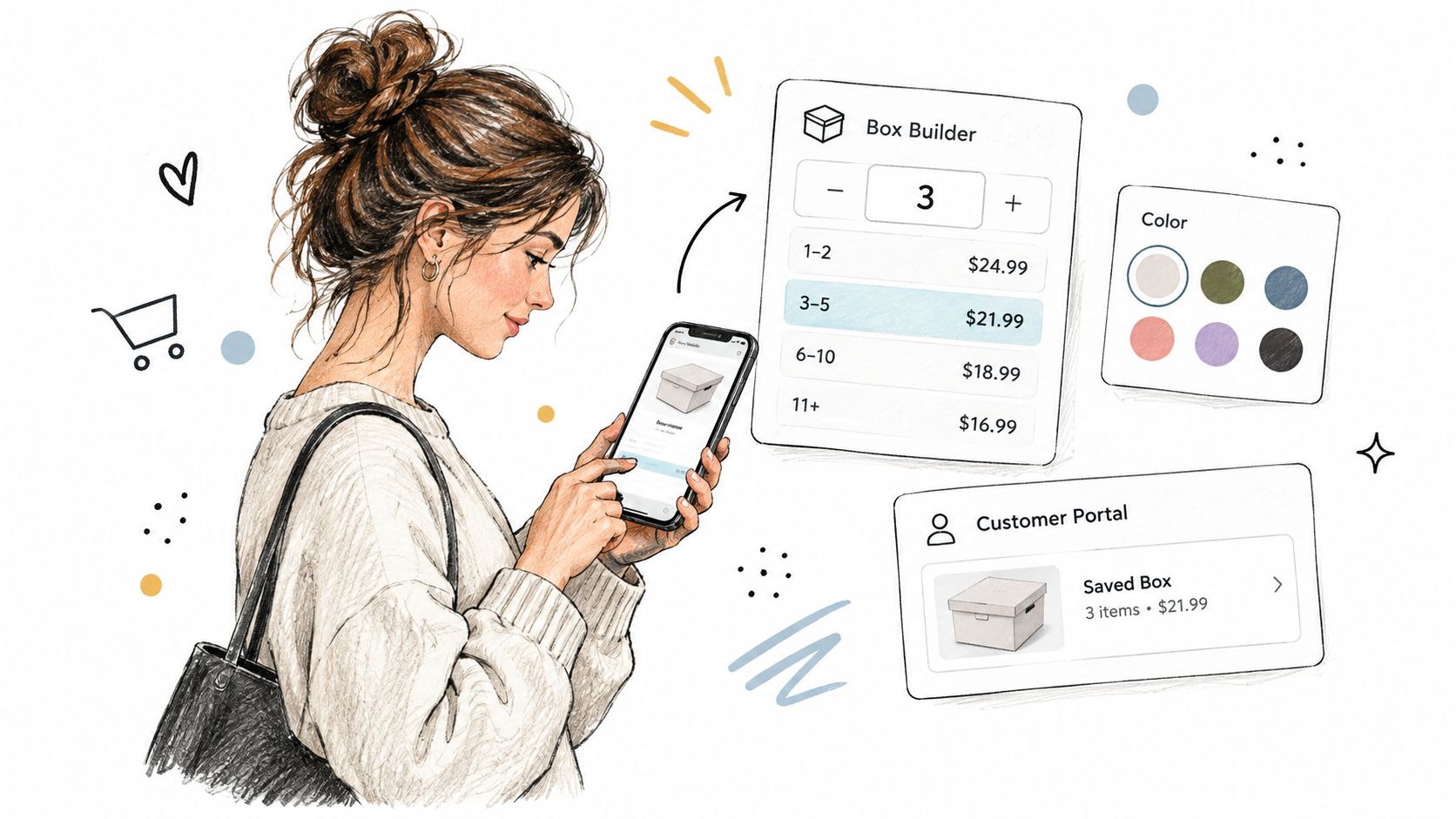
In the cart, her six components appear as a readable list with quantities, not as one opaque parent line titled "Custom Box." An opaque line is where she removes the box because she cannot see the serum she chose. The same list is what your support team will read when she writes in.
The portal should live on your domain through the native customer account, not a separate login she will forget. From there she can pause, skip, swap a product, change frequency, and update her card. If the serum she wants to swap is out of stock, the portal offers a substitute or blocks the change with a plain message. A swap that only fails on renewal morning is a failed renewal, not a preference.
Payment-failure email and the card-update link should name her box and use your brand. A generic "your subscription" message gets ignored. The same path is what makes recurring gifts workable. A florist running recurring floral deliveries has to let someone skip a vacation week without cancelling the stem subscription.
Migrating From Recharge, Bold, Skio or Loop
Most box migrations lose subscribers on renewal dates and double charges, not on a bad import file. The data move is usually the quick part. Mapping each old box to a new component pool takes the time, because every configuration has to be rebuilt against rules and live stock.
RecurX includes direct connectors for Recharge, Bold, Skio, Loop, and Yotpo, plus universal CSV import and token migration where the source platform supports it. Tokens matter. A forced re-entry of cards is how active subscribers slip away without warning. Brands that already let shoppers create a personalized toothpaste bundle feel this sharply, because each subscriber's mix is the product.
- Export subscribers, plans, and upcoming renewal dates. Keep the next charge date as a field you can check, not a note in a spreadsheet tab.
- Map each old box to a new component pool. Confirm every SKU still exists and is in stock. Drop or substitute anything discontinued before the first new charge.
- Run both apps in parallel for one full renewal cycle on a small cohort. Pause the old app's renewal for migrated customers so you do not bill twice.
- Turn the old app off only after those first renewals succeed, including payment recovery and the packing list.
Tell subscribers what changes before the cycle runs. Send the new portal link, any shifted renewal date, and the new box rules in one message. A surprise date change reads like a billing error. The sequence is the same one covered in a Shopify subscription migration checklist. I would migrate a 50-subscriber cohort before the full file, even when the connector says the import is clean.
Run These Checks Before You Launch Your Box
Run this in an afternoon on a development store, on one box, before you open it to every customer.
- Extreme boxes. Build the smallest allowed box and the largest. Confirm price tiers, weight, and the contract lines.
- Inventory reservation. Add a box in one session, sell out one component in another, and confirm the builder removes it or offers a substitute.
- Cart and money. Refresh the cart, stack the subscriber discount with loyalty points, and read the shipping total before checkout.
- Renewal dry run. Use a real test subscriber, let one renewal charge, and confirm the packing slip lists every component.
- Channels. Repeat a simple order on Online Store, Shop, and POS. Confirm the parent cannot be bought outside a subscription.
- Portal and dunning. Swap one item, skip one cycle, and trigger a failed-payment email that names the box.
Launch when every check passes on at least one full renewal cycle, not when a single test order looks fine.
A pretty builder that fails the renewal dry run is not ready. Fix the stock check or the contract lines first. That is cheaper than a week of short boxes and support tickets.
RecurX is a Shopify subscription app for Build-a-Box plans, with mix-and-match rules, theme-matched widgets, and a customer portal for pause, skip, and swap. If your box has to renew when one component sells out, those controls are the part that keeps the contract alive. Start on a development store at RecurX and run one full renewal before you publish the box.
shopify build a box app · build a box subscription · shopify bundle app · subscription box shopify
Keep reading
- Quantity Price Breaks for Shopify SubscriptionsSet quantity price breaks on Shopify subscriptions without giving away margin. Compare tiers, Build-a-Box, cart rules, and AOV versus profit.
- Reduce Involuntary Churn on Shopify: 5 Recovery StepsReduce involuntary churn on Shopify with decline routing, card-update flows, retry timing, and measurement that avoids inflated recovery numbers.
- Reporting vs Analytics: When to Use Each in SubscriptionsReporting vs analytics for subscription stores: what each answers, which metrics belong in reports, and when to analyze churn, cohorts and LTV.
Start growing recurring revenue on Shopify
RecurX has a 14-day free trial and zero transaction fees on every plan. Install in minutes.
Start your free trial →