Subscription Billing Platform Buyer's Guide for Shopify
Compare subscription billing platform options for Shopify. See core features, fees, dunning, and how to pick the right fit for DTC brands.
Compare subscription billing platform options for Shopify. See core features, fees, dunning, and how to pick the right fit for DTC brands.

Failed payments account for 53% of B2C subscription churn according to Recurly's industry summary on hidden billing costs (Recurly). That single number should reset how you evaluate any subscription billing platform on Shopify.
Most buyers still shop this category like they're picking a widget. They compare customer portals, glance at pricing pages, and ask whether the app supports monthly delivery. That's the wrong lens. The decision is about total cost of ownership, payment recovery, and how the billing layer lives inside Shopify.
I've seen stores stay too long on tools that looked fine in a demo and then bled margin through revenue-share fees, clunky plan changes, weak dunning, and migration debt. I've also seen teams overbuy enterprise software they never fully used. If you run subscriptions on Shopify, the billing platform isn't a nice-to-have app. It's the operating system for recurring revenue.
| Decision area | What to check first | Why it matters on Shopify |
|---|---|---|
| Fees | Base fee, transaction fees, rebill fees, add-ons | Cheap apps get expensive fast when subscription volume grows |
| Dunning | Retry logic, card updates, recovery messaging | A weak setup leaks revenue every billing cycle |
| Shopify fit | Native checkout, customer account integration, order sync | Poor architecture creates support issues and reporting gaps |
| Migration effort | Token portability, order history, discount handling | Switching late is always harder than vendors admit |
| Analytics | Cohorts, churn reasons, trial conversion, retention | Raw MRR alone won't tell you what's broken |
Table of Contents
- What a Subscription Billing Platform Actually Does
- Core Capabilities That Matter on Shopify
- RecurX vs Recharge, Loop, Bold, and Skio
- Migration Path and Time Investment
- Dunning and Involuntary Churn Recovery
- Total Cost of Ownership Beyond the App Fee
- Which Platform Fits Your Store Type
- Final Recommendation and Next Steps
What a Subscription Billing Platform Actually Does
A subscription billing platform doesn't just charge cards on a schedule. It owns the recurring relationship after the first order. That includes plan logic, renewals, skips, swaps, prepaid cycles, customer self-service, failed payment recovery, cancellation flows, billing analytics, and the admin workflow your support and retention teams rely on every day.
On Shopify, that matters more than most merchants expect. The platform choice decides whether subscriptions feel like part of your store or like a separate system duct-taped onto it. When the fit is bad, you'll feel it in three places first: support tickets, messy reporting, and revenue you should have recovered but didn't.
The three filters that actually matter
Use these filters before you care about feature grids:
Fees
Don't just ask what the monthly app fee is. Ask what happens as volume grows. Revenue-share pricing, per-order charges, paid analytics add-ons, and paid retention modules all count.Dunning recovery
If the platform treats failed payments like a side feature, skip it. Recovery logic should be part of the core product, not bolted onto generic email automation.Shopify-native fit
You want the subscription layer working with Shopify checkout, customer accounts, orders, and admin workflows. The more the app fights Shopify's architecture, the more operational drag you inherit.
Practical rule: If a vendor sells you on “flexibility” before showing billing recovery, plan-change handling, and Shopify order behavior, they're leading with the wrong thing.
Teams that are still mapping out recurring operations should review these subscription implementation tips because the billing app choice only works if your plan structure, customer comms, and renewal rules are set up cleanly. If you want a broader look at the category before narrowing to Shopify-specific constraints, this overview of recurring billing software is also useful context.
Core Capabilities That Matter on Shopify
Most comparison pages flatten this category into “supports subscriptions” versus “doesn't.” That's lazy. Mature platforms separate themselves on operational depth, not checkbox breadth.
Here's the checklist I use.
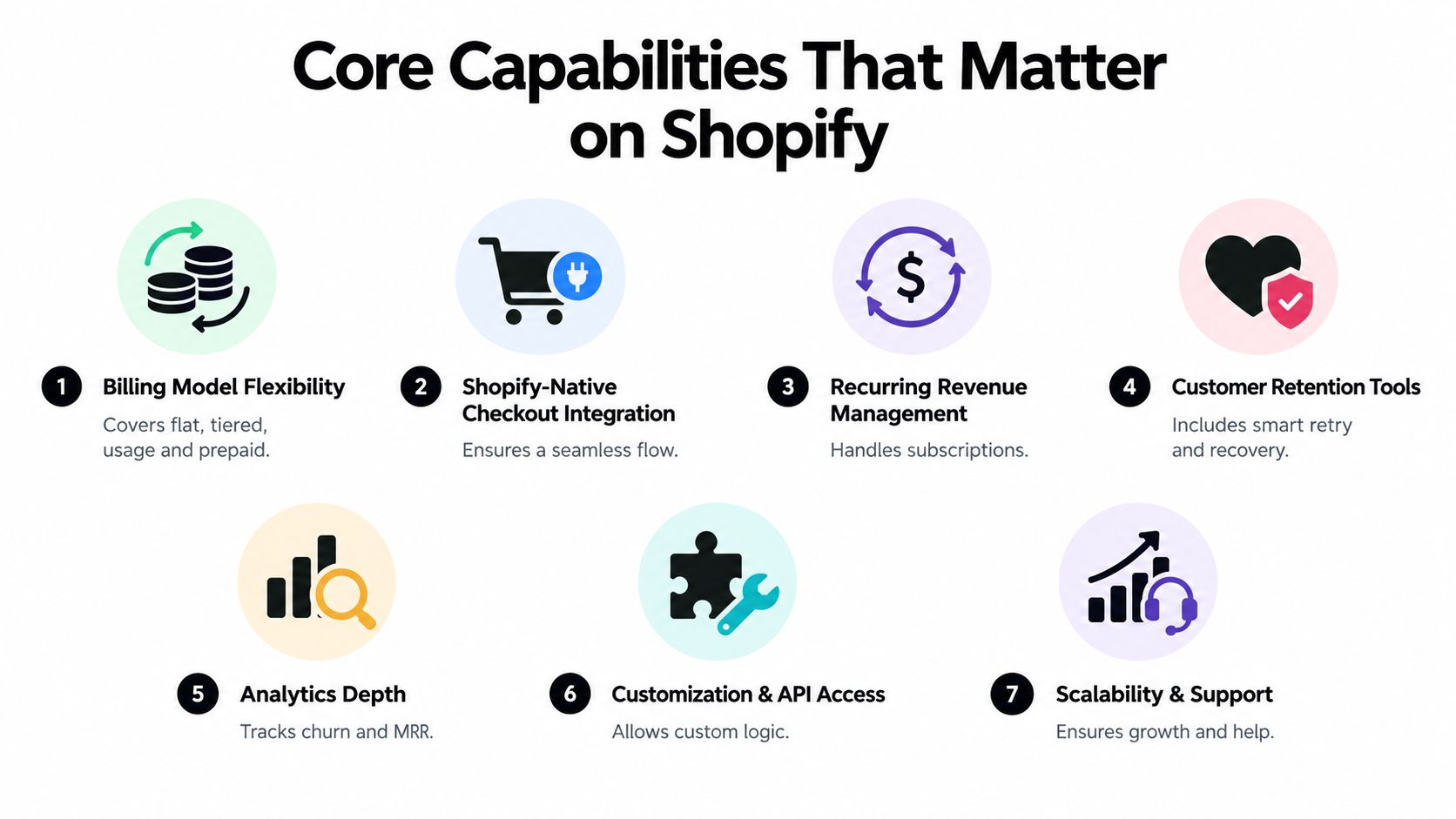
Billing models and checkout behavior
1. Billing model flexibility
Good looks like support for flat subscriptions, prepaid plans, memberships, bundles, build-a-box, and tiered discounts without custom work every time merchandising changes. Industry coverage has been clear that subscription platforms need to handle more complex pricing, rating, and billing as hybrid models spread, including real-time metering, dynamic invoice calculation, and proration logic (ISG research on subscription platforms). If you're exploring consumption or mixed models, this AgentStack usage billing guide is a solid technical primer.
2. Shopify-native checkout integration
Good looks like the subscription experience living naturally inside Shopify, not inside clumsy overlays or disconnected account flows. Native architecture reduces friction for customers and operational weirdness for your team.
3. Recurring revenue management
Renewals, skips, swaps, anchor dates, and proration need to behave predictably. If a merchant has to open support tickets for common plan changes, the platform is underbuilt.
Recovery, analytics, and extensibility
4. Dunning automation
Good looks like decline-aware retries, card update flows, and recovery messaging across the channels merchants use. Margin gets protected or lost.
5. Analytics depth
Stripe Billing's benchmarking documentation shows the right direction for the category: standardized comparisons for gross and net MRR churn, subscriber churn, cohort retention, MRR growth rate, LTV, ARPU, and trial conversion over the past 12 months (Stripe Billing benchmarking). That's the bar. On Shopify, I care most about whether the platform ties cohort retention to trial conversion and renewal behavior.
6. Customization and API access
Good looks like sane developer hooks without making merchants rebuild billing logic from scratch. You need enough flexibility to connect flow automation, messaging, and reporting. You don't need an app that turns every pricing change into a sprint.
7. Scalability and support
Support quality matters more during migration, catalog changes, and payment incidents than it does on demo day. If you're on Shopify Plus, the platform should also support larger operational workflows cleanly.
A feature is only real if your ops team can trust it during renewals, tax edge cases, and plan edits.
If I'm scoring options against this list, RecurX ranks well on Shopify-native architecture, transparent pricing, built-in dunning, and support for Shopify Plus workflows based on its published product details. Its fit is strongest for merchants who want subscriptions managed inside Shopify rather than beside it.
RecurX vs Recharge, Loop, Bold, and Skio
Differences between these platforms aren't aesthetic. They show up in fee structure, how much billing logic feels native to Shopify, and how painful migration becomes once you have a live subscriber base.
Here's the quick comparison.
Subscription billing platform comparison for Shopify
| Platform | Shopify Fit | Pricing Model | Dunning | Migration Tooling |
|---|---|---|---|---|
| RecurX | Shopify-native architecture within Shopify admin, checkout, and customer workflows | Flat app pricing with zero transaction fees on all plans | Built-in payment recovery with decline-aware retries and multi-channel outreach | Direct connectors for Recharge, Bold, Skio, Loop, and Yotpo, plus CSV import |
| Recharge | Established Shopify incumbent with broad adoption | Often perceived as heavier on platform and scaling costs | Core dunning support, but merchants should inspect depth and reporting closely | Mature migration path, but legacy structure can complicate cleanup |
| Loop | Strong Shopify focus with flexibility around bundles and subscription experiences | Merchant should review fee details carefully | Recovery exists, but quality depends on workflow needs and reporting expectations | Viable migration option for brands that need storefront flexibility |
| Bold | Older, broader commerce tooling footprint | Pricing and setup can feel less focused for subscription-first operators | Supports recurring workflows, but not always the sharpest retention focus | Can work for broad use cases, less compelling for lean subscription teams |
| Skio | Shopify-oriented and migration-friendly | Often attractive to brands prioritizing onboarding simplicity | Includes subscription recovery basics, but merchants should test control depth | Known for switch-oriented onboarding experience |
Where each platform fits
Recharge
Recharge is still the incumbent many brands start with or inherit. It's capable, but it also carries legacy weight. Once stores scale, teams often start questioning fee creep, reporting sprawl, and whether they're paying for a lot of machinery they don't need.
Loop
Loop tends to appeal to brands that care about flexibility in bundles and broader subscription merchandising. That can be useful. It can also become distracting if your real issue is recovery rate and billing simplicity, not storefront experimentation.
Bold
Bold has been around a long time and covers a lot of ground. That breadth isn't always a strength. For Shopify merchants that want a focused recurring revenue engine, broader isn't automatically better.
Skio
Skio usually enters the conversation when a team wants a smoother switch and a simpler setup experience. That matters, especially for lean teams, but you still need to inspect the long-term operating model after the migration honeymoon ends.
My candid read
No vendor wins every category. The mistake is assuming feature richness equals operating efficiency.
If you're deciding specifically between the two apps that most often come up in migrations, this breakdown of Recharge vs Loop subscriptions is worth reviewing. My bias is simple: on Shopify, I'd rather take cleaner architecture, transparent fees, and stronger recovery controls over a giant feature sheet that creates work for ops later.
Migration Path and Time Investment
Migration is never one task. It's a controlled transfer of billing responsibility from one system to another. Teams get into trouble when they treat it like an app install.
Phase one data scoping
Start by inventorying what has to move.
- Active subscribers with product, frequency, and next-charge data
- Payment tokens and whether token migration is supported
- Discount logic including prepaid offers and subscriber-only pricing
- Shipping behavior tied to subscription orders
- Customer portal settings that customers already rely on
This phase is mostly discovery and cleanup. If your current setup has years of exceptions, stale discounts, or mixed catalog logic, expect this to take longer than the technical export itself.
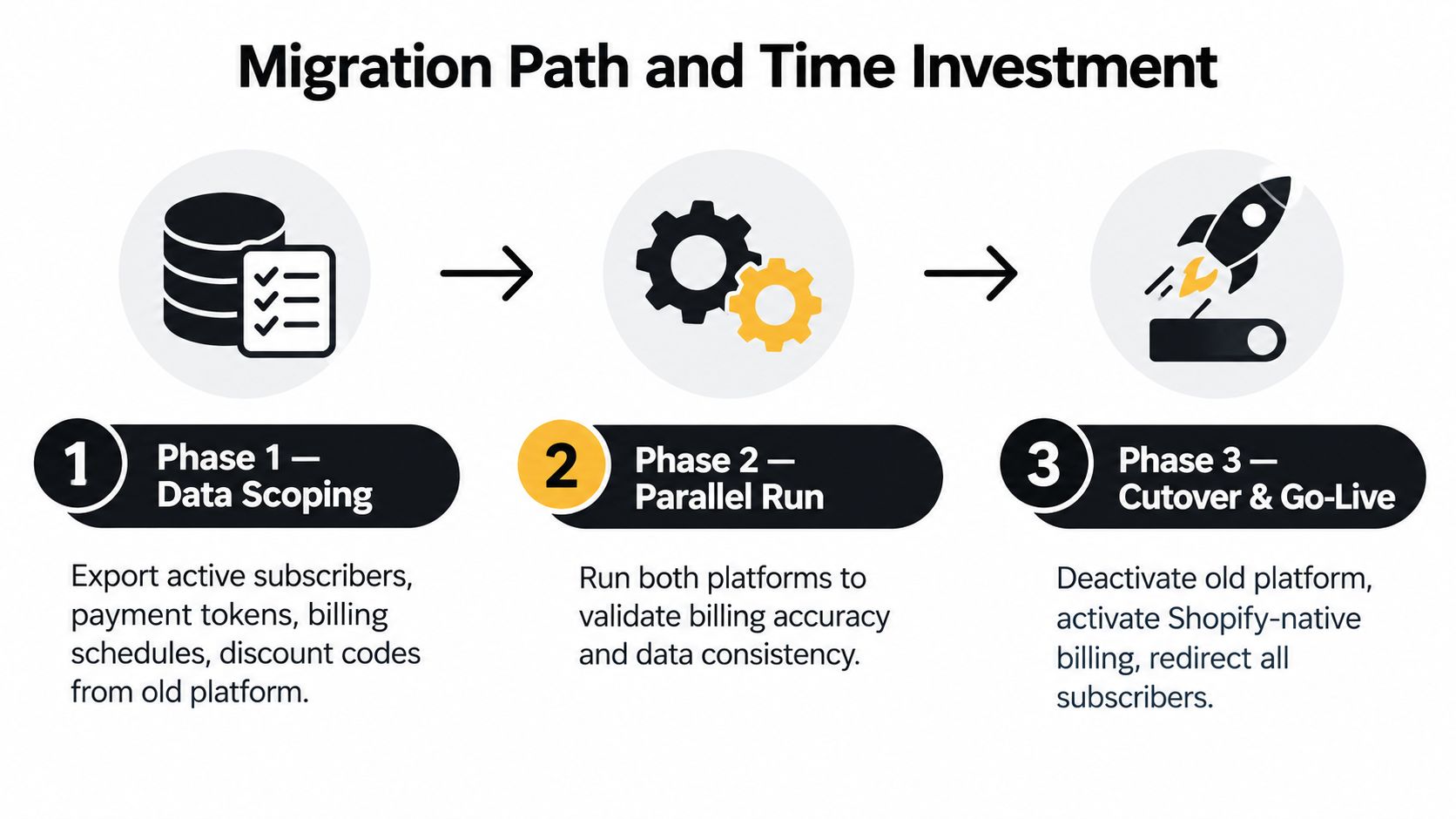
Phase two parallel validation
Run the new setup in parallel before cutover. Experienced teams save themselves.
Check these items carefully:
- Order parity so renewals create the right Shopify orders
- Tax behavior for recurring versus first-time transactions
- Dunning triggers so declines follow the intended path
- Portal actions like skip, swap, and frequency change
- Messaging so renewal and recovery comms go out cleanly
Don't migrate first and test later. Test first, then migrate what's already proven.
Phase three cutover and cleanup
Cutover should happen in batches, not as a dramatic all-at-once leap. Port subscribers, verify renewals, monitor payment failures, and only then deprecate the old app.
The common failure points are predictable:
Skipped dunning dry-runs
Merchants assume retries work because the settings page exists. That's not enough.Mismatched shipping profiles
Subscription products often have shipping logic nobody documented properly.Prepaid discount lapses
These break after migration and annoy your best customers first.
The migration work that hurts most usually isn't coding. It's subscriber communication, internal QA, and cleaning up all the exceptions your old platform allowed.
Dunning and Involuntary Churn Recovery
Failed payments are one of the easiest retention leaks to underestimate and one of the most expensive to ignore. On Shopify, dunning is not a side feature. It directly affects retained revenue, support load, and how much manual cleanup your team does every week.
A lot of subscription apps still treat recovery like a settings page. Turn on retries. Send an email. Hope the card updates itself. That approach leaves money on the table.
What matters is the recovery system behind the retry button.
What strong dunning actually includes
Start with retry logic that reflects why the payment failed. A soft decline should not follow the same path as an expired card or a hard bank decline. If your platform retries every failure on the same cadence, it is doing lazy billing, not retention.
Then look at card update handling. The best systems shorten the path from failed charge to recovered subscriber. That means clean update links, customer messaging tied to the reason for failure, and a portal experience that does not create extra support tickets.
Channel flexibility matters too. Email alone is often too weak for high-value subscriptions or urgent renewals. If the platform supports SMS or other recovery channels, use them selectively based on subscriber value and failure reason.
You also need merchant visibility. Your team should be able to see:
- Failure reason trends by decline type
- Recovery rate by retry step and message flow
- Time-to-recovery so you know whether the sequence is working fast enough
- Lapsed subscriber count after the final attempt
- Revenue recovered without exporting raw payment logs into a spreadsheet
Weak dunning creates hidden operating cost. Support ends up answering “why did my order skip,” finance ends up reconciling failed renewals manually, and retention never gets a clean view of what recovered.
Compare recovery quality, not just recovery claims
| Platform tier | What usually happens | Business impact | What to verify |
|---|---|---|---|
| Basic subscription app | Fixed retries, basic reminder emails, limited failure detail | Lower recovery and more manual follow-up | Decline-specific retries, card update flow, reporting depth |
| Mid-market Shopify subscription tool | Better retry control, stronger notifications, partial reporting | Good enough for many stores if failure volume is moderate | Channel options, subscriber experience, visibility into recovered revenue |
| Retention-focused subscription platform | Recovery is built as an ongoing revenue workflow | Higher upside when subscription volume is meaningful | Retry logic, message triggers, card updater support, cohort-level reporting |
If you want a plain-English explanation of the problem, read this guide to involuntary churn in subscription businesses.
Here's my rule. Do not buy a subscription billing platform based on portal screenshots and feature grids if the vendor gets vague when you ask about failed payments. Ask them to show the actual retry sequence, the card update experience, the messaging triggers, and the reporting your team will use every week. If they cannot show that clearly, dunning is an afterthought.
On Shopify, that usually means higher churn and more staff time spent fixing preventable billing failures.
Total Cost of Ownership Beyond the App Fee
The app fee is usually the smallest line item once a Shopify subscription brand reaches real scale. The expensive parts hide in revenue-share pricing, paid add-ons, manual work, and churn that the platform didn't prevent.
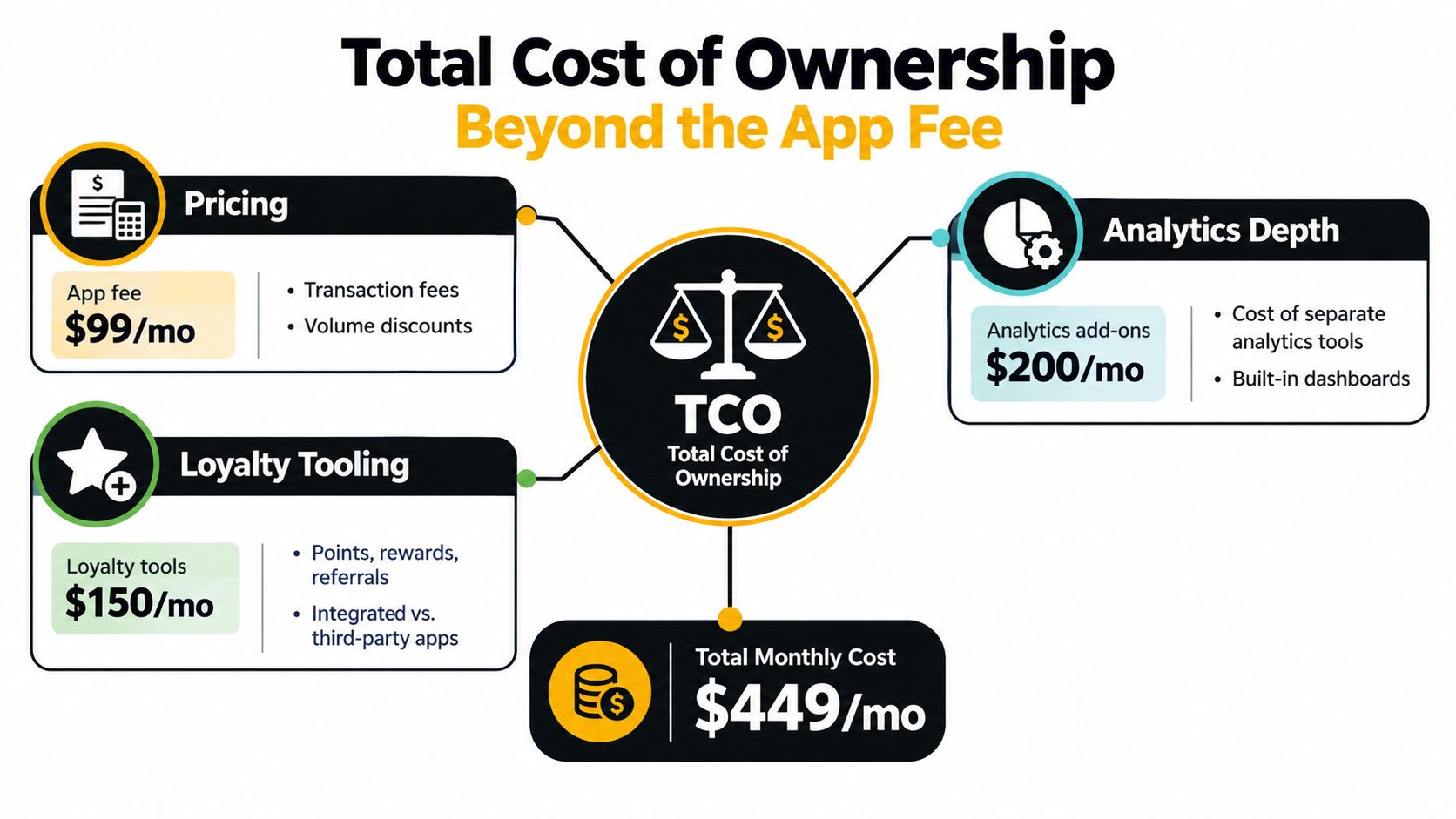
The cost stack merchants miss
A real TCO model should include:
Platform fee
The obvious monthly chargeRevenue share or rebill fees
The part that starts small and gets ugly laterAnalytics extras
Some platforms make you buy deeper reporting separatelyLoyalty and retention tooling
If it isn't built in, you'll often buy more apps to fill the gapInternal labor
Support tickets, manual billing fixes, spreadsheet reporting, failed migration cleanup
Independent comparison guidance for 2026 repeatedly points to the same serious evaluation criteria: pricing flexibility, dunning sophistication, tax and compliance coverage, API and developer experience, reporting, and integration breadth (subscription billing platforms 2026 shortlist). That's a better frame than “which app has the most features.”
The formula I actually use
Use this:
Annual platform fee + revenue share + third-party app costs + internal ops cost - recovered churn revenue = true platform cost
That last part matters. A more expensive app can still be cheaper if it recovers more failed payments and replaces two or three add-ons. A cheaper app can be wildly expensive if your support team spends hours fixing plan mistakes and your retention team can't see what's failing.
My opinion on fee models
If a Shopify subscription app takes a growing cut of recurring revenue while giving you average recovery tooling, you're funding your own margin erosion. That model only makes sense when the app delivers enough operational lift to justify the toll. Often it doesn't.
The best buyer behavior here is simple: ask every vendor for an itemized cost view that includes the subscription fee, usage-related charges, migration support, reporting access, and any retention or loyalty modules.
Which Platform Fits Your Store Type
There isn't one correct answer for every merchant. There are good fits for specific operating realities.
Bootstrapped DTC supplement brand
You're lean. You probably don't have a full-time retention operator. You need subscriptions to work inside Shopify, failed payments to recover without hand-holding, and fees to stay predictable.
In that case, I'd usually keep the shortlist narrow. A Shopify-native tool with built-in recovery and low fee drag makes more sense than a broad platform that expects a larger ops team. Skio also tends to make sense for merchants who care heavily about migration simplicity and a cleaner onboarding experience.
Shopify Plus coffee or alcohol merchant
This merchant usually has more moving parts. Multiple storefronts. Subscription and one-time blended carts. Maybe B2B and DTC side by side. Maybe bundles, gift subscriptions, and region-specific rules.
That store should evaluate flexibility more seriously. Loop can earn a look if storefront and bundle behavior are central. Bold can also fit if the business values broader enterprise workflow coverage. I'd only tolerate a more expensive incumbent path if the team can clearly defend why they need that heavier operating model.
Complex stores don't need more software by default. They need software that matches the complexity they already have.
Agency managing several migrations
Agencies ask a different question from brands. They care about repeatability, migration speed, admin clarity, and whether they can move multiple clients without inventing a new process every time.
That tends to favor tools with direct migration connectors, consolidated operational workflows, and fewer pricing surprises. Agencies hate revenue-share ambiguity because it creates awkward client conversations later. They also hate apps that look polished in a demo and become impossible to standardize across a portfolio.
The mistake across all three profiles is chasing feature parity. Your stated priority should drive the choice. If your pain is fees, optimize for fee structure. If your pain is failed payments, optimize for recovery depth. If your pain is migration urgency, optimize for tooling and implementation path.
Final Recommendation and Next Steps
If you're buying a subscription billing platform for Shopify, keep the decision brutally simple.
Use this checklist
If your store is smaller and lean on retention staffing
Favor a Shopify-native platform with predictable pricing, built-in dunning, and a customer portal that won't create support debt.If your store is growing fast
Model costs over a longer horizon. Don't accept a pricing page at face value. Ask for itemized fees, migration scope, analytics access, and exactly what's included in recovery workflows.If your store runs meaningful complexity on Shopify Plus
Pressure-test plan changes, prepaid flows, portal actions, order creation, and failed payment handling in a live environment before committing.
The questions I'd ask every vendor
- What fees scale with my subscription volume?
- What happens when a renewal fails?
- How does the app sit inside Shopify checkout, admin, and customer accounts?
- What data and tokens can you migrate from my current platform?
- Which retention and analytics features cost extra?
A lot of merchants over-focus on migration fear. That's understandable, but it's the wrong anchor. The bigger risk is staying on a platform that keeps taxing growth, hiding recovery weaknesses, and forcing your team into manual work every month.
Pick the platform that protects margin, recovers revenue, and behaves like part of Shopify. Everything else is secondary.
If you want a Shopify-native option built around recurring revenue operations instead of bolt-on subscription mechanics, RecurX offers subscriptions, memberships, bundles, built-in payment recovery, analytics, loyalty features, and migration utilities for stores moving off legacy apps. If your current stack is costing too much in fees or leaking renewals through weak dunning, it's worth evaluating directly against the operating checklist above.
subscription billing platform · Shopify subscriptions · RecurX · DTC subscriptions · dunning recovery
Keep reading
- How to Set Up Recurring Payments on ShopifyLearn how to set up recurring payments on Shopify the right way. Covers gateways, tokenization, dunning, retries, and monitoring MRR and churn.
- Shopify Subscription Theme Explained and How to ChooseLearn what a Shopify subscription theme is, how it works with apps like RecurX, and how to choose a Shopify subscription theme that converts.
- Shopify Subscription Template Setup Made SimpleLearn how to implement and customize your Shopify subscription template with RecurX widgets, theme matching, and QA tips for higher conversions.
Start growing recurring revenue on Shopify
RecurX has a free-forever plan and zero transaction fees on every tier. Install in minutes.
Install RecurX free →