Shopify Subscription Template Setup Made Simple
Learn how to implement and customize your Shopify subscription template with RecurX widgets, theme matching, and QA tips for higher conversions.
Learn how to implement and customize your Shopify subscription template with RecurX widgets, theme matching, and QA tips for higher conversions.
A merchant adds a subscription widget to a bestselling product, checks that the recurring plan works in checkout, and expects the job to be finished. A week later, the widget looks out of place on mobile, the discount language is unclear, and customers can't easily skip or change an order. The subscription technically works, but the Shopify subscription template is costing conversions and creating support work.
The difference comes from architecture, not from turning on a recurring purchase option. A replenishment product needs a fast, low-friction subscribe-and-save choice. A prepaid bundle needs commitment, delivery visibility, and a clear explanation of the total value. A membership needs to sell access and benefits, not just repeat a shipment. Each model deserves a product-page pattern, portal experience, and recovery flow built around how customers buy.
Table of Contents
- Why Your Shopify Subscription Template Matters More Than Setup
- Planning Your Template Strategy Before You Build
- Implementing and Customizing Your RecurX Widget Template
- Connecting the Customer Portal for Self Serve Management
- Testing and QA That Prevents Launch Day Failures
- Optimizing Your Template for Conversion and Retention
Why Your Shopify Subscription Template Matters More Than Setup
Shopify's basic subscription flow answers an important technical question: how do you add a subscription widget to a product template and associate it with a selling plan? It doesn't fully answer the commercial question: what should the page communicate for this particular subscription model? A generic widget may display a plan title, discount, and delivery interval, yet still fail to explain why the customer should commit.
That gap shows up in familiar ways. A coffee store places “Subscribe and save” beneath the one-time purchase option without clarifying delivery timing. A skincare brand uses the same layout for a prepaid routine and a monthly replenishment product. A membership business presents a recurring charge as if it were a physical shipment. The implementation is valid, but the page makes customers do unnecessary interpretation.
Shopify's infrastructure has supported more advanced subscription experiences since the release of its Subscription APIs in January 2021. Shopify designed those APIs so partners could integrate subscription apps with checkout and the Shopify Admin, manage the subscription lifecycle, support scheduled fulfillments for prepaid subscriptions, activate app charges automatically, and access more granular financial data for orders and transactions. The APIs also support subscription-related shipping rates, discounts, and fulfillment management through Shopify's ecosystem. You can review the platform's subscription analytics context in Shopify's subscription documentation.
The template is part of the offer
A well-designed template makes the customer's decision legible. It answers four questions without forcing a shopper to hunt:
- What am I buying? A single product, a recurring box, or access to benefits?
- When will I be charged and fulfilled? The answer should be visible beside the selected plan.
- What flexibility do I have? Skip, pause, swap, and cancellation terms belong near the decision point.
- Why should I subscribe? Savings, convenience, rewards, or exclusive access should be concrete.
Theme fit matters just as much. A widget that uses a different typeface, cramped spacing, or low-contrast controls feels like an embedded afterthought. That visual disconnect can weaken trust precisely where the customer is deciding between one-time and recurring purchase options.
Practical rule: Treat the subscription template as part of merchandising. The widget should explain the offer, look native to the theme, and lead naturally into checkout.
A proper template also protects the post-purchase experience. Customers who can manage their subscription without contacting support have more control over timing and product selection. Customers who can't often cancel when a simple skip or frequency change would have solved the problem. The storefront and customer portal therefore need to be planned as one journey, not as separate app features.
Planning Your Template Strategy Before You Build
Start with the product behavior, not the theme editor. Ask whether customers naturally replenish the item, benefit from receiving a curated or prepaid package, or pay for continuing access. That decision determines the page hierarchy, the plan selector, the supporting copy, and the portal actions you'll need after purchase.
A replenishment product usually works best with a compact purchase selector. The shopper should see one-time purchase and recurring delivery together, with the delivery interval and saving clearly tied to the selected option. A prepaid bundle needs more room for commitment details, shipment cadence, included products, and the relationship between upfront payment and scheduled fulfillment. A membership template should make the benefits visible before the price, because the recurring value is access rather than inventory.
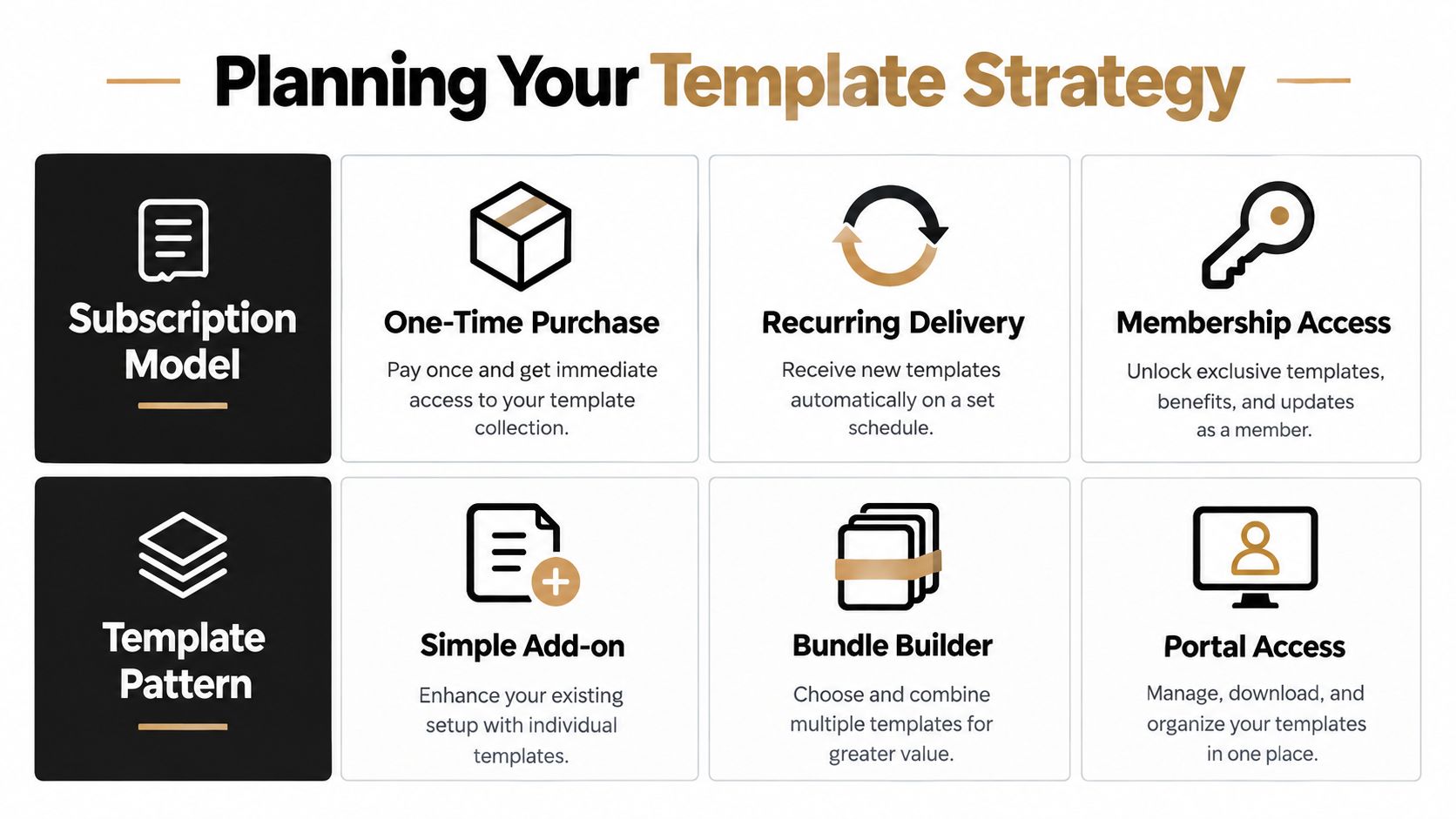
Choose the pattern before choosing the styling
Use a decision matrix to prevent the common mistake of applying one widget layout to every product.
| Subscription Model | Best Template Pattern | Key Widget Settings |
|---|---|---|
| Replenishment | Simple add-on beside one-time purchase | Delivery interval, subscribe-and-save language, skip or cancel reassurance |
| Prepaid bundle | Bundle builder with commitment summary | Upfront payment, scheduled fulfillment, included items, total value, delivery schedule |
| Membership access | Portal access and benefits block | Billing interval, access perks, renewal terms, account link, loyalty or VIP messaging |
The table is a starting point, not a rigid rule. A supplement store may use a simple add-on for a core product and a bundle builder for a starter regimen. A pet brand may let customers change flavors or sizes, which means the portal and product selector need to support swaps as well as recurring delivery.
Define the commercial rules
Write the selling-plan rules before implementation:
- Purchase options: Decide whether one-time purchase remains available and which option should be selected by default. A default subscription choice can reduce friction, but it shouldn't obscure the one-time price or renewal terms.
- Intervals: Match the cadence to consumption. Offer only intervals the operations team can fulfill reliably. Too many choices create hesitation and complicate inventory planning.
- Discounts and incentives: Choose whether the offer is a straightforward plan discount, a prepaid benefit, loyalty points, exclusive products, or a combination. Keep the first message easy to understand.
- Localization: Prepare translated widget labels, portal controls, and notification copy for each market. Currency, delivery language, tax treatment, and cancellation wording should agree across the product page and checkout.
- Lifecycle messaging: Map confirmation, upcoming-order, failed-payment, and cancellation communications before launch. If you're comparing platforms or planning the wider billing stack, this overview of Shopify subscription billing platforms provides useful implementation context.
Product data also affects template quality. Consistent variant names, dimensions, ingredients, delivery details, and benefit attributes make bundle and plan messaging easier to maintain. For teams managing a large catalog, optimizing attributes with NanoPIM can help create a cleaner specification structure before those details reach the storefront.
Implementing and Customizing Your RecurX Widget Template
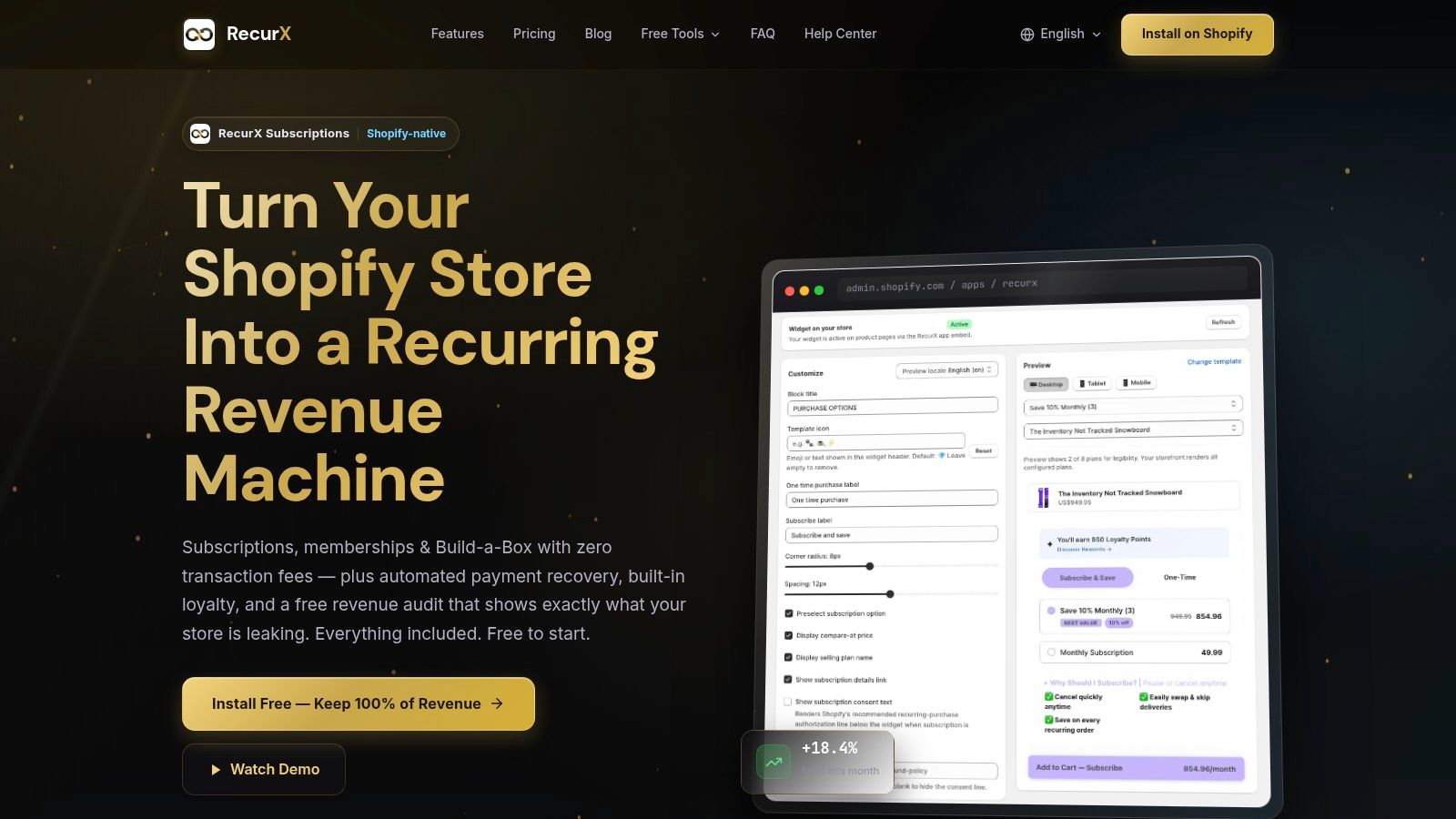
Once the model is defined, build the product-page experience around the selected pattern. RecurX provides 20 widget templates, giving teams several starting points for layouts that support replenishment, bundles, and membership-oriented offers. The useful part isn't picking the most decorated design. It's choosing the structure that keeps the purchase decision close to the product information and makes the recurring terms obvious.
Begin in the Shopify theme editor and add the subscription widget to the product template or product information area where customers choose quantity and purchase type. Keep it near the add-to-cart action. A subscription option placed far below the product description may technically render, but it separates the plan decision from the action that completes it.
Match the widget to the theme
Use theme auto-match for colors and fonts, then inspect the rendered result rather than trusting the preview alone. The widget should inherit the visual language of the store, including typography, control shape, spacing, and emphasis. “Native” doesn't mean invisible. The recurring option still needs enough contrast and hierarchy to stand out beside one-time purchase.
RecurX's widget approach is designed to work within Shopify's native storefront architecture rather than relying on an iframe. That matters for responsive behavior, theme compatibility, and interaction with product-page components. It also makes the implementation easier to reason about when a theme uses dynamic sections, variant selectors, or app blocks.
Treat contrast as a render-time requirement
Color decisions often fail after the widget meets the theme. A muted brand palette may look attractive in a design file but produce weak contrast between text, borders, controls, and backgrounds. RecurX's WCAG-validated contrast handling checks the rendered color relationship and adjusts presentation so the widget remains usable when theme colors are applied.
Still, validate the result yourself. Check the selected and unselected plan states, focus indicators, error messages, disabled controls, and discount text. Test keyboard navigation and zoomed layouts. A customer should be able to identify the active selling plan without relying on color alone.
Accessibility is part of conversion work. If shoppers can't distinguish the active plan, read the price, or reach the selector with a keyboard, the template has failed before checkout.
Configure selling plans with restraint
Create the plan titles customers understand, then connect the appropriate interval, discount, and fulfillment behavior. “Every month” is usually clearer than internal terminology. If a plan has a prepaid commitment, state the payment timing and shipment schedule beside the selection rather than hiding it in a tooltip.
For replenishment, show the recurring price and the one-time comparison together. For a build-your-own box, let customers understand whether the discount applies to the box, individual products, or a tier reached through quantity. For membership access, replace delivery language with benefits, eligibility, renewal terms, and a direct account or portal path.
Multiple purchase options need special care. A product may have one-time purchase, recurring delivery, prepaid purchase, and a bundle configuration. Don't render all of them as equal-weight controls with long descriptions. Establish a clear primary choice, keep alternatives visible, and ensure variant changes don't reset the selected selling plan unexpectedly.
Validate across real themes and devices
Preview the widget on the active theme, not only in the app interface. Test a product with a short title, a long title, multiple variants, a sale price, no image, and a subscription-only plan. Check mobile spacing around quantity controls and the add-to-cart button. Then verify that cart and checkout retain the selected plan and display the correct price and delivery information.
If a theme update changes product-form markup or app-block placement, the widget can move, lose context, or become visually inconsistent. Keep a screenshot and a short behavior checklist for every production theme so future updates have a baseline.
Connecting the Customer Portal for Self Serve Management
The storefront creates the subscription relationship. The customer portal determines whether customers can live with it.
Connect the portal through Shopify's native customer-account integration and keep the experience on the merchant's domain. Customers should reach subscription management from their account area, order emails, and relevant lifecycle messages without being sent to an unfamiliar external destination. The portal needs to reflect the same brand styling and terminology used on the product page.
The core controls should match the reasons customers contact support. Enable pause, skip, swap products, change frequency, and update payment details where the plan supports them. Each action should show the consequence before confirmation. A skip action should identify the affected order, while a frequency change should show the next expected charge or fulfillment in plain language.
Design around saveable moments
A customer who has too much product doesn't always want to leave. A pause or longer interval can preserve the relationship without forcing a cancellation. A customer who wants variety may stay if swapping products is easy. Those controls work only when they're visible and safe to use.
For prepaid plans, don't expose controls that conflict with the commitment. Show remaining scheduled fulfillments and explain which changes are available. For memberships, emphasize benefit access, renewal timing, tier status, and the path to update payment details. The portal should reflect the subscription model rather than treating every customer as if they manage a recurring parcel.
The portal is also an operational surface. Use automatic customer tagging by subscription status, plan tier, or behavior so Shopify Flow and lifecycle tools can act on reliable states. A paused customer may need different messaging from a failed-payment customer. A VIP member may qualify for loyalty treatment that shouldn't apply to a first-time replenishment subscriber.
Connect notifications to portal actions
Klaviyo, Mailchimp, Twilio, WhatsApp Business, and Omnisend can carry links into the portal, provided the message explains why the customer should act. An upcoming-order message can invite a customer to skip or swap. A payment-failure message can provide a direct card-update path. A cancellation confirmation can include a reactivation route without making the customer search through their account.
Keep the notification and portal state synchronized. If a customer changes frequency in the portal, downstream messaging should use the new state. Webhook-driven updates and automation tags are more dependable than manually maintained segments.
For practical guidance on keeping account controls clear and usable, this customer portal design guide is a useful reference. The best portal isn't the one with the most controls. It's the one that lets customers make the common change quickly, confirms what will happen next, and gives support teams an accurate record.
Testing and QA That Prevents Launch Day Failures
Subscription QA has to test state changes, not just page appearance. A widget can look perfect while sending the wrong selling plan to checkout, failing to import a payment method, or leaving the customer portal out of sync with the subscription record.
Shopify's subscription guidance requires selling-plan integration through its subscription APIs and warns that older POS UI extension versions or POS app versions can block checkout. Before launch, validate storefront, checkout, and POS compatibility together using the current versions that support your intended flow. Shopify's subscription development guidance should be the reference point for API and compatibility checks.
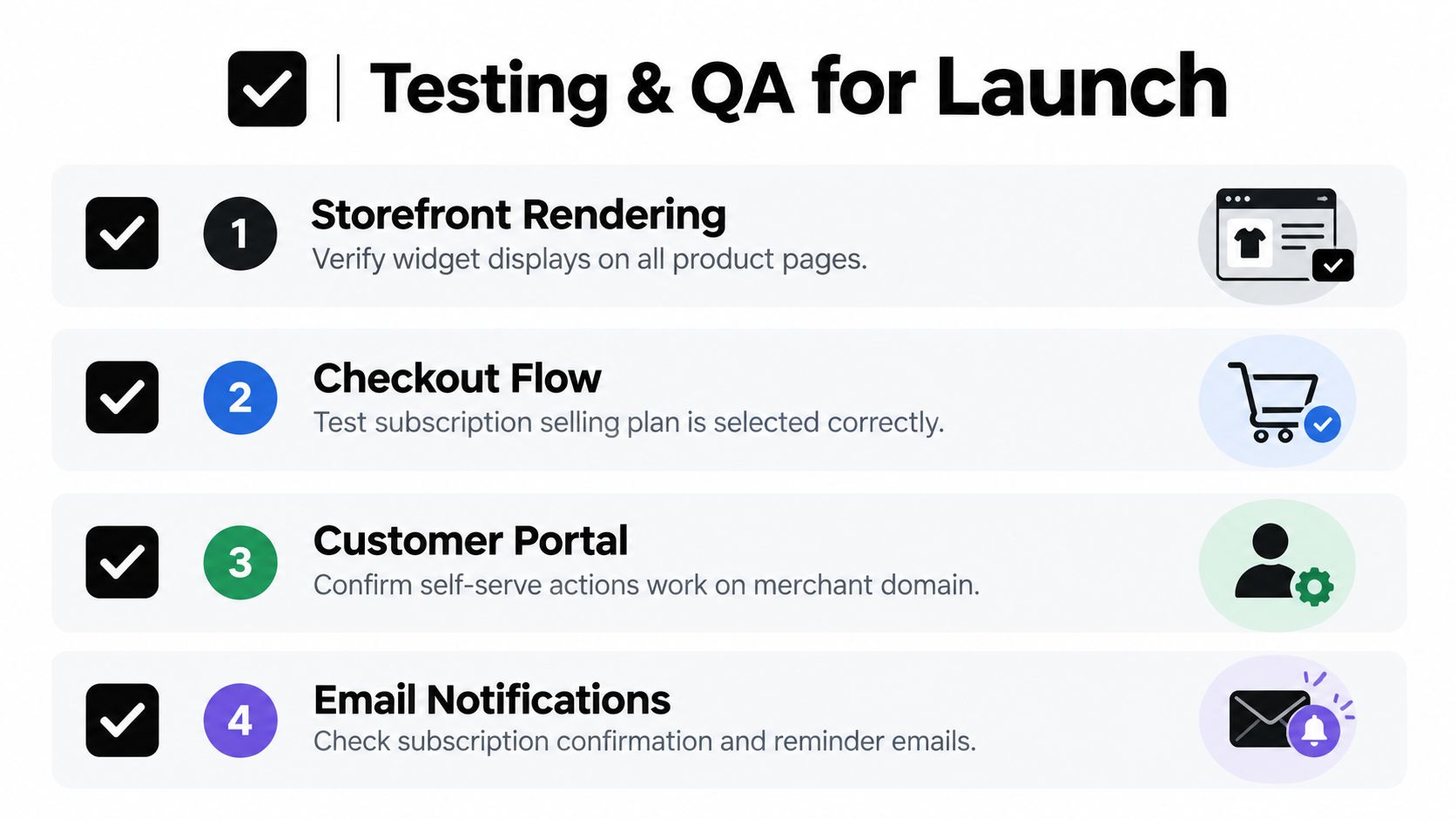
Run the purchase path end to end
Use test products that represent each subscription model. Confirm that the widget renders on every assigned product template, the selected plan survives variant changes, and the cart displays the intended recurring terms. Continue through checkout and verify that the selling plan, discount, shipping rate, and customer details remain correct.
A reusable launch pass should include:
- Storefront rendering: Check desktop, mobile, theme sections, product variants, sale states, and keyboard navigation.
- Checkout selection: Confirm that the intended subscription selling plan is selected and that one-time alternatives remain accurate.
- Customer account access: Sign in as a test customer and verify portal access on the merchant domain.
- Account actions: Pause, skip, swap, change frequency, and update payment details, then confirm the resulting subscription state.
- Payment-method import: Test migration or account connection paths so existing payment methods don't disappear at cutover.
- Webhook changes: Trigger subscription creation, pause, resume, skip, payment failure, and cancellation events. Confirm that tags, flows, analytics, and notifications update correctly.
Test recovery, reporting, and campaign links
Failed-payment recovery deserves its own test cycle. Shopify cites an analysis of 76 million subscriptions in which 9% of renewal charges were declined and 53% of failed payments on monthly plans were recovered. Those figures appear in Shopify's subscription recovery guidance, and they make the point clearly: a working dunning sequence is part of the subscription product, not a post-launch enhancement.
Trigger a failed payment in a test environment and verify the retry timing, email or SMS sequence, card-update link, and subscription status. Make sure a successful update stops further failure messaging and restores the correct state. Also check MRR, churn reason, LTV, AOV, and cohort events against known test actions, rather than assuming analytics will infer them correctly.
Quick checkout links and QR codes need separate validation. Open them on mobile, confirm the correct product and selling plan, and test whether campaign parameters survive the route. Finally, repeat the smoke test after theme updates, app updates, and migrations. Subscription failures often appear at integration boundaries, so a short repeatable checklist protects more than a one-time visual review.
For API behavior, event handling, and integration planning, keep the Shopify integrations API guide available to the developer responsible for the launch.
Optimizing Your Template for Conversion and Retention
A subscription template should evolve with customer behavior. Start with the funnel from product-page view through plan selection, checkout, first fulfillment, renewal, portal action, payment recovery, and cancellation. Each stage answers a different question, so a single conversion rate can't explain where the experience breaks.
Use MRR, churn by reason, LTV, ARPU, AOV, cohort retention, and funnel metrics to decide what to change. If shoppers view the widget but rarely select a plan, revisit the offer hierarchy, copy, and price comparison. If first orders convert but later renewals weaken, inspect delivery cadence, product fatigue, portal flexibility, and failed-payment handling. If bundles lift order value but increase cancellations, make the build flow and swap controls easier to use.
Retention improvements often come from reducing commitment anxiety rather than increasing discounts. A visible skip option, a sensible interval, loyalty points per renewal, VIP tiers, milestone rewards, and clear cancellation terms can make the recurring relationship feel controllable. Payment recovery protects a different part of the funnel by addressing involuntary churn before the customer actively chooses to leave.
RecurX can support this operating model with Shopify-native widget templates, theme auto-match, contrast handling, customer-account portal controls, payment recovery, analytics, loyalty features, bundle flows, localization, and automation. Review the live metrics regularly, choose one template or lifecycle change at a time, and document the result so the next theme update doesn't erase what worked.
Set up the Shopify subscription template that matches your model, whether you're selling replenishment products, prepaid bundles, or membership access, then validate the complete customer journey from PDP to portal. Visit RecurX to review the widget, subscription management, recovery, loyalty, and analytics tools available for a Shopify-native implementation.
shopify subscription template · shopify subscriptions · recurx app · subscription widget · shopify guide
Keep reading
- How to Set Up Recurring Payments on ShopifyLearn how to set up recurring payments on Shopify the right way. Covers gateways, tokenization, dunning, retries, and monitoring MRR and churn.
- Shopify Subscription Theme Explained and How to ChooseLearn what a Shopify subscription theme is, how it works with apps like RecurX, and how to choose a Shopify subscription theme that converts.
- Subscription Billing Platform Buyer's Guide for ShopifyCompare subscription billing platform options for Shopify. See core features, fees, dunning, and how to pick the right fit for DTC brands.
Start growing recurring revenue on Shopify
RecurX has a free-forever plan and zero transaction fees on every tier. Install in minutes.
Install RecurX free →