Tiered Discounts Shopify
Tiered discounts shopify. Learn how to set up tiered discounts on Shopify, including subscription ramps, anchor billing, and real examples
Tiered discounts shopify. Learn how to set up tiered discounts on Shopify, including subscription ramps, anchor billing, and real examples

A Shopify merchant often reaches the same uncomfortable decision: keep a simple welcome code that discounts every new subscriber, or build a pricing ladder that gives the strongest reward only after the customer proves they'll stay. The flat offer is easy to launch, but it can spend margin on shoppers who would have reordered without extra persuasion. Tiered discounts in Shopify create a different bargain. The customer earns better economics by buying more or continuing longer, while the merchant reserves deeper incentives for behavior that supports retention.
That distinction matters most for consumables such as coffee, skincare, supplements, and pet products. A one-time cart discount measures success at checkout. A subscription tier can be designed around the customer's next renewal, order count, product changes, and eventual lifetime value. Shopify supports quantity-based automatic discounts, and the ecosystem now includes apps for volume breaks and subscription pricing, but the hard work begins when the discount must survive multiple billing cycles.
Table of Contents
- Why Tiered Discounts Fit Subscription Stores
- Setting Up Native Tiered Discounts in Shopify
- Choosing an App When Native Tools Fall Short
- Subscription Ramps and Anchor-Date Billing
- Tiered Discount Examples You Can Copy
- Stacking Rules and Troubleshooting Edge Cases
- Measuring Whether Your Tiers Are Working
Why Tiered Discounts Fit Subscription Stores
A subscription brand with weak retention after the first renewal can easily overcorrect with a large first-order discount. That offer may improve acquisition, but it also gives the same reward to a customer who cancels quickly and one who remains for many renewals. A tiered structure changes the timing of the incentive. The first order receives a controlled offer, the next milestone reveals a better rate, and continued participation earns the most valuable tier.
The principle is straightforward:
- Protect the first order. Use a modest introductory discount while the customer is still testing the product.
- Reward continuation. Tie a stronger benefit to a defined renewal or order milestone.
- Make progression visible. Show customers what they've earned and what comes next.
- Keep the rule understandable. Customers should be able to predict the price of the next charge.
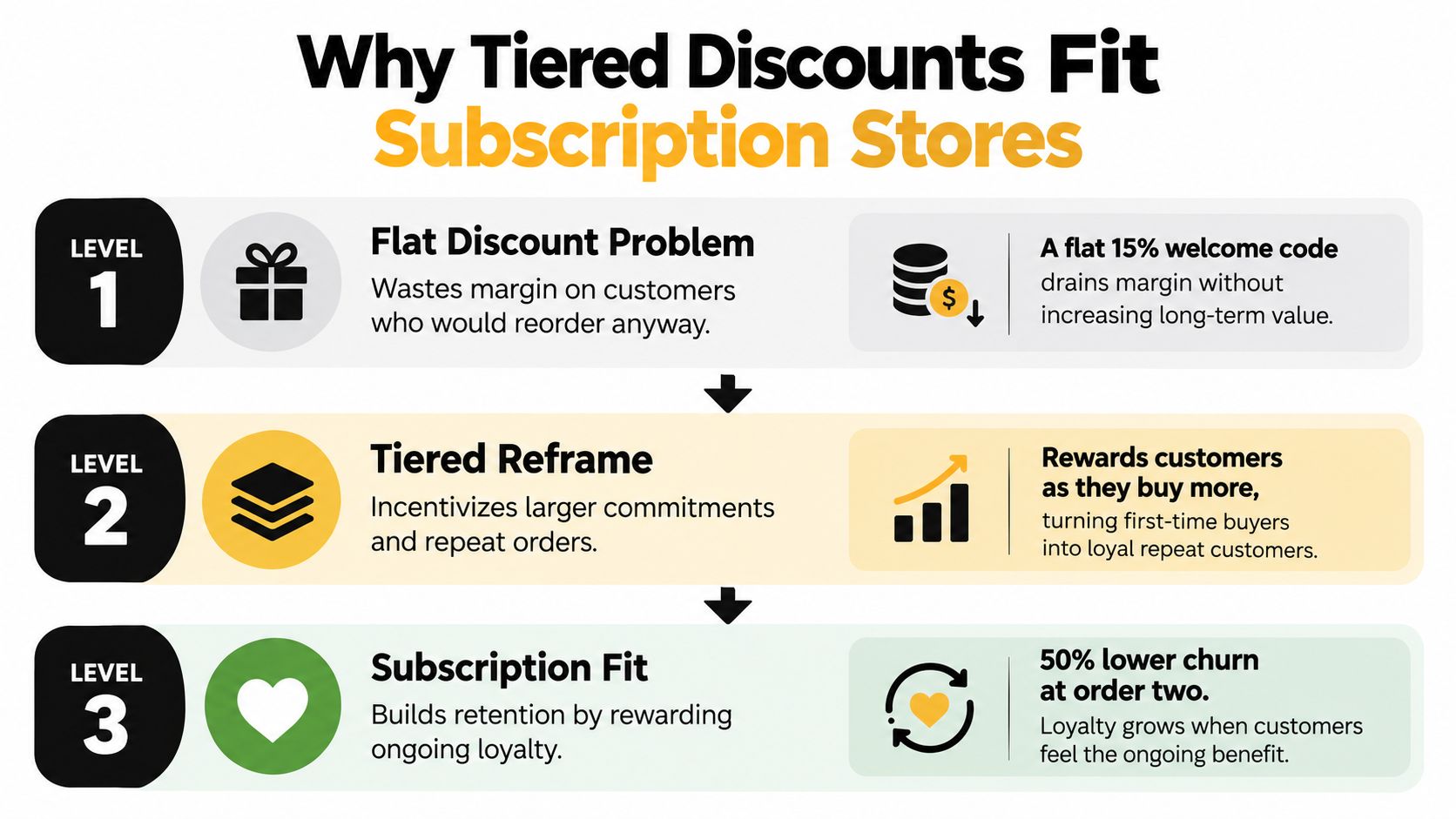
Shopify's native discount model already supports quantity thresholds with percentage or fixed-amount reductions, and the checkout applies the best eligible tier rather than stacking overlapping tiers, as shown in Shopify community guidance on quantity-specific discounts. That logic works well for a “buy more now” campaign. Subscription stores need one extra layer, the ability to define whether “more” means more units in the current cart or more completed orders over time.
The retention advantage is behavioral rather than cosmetic. A customer who sees a clear progression has a reason to preserve the subscription, while the merchant can avoid permanently applying the deepest discount to every subscriber. Shopify's subscription APIs expose discount types, allocations, and line-level applicability in customer-account surfaces, which reinforces the need to design the customer-facing explanation as carefully as the backend rule.
Practical rule: A subscription tier should reward a behavior you want repeated, not simply reduce the price of the first transaction.
Setting Up Native Tiered Discounts in Shopify
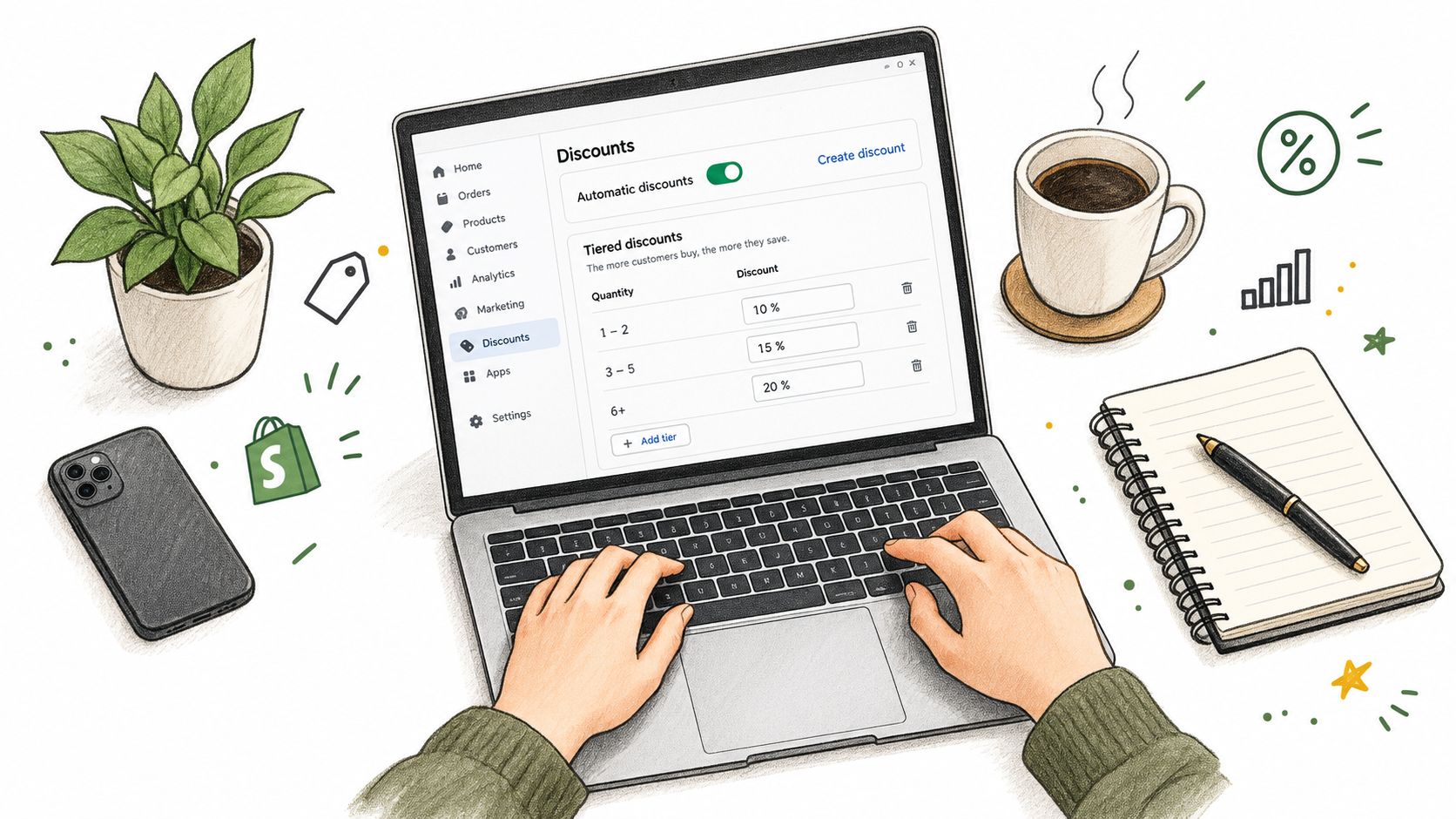
Native Shopify tools are a sensible starting point for quantity-based offers. Open Discounts in the Shopify admin, create an automatic discount, and choose the quantity-based configuration available to your store. Define the eligible products or collections, set the minimum quantity for each tier, and decide whether the reduction is a percentage or a fixed amount. Shopify's quantity price-break implementation guidance describes the broader native and app-based patterns merchants use for these offers.
A practical ladder might use 10% off at one unit, 15% off at three units, and 20% off at six units. Those values are an example configuration, not a universal recommendation. The thresholds should reflect your product economics and the quantities customers can reasonably consume before the next replenishment.
Configure the eligibility before the creative
The discount rule should answer four questions before you add a progress bar or product-page table:
- Which products count toward the threshold?
- Does the threshold count separate line items or only the same variant?
- Does the offer apply to one-time purchases, subscriptions, or both?
- Which discount wins if another automatic offer is eligible?
Shopify applies the highest eligible tier reached by the qualifying cart. A shopper who reaches the six-unit band receives that band, rather than a blended average of the lower levels. That makes the checkout result predictable, but it also means merchants shouldn't create overlapping rules that assume every tier will accumulate.
For a subscription line, verify whether the native rule controls only the initial checkout or remains attached to later subscription orders. A cart-level quantity discount and an order-count discount are different mechanisms. If the store needs a discount after a defined number of renewals, native quantity tiers alone won't count the customer's historical orders.
Merchants evaluating a subscription-specific implementation can review Shopify volume discounts for subscriptions to compare quantity logic with recurring-plan requirements.
The visual setup is only useful if the checkout calculation agrees with it. Test the cart below the first threshold, exactly at each threshold, and above the highest threshold. Place a test order through the payment path, then inspect the resulting line items and the next subscription charge.
The following walkthrough can help teams understand the discount-creation workflow:
Don't launch until the product page, cart, checkout, order confirmation, and customer account all communicate the same price. A discount that appears correct in the cart but disappears from the renewal record will create support tickets and margin surprises.
Choosing an App When Native Tools Fall Short
Native quantity tiers solve a current-cart problem. They don't automatically solve a lifecycle problem. A subscription merchant may need to count completed renewals, change the rate after a milestone, show the future price in a customer portal, or align the change with the next scheduled billing date. Those requirements call for an app or a custom subscription engine that owns the contract logic.
Don't compare apps only by review volume or the presence of a “volume discount” label. Compare the subscription surface area:
- Ramp support: Can the app change a discount after a defined number of orders?
- Counter behavior: Does a trial conversion count as an order, and does a product swap reset the counter?
- Portal display: Can the subscriber see the current discount and the upcoming charge?
- Billing alignment: Does a price change happen immediately or at the next renewal?
- Event handling: Are renewal and tier changes exposed through webhooks or other operational events?
- Commercial model: Does the app charge a flat monthly fee or take a fee related to discount usage?
| App | Ramp After N Orders | Anchor-Date Billing | Portal Display | Pricing Model |
|---|---|---|---|---|
| Shopify native discounts | Usually focused on current-cart eligibility | Depends on the subscription implementation | Depends on the subscription surface | Shopify plan and any required app costs |
| Volume discount app | Commonly supports quantity breaks | Usually requires subscription compatibility testing | Often storefront-focused | Frequently plan-based |
| Subscription-focused app | May support renewal-count ramps | Should document next-renewal behavior | Should expose contract pricing | Plan-based or usage-based, depending on provider |
| Custom Shopify Functions setup | Can support custom eligibility logic | Requires deliberate subscription integration | Requires customer-account work | Development and ongoing maintenance |
This table is a decision framework, not a claim that every app in a category behaves identically. Ask the vendor to demonstrate a renewal moving from one tier to another, then edit the subscription contract and repeat the test. A polished price table isn't enough if the billing record, portal, and notification use different values.
RecurX is one Shopify-native option that supports subscription plans with tiered discounts that ramp after a defined number of orders, along with customer-portal controls and subscription analytics. Whether it fits depends on the store's billing model, existing subscription stack, and required discount combinations.
Percentage-of-discount pricing also deserves scrutiny. A deeper loyalty tier can become more expensive to operate if the app's fee rises with discount activity, while a flat monthly model is easier to forecast. The cheapest install isn't necessarily the lowest-cost implementation once support, reconciliation, and failed renewal logic enter the picture.
Subscription Ramps and Anchor-Date Billing
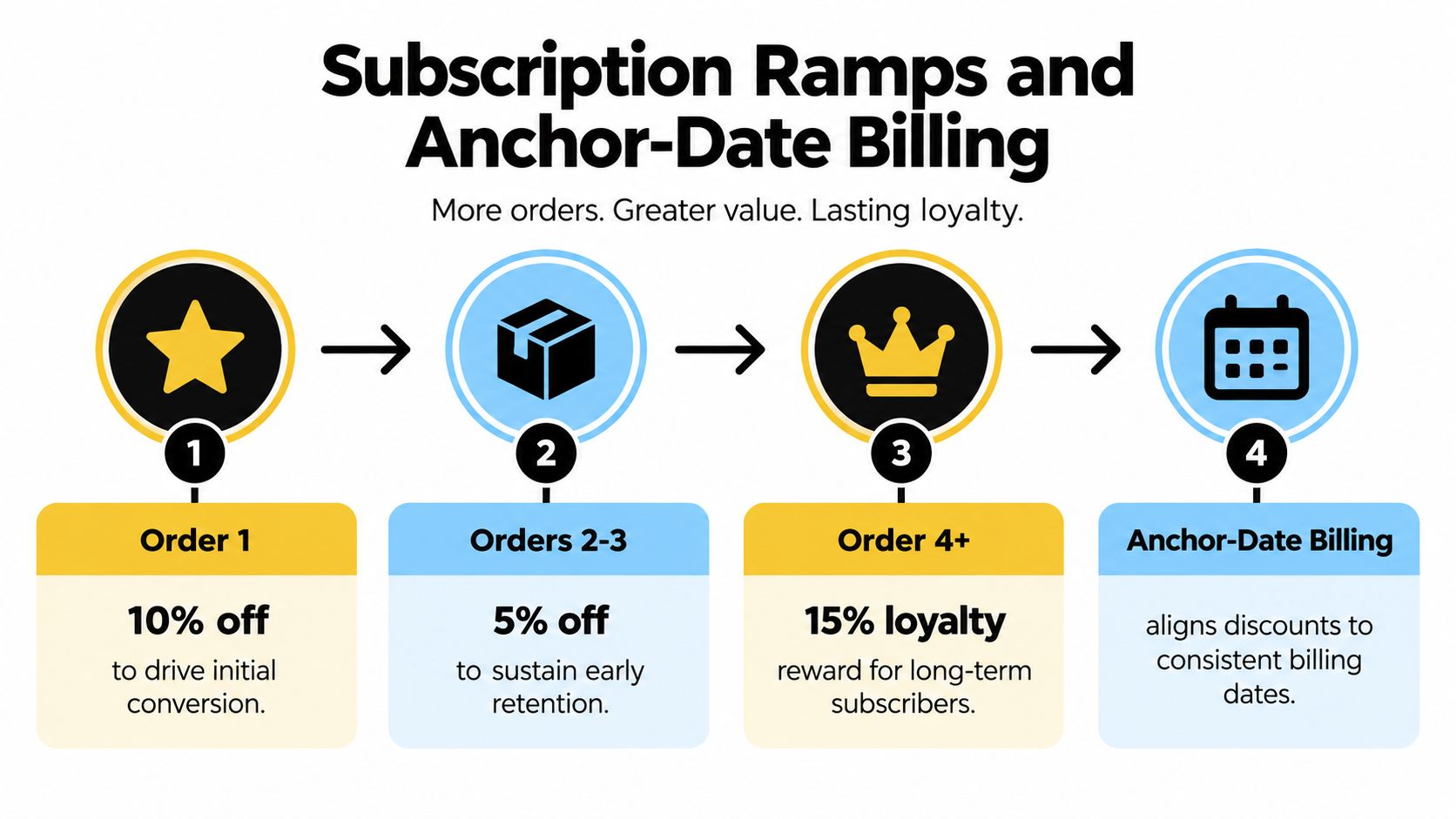
The cleanest subscription ladder is based on order count, not the contents of a single cart. Consider a three-stage loyalty curve: 10% off order one, 5% off orders two and three, and full price from order four. That example intentionally decreases the discount as the customer establishes the relationship. Another brand might increase the reward at a later milestone. The right direction depends on whether the offer is primarily for acquisition, early retention, or long-term loyalty.
The important implementation decision is when the tier changes. If the system changes the price in the middle of a billing period, the customer may see an unexpected amount, the merchant may need to prorate, and finance may have to reconcile a refund or credit. A safer pattern is to calculate the new tier when the next anchor billing date arrives.
Build the ladder around the contract
A practical configuration sequence looks like this:
- Define the states. Identify the discount attached to each order count and the exact order that triggers the change.
- Choose the counter. Decide whether the counter advances on successful payment, order creation, fulfillment, or another subscription event.
- Lock the effective date. Apply a changed rate to the next renewal instead of rewriting the current cycle.
- Expose the projection. Show the customer the present rate, the next charge, and the condition for a future change.
- Test contract edits. Pause, skip, swap, and cadence changes must preserve or intentionally recalculate the counter.
The customer portal should never force a subscriber to infer why the next charge changed. If a swap moves the customer to a different product with a different eligible tier, display that consequence before the change is saved.
Shopify's subscription discount data is increasingly visible through Admin and Customer Account APIs, including discount allocation and line-level applicability, as described in the Shopify developer update on subscription discounts in the Customer Account API. A third-party subscription engine may present the discount as a plan adjustment, a line-item allocation, or a separate discount entry. That difference affects what customers see and what exports contain.
For stores using a RecurX-style workflow, the operational test is simple. Create the ramp, set the order-count trigger, make the change effective at the next anchor date, and confirm that the subscription widget and portal show the projected charge. Teams working on bundle economics can also review bundle product pricing for subscription offers, especially when quantity and renewal tiers overlap.
Tiered Discount Examples You Can Copy
A useful ladder starts with a business problem, not a fashionable percentage. The following examples are templates for thinking about eligibility, timing, and customer communication. Replace the values only after checking contribution margin, shipping economics, and the price customers already accept.
| Scenario | Threshold Trigger | Reward | Best For |
|---|---|---|---|
| Trial-to-paid coffee ramp | Trial completion, then early paid orders | Trial terms followed by a stronger first paid-order offer, a lighter early-renewal offer, then standard pricing | Brands protecting conversion without discounting every renewal |
| Skincare bundle ladder | Two, three, or four qualifying items in one purchase | Increasing percentage reduction at each quantity threshold | Sets, routines, and replenishment bundles |
| Pet loyalty ladder | Milestones after three, six, and twelve completed orders | Higher loyalty discount plus a shipping benefit at later stages | Consumables with a predictable replenishment cycle |
The coffee example needs careful naming because “order zero” isn't a normal paid order. Treat the trial as a separate state in the subscription contract, then apply the paid discount when the trial converts. If the platform resets the counter at conversion, the customer-facing message and internal reporting must use the same definition.
The skincare ladder is a current-cart quantity promotion. It can use automatic discount thresholds tied to eligible products or collections. Add a margin guardrail before publishing the highest tier. A customer buying more units may raise the basket value, but the discount, fulfillment cost, and shipping contribution still determine whether the order is healthy.
The pet example is lifecycle-aware. The trigger is the number of completed subscription orders, and the reward can combine a price benefit with free shipping if the discount engine and subscription platform allow that combination. Don't promise the later perk in email until the customer portal can display the eligibility state.
Each example needs one source of truth. A discount code, an automatic discount, a subscription plan adjustment, and a loyalty reward shouldn't independently count the same customer milestone. Pick the system that owns the counter, document it, and pass that state into customer messaging.
Stacking Rules and Troubleshooting Edge Cases
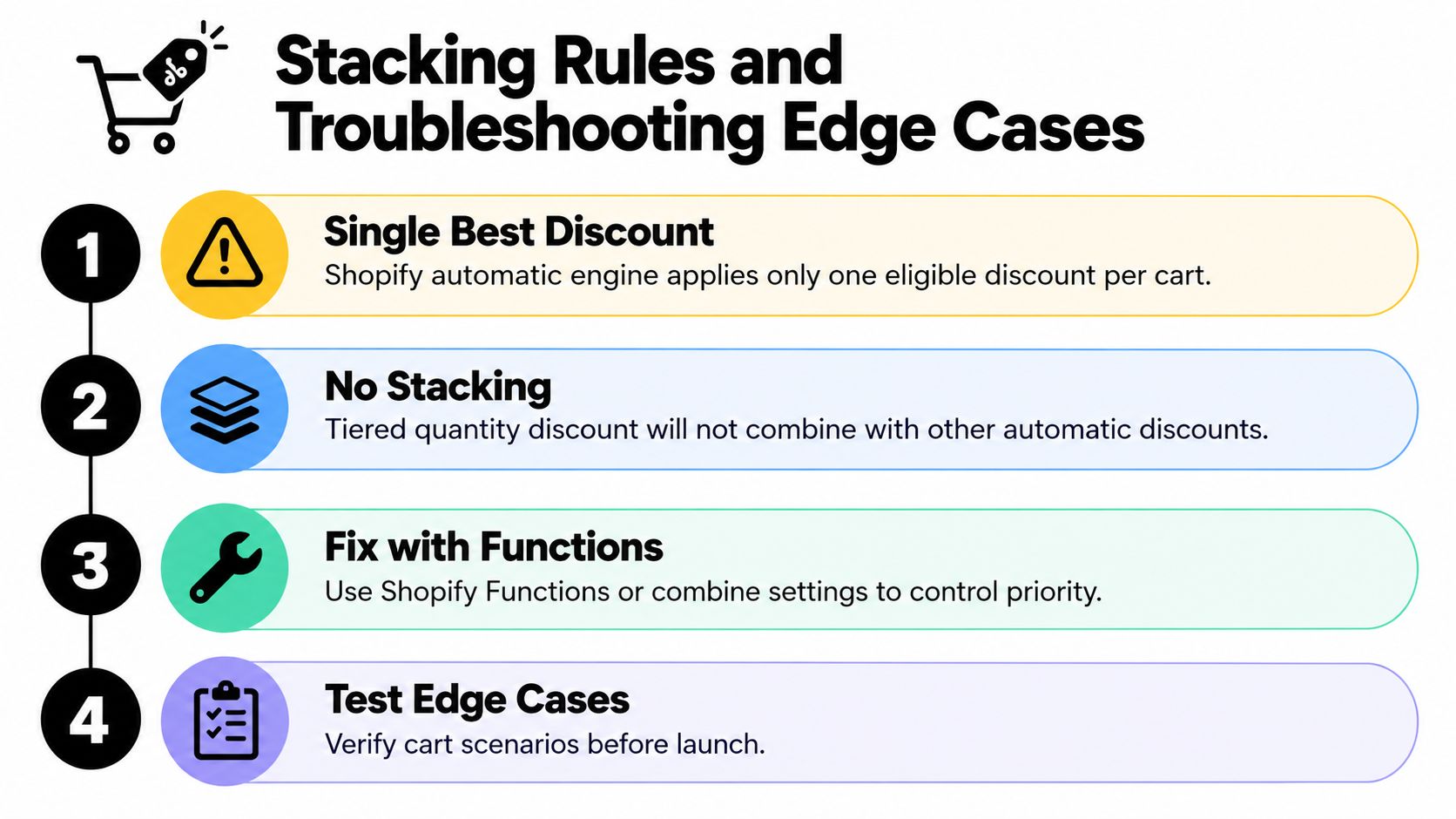
Most tiered discount failures aren't caused by arithmetic. They happen because the merchant assumes eligible offers will combine, while Shopify's discount engine selects only the discounts allowed by the configured combination rules. Shopify community guidance on tiered discount eligibility and combination behavior highlights the confusion around automatic discounts, VIP pricing, and subscription incentives.
A quantity tier may be eligible, but a welcome code, free-shipping offer, or product promotion may not be combinable with it. The customer then receives the permitted offer, often the highest eligible tier, rather than every benefit visible in the campaign brief.
Where subscription operations get messy
A product swap is a common source of regression. If the replacement item belongs to a different collection or has different quantity eligibility, the customer can move into a lower tier. If the platform also adjusts the charge immediately, the merchant may need to explain a refund, credit, or unexpected payment difference.
Markets create another boundary. A tier configured for one market may not apply when the shipping destination changes. Check market eligibility, catalog availability, currency presentation, and shipping rules together. Payment-method promotions can also compete with manual or automatic discounts, so test the actual accelerated checkout paths your customers use.
Use this debugging sequence before changing the campaign:
- Confirm priority: Record which discount is automatic, which is code-based, and which combinations Shopify permits.
- Inspect the line item: Check whether the rule applies to the product line or to the entire order.
- Reproduce the threshold: Test below, at, and above every quantity or order-count milestone.
- Edit the contract: Swap a product, change cadence, skip a renewal, and verify the tier state.
- Review the market: Repeat the test for each important shipping region.
- Audit renewals: Compare the promised price with the actual charge and discount allocation.
Operational warning: Never validate a subscription discount only at the initial checkout. The renewal record is where an attractive promotion becomes a reliable pricing system or an avoidable support problem.
Measuring Whether Your Tiers Are Working
A tiered program should earn its place through unit economics and retention behavior, not a higher average order value by itself. Track AOV per subscription order, redemption by tier, churn by reason, and cohort LTV. Those views distinguish customers who merely used a discount from customers whose continued subscription justifies it.
Use Shopify reporting for order and discount behavior, then pair it with the subscription platform's renewal, cancellation, and cohort data. The Shopify subscription metrics and KPI guide is a useful reference for organizing those views.
| Metric | Source | Read Window | What a Healthy Tier Looks Like |
|---|---|---|---|
| Subscription-order AOV | Shopify reports and subscription analytics | Recent order periods plus cohort review | Higher basket value without an uneconomic discount burden |
| Redemption by tier | Discount and subscription records | Weekly operational review | Customers reach the intended milestones rather than clustering only in the cheapest tier |
| Churn by reason | Cancellation export and subscription analytics | Recent cancellations, then cohort comparison | Fewer cancellations attributed to price or unclear value |
| Cohort LTV | Subscription cohort analytics | Full customer lifecycle view | Later-tier customers contribute enough retained value to support the reward |
Leading indicators arrive first. Watch tier redemption, failed payments, swaps, skips, and cancellations each week. If the middle tier becomes popular while the final loyalty tier remains untouched, the ladder may be too difficult to reach or poorly explained.
LTV is slower to interpret because it depends on completed renewal history. Compare subscribers who entered through the ramp with one-time buyers and subscribers on a flat offer, keeping acquisition source and product mix separate where possible. A tier that raises AOV but attracts customers who cancel before the next meaningful milestone may be buying revenue at an unacceptable cost.
Review the customer-facing experience alongside the dashboard. The portal should show the active discount, the next expected charge, and any condition that changes the rate. When the numbers and the interface agree, customers can make informed decisions and the support team spends less time explaining discount exceptions.
RecurX provides Shopify subscription tools for order-count discount ramps, quantity-based subscription tiers, anchor-date billing, customer-portal management, and subscription analytics. If you want to test a lifecycle-aware tiered discount without leaving your Shopify workflow, visit RecurX and evaluate the renewal, swap, and reporting behavior against your store's pricing rules.
tiered discounts shopify · shopify subscriptions · shopify discount setup · shopify AOV tips · subscription pricing
Keep reading
- Best Upsell App for Shopify: Top 10 Picks 2026Compare the 10 best upsell app for Shopify options by pricing, placements, subscriptions and loyalty support to find the right fit for your store.
- Quantity Price Breaks for Shopify SubscriptionsSet quantity price breaks on Shopify subscriptions without giving away margin. Compare tiers, Build-a-Box, cart rules, and AOV versus profit.
- Reduce Involuntary Churn on Shopify: 5 Recovery StepsReduce involuntary churn on Shopify with decline routing, card-update flows, retry timing, and measurement that avoids inflated recovery numbers.
Start growing recurring revenue on Shopify
RecurX has a 14-day free trial and zero transaction fees on every plan. Install in minutes.
Start your free trial →